Superb quality and spec AB-Com PULSe 4K SE. Crazy offer! Only £99! FREE UK DELIVERY! 4K UHD, Enigma 2, Multiboot 4 images & more!...
Superb quality and spec AB-Com PULSe 4K Rev II Twin Satellite tuner only £149! FREE UK DELIVERY! 4K UHD, Enigma 2, SATA HDD facility, Multiboot 4 images & more!...

[Zgemma H7] H7S boots up with weird video mode about half the time.

  • Thread starter Thread starter BrianTheTechieSnail
  • Start date Start date
B

BrianTheTechieSnail

Guest
My Zgemma H7S is set up to output 1080p video all the time - to match my full HD TV.

About half the time when the H7S boots up the text on the screen (EPG, list of recordings etc) is perfect 1080p text as I want.

But the other half of the time I can see that although the box is correctly outputting 1080p and I think showing HD TV correctly in full 1080p the text is clearly rendered to some lower resolution, 720p I think, and then stretched (upscaled) to 1080p. It's not horriificly ugly like that or anything but it's not as good, looking rather thin and uneven rather than nice and crisp.

I can't show you a screenshot because, rather bizarrely, it gets rendered perfectly in a screenshot!

Has anybody else seen this effect?

Has anyone any idea how to fix this?

At present I just reboot again until it boots up correctly.
 
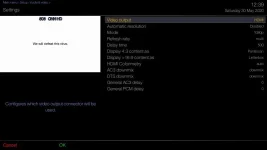
What are your video settings? Have you by chance got auto-resolution on? A screen grab of the video settings would be good.


Sent from my iPhone using Tapatalk
 
Try changing the 4:3 and 16:9 settings to 'just scale'. This is what I have always had mine set to.
 
I tried a few different skins but it's hard to tell if it happens with other skins since they all seem to use bigger thicker fonts that look a bit fuzzy anyway.
 
What settings are on tv also might be worth checking.
 
Grab a high res screenshot using openwebif. there is no point guessing at what you may be seeing or if it is your eyesight
 
Screenshots don't appear to show exactly what is on the screen.
It always looks perfect in a screenshot.
 
AFAIK the screenshot will show what the box is displaying. it wont show what is actually on your tv - that might be where the problem is
 
AFAIK the screenshot will show what the box is displaying. it wont show what is actually on your tv - that might be where the problem is

The reason I don't think the problem is the TV is that I can switch different inputs in to the TV, switch the TV off and on or use the TV as a standalone TV and it doesn't change the state of the display of text from the H7S. Only rebooting the H7S will change it's text display from "bad" to good. I admit that doesn't really 100% prove it though.

---

I noticed some things today.

Today is cooler - it doesn't seem to want to go "bad" at all today, well I did it just once this morning (when I was trying to take a photo of the TV screen with my phone) but not at all this afternoon. (that photo was too fuzzy to be of any use).

If it does it again I might try setting up a tripod and a better camera but none of my cameras are really good.

I'll try and shut up about it now, at least until I get photos, which I might not.
Even I as one who obsesses over his tech gadgets' imperfections way more than is normal regard it as a minor problem.
 
This was slowly getting worse and worse.

I wondered if it was dependent on how much free RAM there was, though that doesn't really make sense since the screen capture was perfect so it must basically all be in 1080p mode for both video and OSD.

However, today I found a workaround. If I go into settings and switch output to 720p and then back to 1080p, it comes correct with nice sharp OSD text every time.

Since this happened with both my previous H7Ss as well, my guess is that something is weird in the ZGemma supplied H7 drivers. I don't know why it has been getting worse and worse though.

Anyhow I now know a way around it and will try and see if I can figure out how to implement a fix so that it will fix itself every time it boots up.

The question is should I just try to add another quick hack in my self built images, or should I try to do something worthy of submitting a PR?
 
I would say if you upgraded to Vix 6.4 and your problems would be solved. That box has 4 partitions so you can keep that old one and put the new one on another slot, just restore settings etc.

I noticed you said " SELF BUILT" what benefits do you get as opposed to the normal images as provided on here?
 
The problem is still there in 6.4 but switching video modes as Brian suggests seems to fix it. Its probably a driver issue but as the drivers are 4 years old I doubt a fix will be forthcoming from zgemma.
 
I would say if you upgraded to Vix 6.4 and your problems would be solved.
Sorry - I failed to give complete information.
I have been upgrading, and I am on 6.4.009 now.

FWIW the main changes I make in my self built images are:

a) Workaround for minor distortion I see in Picons, for which I can't figure out the cause, but nobody but me seems to mind about. I guess nobody else has my obsessive tendencies. :)

b) I change the "Require description to be unique" feature in Autotimers. I change it so that description really must be unique instead of just, IIRC, 70% unique according to difflib.SequenceMatcher.
This has the effect of prioritizing recording every episode of something above possibly recording some episodes twice. This is what I personally prefer.
I also try to check and ignore things like "Brand new series." (in descriptions) and "New:" (in titles) too. But now I'm using Settings / EPG / EPG event name prefixes to remove, which is probably good enough on its own.
 
Last edited:

OpenViX Feeds Status

Back
Top