Superb quality and spec AB-Com PULSe 4K SE. Crazy offer! Only £99! FREE UK DELIVERY! 4K UHD, Enigma 2, Multiboot 4 images & more!...
Superb quality and spec AB-Com PULSe 4K Rev II Twin Satellite tuner only £149! FREE UK DELIVERY! 4K UHD, Enigma 2, SATA HDD facility, Multiboot 4 images & more!...

How to flash a VU+ Duo using a USB stick

Sicilian

The Boss
Staff member
Joined
Mar 22, 2010
Messages
29,867
Reaction score
329
Points
83
Website
www.world-of-satellite.com
Quick guide how to flash a VU+ Duo receiver with a USB stick. Tools required are just your favourite image and at least a 128mb memory stick formatted FAT32.

1. Format you memory stick on you PC FAT32.
2. Create a directory in called vuplus.
3. Within the the vuplus directory create another folder called duo.
4. Unzip the USB upgrade files into that directory.
5. Power off your VU+ Duo.
6. Insert memory stick into front USB slot.
7. Power on your VU+ Duo and follow the on screen instructions.


Thats it :)
 

Attachments

Coming from a cable dreambox background i cannot believe how straightforward the above flash is..
I have one question as a newbie to the sat scene, what is meant by "Unzip the USB upgrade files" in step 4? What files are you referring to? do you mean the actual image itself? or does this imply other files other than the image?
 
Coming from a cable dreambox background i cannot believe how straightforward the above flash is..
I have one question as a newbie to the sat scene, what is meant by "Unzip the USB upgrade files" in step 4? What files are you referring to? do you mean the actual image itself? or does this imply other files other than the image?

The USB image files in most download sections, including here are in compressed zip or rar format. Therefore you need to extract the files first then transfer to onto your USB stick.
 
The USB files required to flash are placed in the vuplus/duo folder in the USB drive.
There are 3 files whch if come in a zip, need to be extracted to the duo folder.
The 3 files are :
boot_cfe_auto.jffs2
kernel_cfe_auto.bin
root_cfe_auto.jffs2
 
Hi mate

If you done things right then on your stick you will have a folder called vuplus... inside that folder will be another called duo.
inside the duo folder if u selected usb upgrade will be 3 files

boot_cfe_auto.jffs2 JFFS2 File
kernel_cfe_auto Bin File
root_cfe_auto.jffs2 JFFS2 File

This is your image that ur be loading into the flash

Just a thought on the subject of upgrade does anyone think the KCC prog cud install NIF to vu+ seeing it was for enigma 2 and the later KCC cud upload NIF to the kathrein?

regards

satmanbasil
 
Hi mate

Had a quick look at the vu+ via KCC it can see the box connection on ping - telnet & FTP only failed on login it also found system info on vu+ so maybe i will ask some questions with the KCC programmers and see if its able to be tweeked or they may develope KCC to work with the Vu+ the vuUtility is very basic compared with KCC and i think it wud be the perfect one stop tool for the vu+

regards
satmanbasil
 
VU+ DUO on the front panel but black screen!!!

I have downloaded images 4.6 VU+ and VTI and followed the instructions above. After rebooting I get VU+ DUO on the front panel but black screen!!!
I downloaded image 4.5 VU+ and still get the same b;ack screen.
Have I missed something? Please help,
Shawi
 
I have downloaded images 4.6 VU+ and VTI and followed the instructions above. After rebooting I get VU+ DUO on the front panel but black screen!!!
I downloaded image 4.5 VU+ and still get the same b;ack screen.
Have I missed something? Please help,
Shawi

Have you extracted the image from the rar/zip file?

Find the downloaded file, right click and select extract here. You will then have a folder called vuplus then another folder called duo with 3 files inside. Transfer the whole vuplus folder to the root of your usb stick. Format the stick first FAT32 with this tool first http://www.vuplus-support.co.uk/showthread.php?45-USB-Format-Tool
 
Successful nfi flash

Hi Sicilian
I have actually expanded te files and built up the folder structure. I also formatted the usb using HP tool. But to no avail.
However, I connected the network + serial and successfully flashed the NFI image. All is well now.
p.s. I suspect the USB stick,
I have used and tested a large number of satellite devices, I must say; this one is really good.
Thanks for your support.
Shawi.
 
PPL ask me how to install VU+-Support.co.uk-Loaded24-05-10.rar in to the Vu+Duo i say to them, unzip the zip file in the you will se 2 maps (vuplus, duo) and 3 files (kernel_cfe_auto.bin, boot_cfe_auto.jffs2, root_cfe_auto.jffs2). Copy all this to a USB memory, insert this USB in the front USB port at you box, Boot.

The the asking how to install let say vti-duo-image-v1.1-28052010_usb.zip, in this ZIP files is ONLY 1 file (vti-duo-image-v1.1-28052010_usb) no extension on the file, now they as wath to do with this file, i say i dont know, is there only 1 file in the ZIP file i can only see 1 file vti-duo-image-v1.1-28052010_usb.??? is there only 1 file?

And is there a nothe way to boot Vu+Dou after flash more that the button on the back?
 
Extrat the file vti-duo-image-v1.1-28052010_usb.zip. you will then find the 3 files listed below: -

kernel_cfe_auto.bin
boot_cfe_auto.jffs2
root_cfe_auto.jffs2

As per the first post in this thread.

Copy them to vuplus/duo

What exactly is the issue you are having?
 
I downloaded from this site and there is only 1 file inside thats why asking i KNOW that should be 3 BUT there is still only 1 file inside?
 
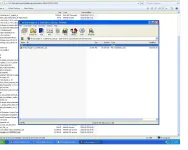
The file looks like this

This is how i see it on my screen
 

Attachments

  • The file.webp
    The file.webp
    99.8 KB · Views: 287
Pege63: What you see on your screenshot is correct, but winzip shows it for some reason not as a folder but an unknown folder.
I get the same result but when unzipped it it gave me folder with the correct amount of files inside.
Don´t open the result with winzip, just doubleclick on the extracted folder and it should be ok.
 
Aha OKi well thats explains it all the file is a folder that has to be extracted after that you be able to se all 3 files, tack för hjälpen
 
Inga problem, alltid roligt att kunna hjälpa till :cool:

Sorry, had to reply in swedish :p
 
Followed this perfectly when I did my first flash. However, I made a few changes that the box wouldn't keep, so I wanted to reflash it...

Put the stick in to the front usb port, and it came up very briefly with "Reading USB" or whatever message, and then started to load the previous image...

Had to remove the usb stick in the back of the machine for it to actually flash using the front usb... Now, I'm likely to flash it using the front usb for ease of use, but don't really wanna have to keep removing the rear usb stick to do this... Is there any way to make it read the front usb first (as it looks to me like it's reading the rear usb, thinking no file to flash, and then starting up...)
 

OpenViX Feeds Status

Back
Top