S
silverfox0786
Guest
Hey guys I thought I’d do a tutorial for updating channels the easy way using DBEdit 4.0.1.0
This is good for people like me that use our own bouquets rather than premade ones and it’s also good as you don’t have to wait for a premade update.
So first is the easy part.
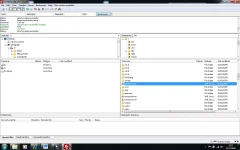
Go and get an updated version of satellites.xml and place it in var/etc via FTP to the box
View attachment 3437
Then you have to do a full scan of your satellite in this case I’m using 28.2E
For the Vu [will work same with Dreamboxes and other] press ‘Menu’ – ‘Setup’ – ‘Service Searching’ – ‘Automatic Scan’ and then OK to start scan [Make sure ‘Clear Before Scan’ is set to ‘Yes’]
Go make a Cup of Tea/Coffie or grab a Beer/Vino Rosso ……………………….
Or you can go empty your Tank…………………….
Now the scan is done.
Go to PC that you use for DBEdit.
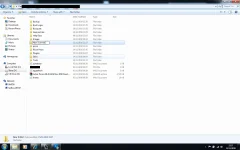
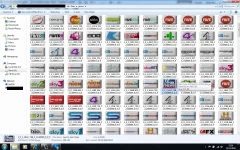
Create a folder. In my case ‘New Scanned’
View attachment 3438
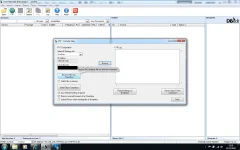
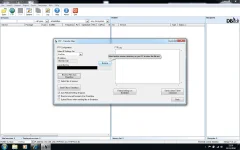
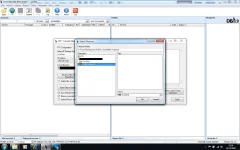
Now open DBEdit Click on FTP Button above and browse to ‘New Scanned’ and click OK
View attachment 3436 View attachment 3440
Then click on RECEIVE FROM DREAMBOX
View attachment 3435
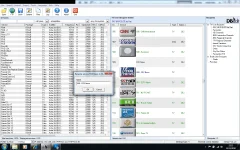
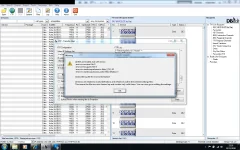
Once received you will see errors, that’s normal as its lost and found channels [I’ll explain later]
View attachment 3442
As you can see it the same Bouquet listing as set by you.
Now this is how you update the channel:
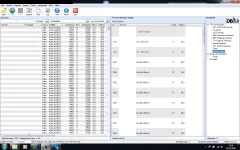
As long as the original channel was renamed and originally showing in GREEN in DBEdit, If it has been lost due to channel leaving then it will show up a BLUE. If it was not renamed then it will just disappear [more on that later]
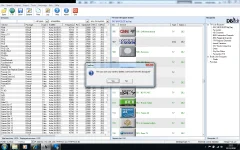
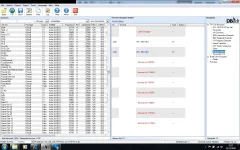
As you can see I have found 509 - FOX NEWS showing up in BLUE and it’s been reported as gone on that frequency.
View attachment 3443
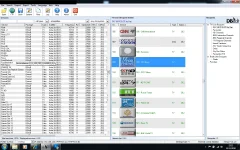
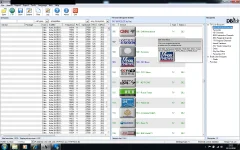
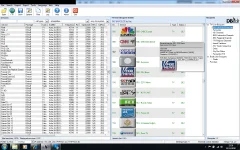
So now on your right is the service listing. You need to scroll down to ‘F’ and you will find the new FOX NEWS.
View attachment 3434
Drag that FOX SPORTS NEWS directly on top of the BLUE 509 – FOX NEWS It will place its self on top of the old 509 – FOX NEWS
You then need to rename the new FOX NEWS to 509 – FOX NEWS
View attachment 3441
Once that is done you will see that from BLACK writing its gone to GREEN [That indicates it’s a renamed channel] and you need to delete the old BLUE 509 - FOX NEWS
View attachment 3439
This is good for people like me that use our own bouquets rather than premade ones and it’s also good as you don’t have to wait for a premade update.
So first is the easy part.
Go and get an updated version of satellites.xml and place it in var/etc via FTP to the box
View attachment 3437
Then you have to do a full scan of your satellite in this case I’m using 28.2E
For the Vu [will work same with Dreamboxes and other] press ‘Menu’ – ‘Setup’ – ‘Service Searching’ – ‘Automatic Scan’ and then OK to start scan [Make sure ‘Clear Before Scan’ is set to ‘Yes’]
Go make a Cup of Tea/Coffie or grab a Beer/Vino Rosso ……………………….
Or you can go empty your Tank…………………….
Now the scan is done.
Go to PC that you use for DBEdit.
Create a folder. In my case ‘New Scanned’
View attachment 3438
Now open DBEdit Click on FTP Button above and browse to ‘New Scanned’ and click OK
View attachment 3436 View attachment 3440
Then click on RECEIVE FROM DREAMBOX
View attachment 3435
Once received you will see errors, that’s normal as its lost and found channels [I’ll explain later]
View attachment 3442
As you can see it the same Bouquet listing as set by you.
Now this is how you update the channel:
As long as the original channel was renamed and originally showing in GREEN in DBEdit, If it has been lost due to channel leaving then it will show up a BLUE. If it was not renamed then it will just disappear [more on that later]
As you can see I have found 509 - FOX NEWS showing up in BLUE and it’s been reported as gone on that frequency.
View attachment 3443
So now on your right is the service listing. You need to scroll down to ‘F’ and you will find the new FOX NEWS.
View attachment 3434
Drag that FOX SPORTS NEWS directly on top of the BLUE 509 – FOX NEWS It will place its self on top of the old 509 – FOX NEWS
You then need to rename the new FOX NEWS to 509 – FOX NEWS
View attachment 3441
Once that is done you will see that from BLACK writing its gone to GREEN [That indicates it’s a renamed channel] and you need to delete the old BLUE 509 - FOX NEWS
View attachment 3439