
Rob van der Does
ViX Beta Tester
- Joined
- Apr 17, 2010
- Messages
- 36,522
- Reaction score
- 125
- Points
- 63
- Age
- 74
- Location
- The Netherlands & France
Yes .


Post a screen shot of your tuner config.
Have you installed a channel list and tried checking channels that way?
Menu > Plugins> Green for Download> Settings
Pick from any of the motorised settings.
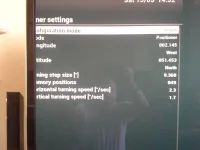
First downloading a list (from the feeds) and see what channels on what satellites you can actually receive is a very easy way to see how your system is working.No not looking to download channels lists - maybe in a couple of weeks when I'm used to the box, wouldn't know where to start yet but have flashed before on other boxes. Happy to tune/edit myself but need to be able to lock onto the satellites first.
Your settings are fine. It seems that your dish assembly was not set to USALS and you will have to use Diseqc motor controls to store each position. I am afraid that I do not know how to do that. Have a look at this post
http://www.world-of-satellite.com/s...sed-dish-setup&p=229688&viewfull=1#post229688
I would strongly recommend that you install a motorised chanenl list. It is only a few button presses and you can remove quite easily. There is nothing to stop you scanning afterwards. It will take the guesswork as to which satellite you are on out of the equation.
Motor itself is fine and is USALS compatible. It is just fitted wrong.
a. Yes. If you are stll on USALS it will go to the calculated position. You still wont get a picture.
c. That guide I posted will apply to your receiver too as Enigma2 is the same.
Your dish assembly is basically 3 degrees out. It needs to move a bit.
What I would recommend you do is as follows (if safe for you to do):
d. Leave tuner config as it is.
e. Install channel list from feeds.
f. Select a channel on the installed list.
g. Slacken the nuts on the fixings that attach the motor to pole. Do not touch anything between motor and dish or dish itself.
h. Have someone watching the telly
i. gently push the whole assembly east until "I got a picture".
 confused. Sure it'll be worth it in the end.
Here is a manual for TM2300View attachment technomate TM 2300.pdfFor time being set it as Diseqc motor controls.
P.S if you enter the following address in your browser you can get a screenshot of the OSD. Obviously change the IP address to match yours.
http://192.168.0.10/grab?format=jpg&mode=osd


