Superb quality and spec AB-Com PULSe 4K SE. Crazy offer! Only £99! FREE UK DELIVERY! 4K UHD, Enigma 2, Multiboot 4 images & more!...
Superb quality and spec AB-Com PULSe 4K Rev II Twin Satellite tuner only £149! FREE UK DELIVERY! 4K UHD, Enigma 2, SATA HDD facility, Multiboot 4 images & more!...

No satellite on Tuner B!

skratch

Forum Supporter
Donated Member
Joined
Aug 3, 2013
Messages
364
Reaction score
0
Points
16
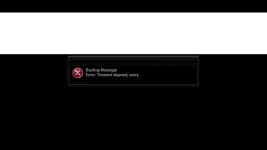
Hi all i have this strange problem where I can only get tuner A to work, everytime I go to tuner b I get an error message. I have had the box for a while now and it's been fine it was only because I was recording something I realised I had this problem.
I am on 070 I have tried doing a backup and install the image again, also going back to older backups but still not working. I tried a fresh install and that seems to sort the problem out so at least I know it's not a tuner failure! I would like to keep all my timers and settings so if anyone knows what could be the problem and how to fix it please let us know.
Thanks

Sent from my SM-G900F using Tapatalk
 
Hi abu nothing has changed that is the strange part!

Sent from my SM-G900F using Tapatalk
 
If a new image without restores is fine, then issue is with settings on older image. You can restore your timer file if you want.
 
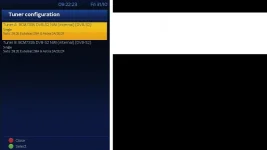
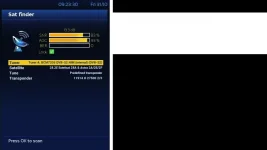
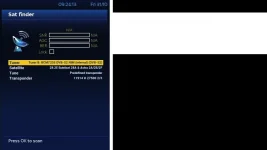
Here are some screenshots of the problem.
Is there a driver that can be uninstalled and installed again?

Tuners.webpTuner A.webpTuner B.webpTuner B message.webp
 
Ok just tried doing another restore and usually it comes up with an error message when doing so but this time there wasn't and its working fine now???:confused: Thanks for your help anyway.
 
I was hoping you would have uploaded the files so that we could learn from it and help others if they are in teh same situation.

Glad you are sorted.
 
I will create the problem again and upload th settings for you :thumbsup:

Here is the error message that happens when trying to restore previous settings.
error when backing up.webp
 
Last edited:
I suspect this is the issue. I've seen it a few times where people select automatic for their tuner (which is automatic diseqc). This occasionally causes issues.

Code:
config.Nims.1.diseqcA=282
config.Nims.1.diseqcB=3601
config.Nims.1.diseqcC=3601
config.Nims.1.diseqcD=3601
config.Nims.0.diseqcA=282
config.Nims.0.diseqcB=3601
config.Nims.0.diseqcC=3601
config.Nims.0.diseqcD=3601

If you don't want to start afresh, you can try the following. Put enigma to sleep with init 4 telnet command. Edit the above lines so that you end up with
Code:
config.Nims.1.diseqcA=282
config.Nims.0.diseqcA=282
 
Nice one Abu if it happens again I'll try this out 👍

Sent from my SM-G900F using Tapatalk
 
I tried what you said as i am having this problem again.
But this is what i am getting on telnet

Code:
 root@vuduo:~# init 4 telnet
Usage: init {-e VAR[=VAL] | [-t SECONDS] {0|1|2|3|4|5|6|S|s|Q|q|A|a|B|b|C|c|U|u}}
root@vuduo:~# config.Nims.1.diseqcA=282
-sh: config.Nims.1.diseqcA=282: not found
root@vuduo:~# config.Nims.0.diseqcA=282
-sh: config.Nims.0.diseqcA=282: not found
root@vuduo:~# 
 
Same thing.

Code:
root@vuduo:~# init 4
root@vuduo:~# config.Nims.1.diseqcA=282
-sh: config.Nims.1.diseqcA=282: not found
root@vuduo:~# config.Nims.0.diseqcA=282
-sh: config.Nims.0.diseqcA=282: not found
root@vuduo:~# 
 
You're picking up Abus instructions wrong.
He wants you to edit your /etc/enigma2/settings file while E2 is sleeping.
So:
Code:
init 4
to put E2 to sleep, then edit the file with a linux compatible text editor.
 
Ah right! that will be why.
I should have checked really but never mind. All done now so i will let you know how it goes either way.

Thanks for both your help.

:thumbsup:
 
Ok i still have the problem and now I'm even more concerned as my box was on this morning already and not on the channel I put it on!
There is a P/W on the box.
How do I backup and restore my auto timers do I just save the file?

Sent from my SM-G900F using Tapatalk

 

OpenViX Feeds Status

Back
Top