Superb quality and spec AB-Com PULSe 4K SE. Crazy offer! Only £99! FREE UK DELIVERY! 4K UHD, Enigma 2, Multiboot 4 images & more!...
Superb quality and spec AB-Com PULSe 4K Rev II Twin Satellite tuner only £149! FREE UK DELIVERY! 4K UHD, Enigma 2, SATA HDD facility, Multiboot 4 images & more!...

[GiGaBlue QUAD] [NOT QUAD+] recording problem

  • Thread starter Thread starter Ojustaboo
  • Start date Start date
Is the heatsink over the processor actually hot? Is there any way you can measure the temperature with a probe of some sort?
 
Any box reporting 100c+ will reboot by default thanks to E2 safety measures.
No box should get that hot though.
If some boxes are reporting 90c +, we shouldn't recommend that image for daily use.
 
I've said earlier in the thread to the OP that processors will shut down and reboot to save themselves. All PCs will do this, so I assume SoC systems are the same. Shouldn't happen, though, with proper heatsink design.
 
The really really weird thing is, all was fine on Apollo24.

First thing I recorded and played back on 26 is as in the first post of this thread, then the box started rebooting when recording, all the first night after upgrading.

I went back to 24, then to Helios 15 and it's still doing it (back to 26 now as Helios 15 didn't' tell me temperature).

So either something got updated in 26 that the previous versions are leaving in place, or it is a huge coincidence that my box chose to go bad at that point.

Tomorrow, I'll put my hand on the box to see how warm it actually gets and possibly run it without the cover on. But only two thermometers I have are a meat one and one for humans. I've run my box on days much much much hotter than this where the room temp was really high, with zero probs.

Box is still in warranty for 3 months, I just really find the coincidence weird, plus I don't want to be without TV for a week or more
 
If the box is overheating while recording, it will suffer playback issues on those recorded files.
 
When flashing an image, everything is written over. When you flashed the older image, did you flash the older bootloader too?
 
No, I couldn't find the old bootloader. There's only the current one in

http://openvix.co.uk/index.php?dir=Bootloaders/GiGaBlue-Bootloaders/GiGaBlue-QUAD/

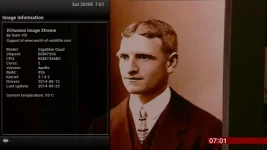
Update: Since 1am it's been on normal standby. Turned it on at 6:30 am and the temp was already 78C

I left it on live TV (no recordings) while I took my dog out, at 7:01 it has risen to 93C

2222.webp

I didn't turn my amp on, just the TV and Quad just to make sure the amp wasn't pumping out loads of heat and heating the underneath of the quad (see pic in post 18)

Putting my hand on the box, it really isn't at all hot, just slightly warm. Will put the HD back inside in a bit and leave the lid off and do a test.

EDIT: 7:20 it's still at 93C, I kicked off 3 recordings while watching on a forth channel and 10 mins later it's dropped a degree to 92C

I think its haunted.
 
Last edited:
Getting odder.

It was steady at 93C, I tried playing back one of the recordings and it started to creep up, got as far as 95 before I quit watching

4444.webp

second I stopped p[laying it dropped down to 93C

5555.webp

Tried playing back again, it's up to 96 and keeps pixelating, but if I rewind and replay, it#'s perfect and pixelates elsewhere
 
Last edited:
It got to 97 on playback when the playback froze, not the box.

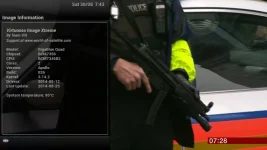
The screengrab shows the slight pixlation in his forehead (usually much worse) and if I restart 30 secs before hand it plays fine over that bit..

Straight away going to the temp, it has now dropped to 95

8888.webp

What worries me is that even if going back to an early version with an earlier bootloader fixes it, why is it just happening to me (rebooting) and just two if us with the intermittent pixelation

If it helps, attached messages and messages.0 from var/log
 

Attachments

Last edited:
I put the HD back inside and put lid on but left uscrewed. Temp rose to 93C

I lifted the lid off, temp has dropped to 80C

Heat sink is like touching a house radiator when it's on, You can put your finger on it without getting a burn, but it's too hot to leave finger on there
 
@Ojustaboo - I presume you have seen some of the other postings from Sicilian about the temperature readings in the Quad? The reported temp readings seem to be too high and don't reflect the real situation. To me, that makes sense as several Quad owners report these high temps, but without any other symptoms. If the heat sink on your box is only warm and the reported temp is 90C, then it would indicate that either the reading is wrong or that your heatsink is not doing its job. The actual surface area of a processor is very small and will heat up very quickly once it starts to run at a high usage level. If the heatsink is doing its job it should conduct heat away from the processor and become warm. So, assuming the heatsink is mounted correctly and is actually conducting heat away from the processor, it should become very warm or too hot to touch if the processor temp actually rises to 90C.

I still haven't had any issues since Wednesday with my playback glitching and my reported temps are still mid 40s. Like you, I can't go back to a previous bootloader as I don't recall one ever being published on-line by Gigablue for the Quad+, other than the new one. I'm sorry that this doesn't help your issue, though. I did find an older Quad bootloader (not Plus) on
Code:
http://archiv.openmips.com/
if you wanted to try. You should verify with other Quad users, though, as a failed bootloader install will brick your box.
 
Temp reading are unreliable. Mine has hit 105 and still functions fine. IMHO I think it's a driver issue or bootloader as getting random reboots whilst watching or when three tuners have a recording running.

Could be kernel as well but without crash logs dam difficult to fault find.

Sent from my SM-N9005 using Tapatalk
 
Thanks. Stef at world-of-satellite has read this thread and is issueing me an RMA no on Monday.

No box for 2 to 3 weeks as it has to go to Germany. So lots of Netflix for a few weeks.
 
Thanks. Stef at world-of-satellite has read this thread and is issueing me an RMA no on Monday.

No box for 2 to 3 weeks as it has to go to Germany. So lots of Netflix for a few weeks.

Bad news in the short term, but they will get to the bottom of the issue. Stef will look after you :thumbsup:
 
I flashed build 26 on my Quad plus and was having problems watching one program and streaming another via openwebif or the remotestreamconvertor to my 800ue+.

I rebooted the box several times but I just couldn't get it to work at all. I never tested recording but I would assume it would have been the same if I tested it.

Transcoding wouldn't work at all either just locked the box up.

Was the bootloader flash mandatory to use the new 2.3 based images? I never flashed the bootloader I just went back to build 24 and used the 31/7/14 drivers from the openmips website and the box is performing perfectly. All tuners can stream externally and transcoding works albeit with poor quality.

I never mentioned it as I just assumed that gigablue had made an arse of the drivers for the new kernel (like they normally do with major releases) and in time they would sort it.
 
I just went back to build 24 and used the 31/7/14 drivers from the openmips website and the box is performing perfectly.

Why did you use the drivers from the openmip site? I just went back to 24 (just installed the ViX image, no other drivers) and the info says the drivers are 31/7/14

Or am I missing something?

Thanks
 
Why did you use the drivers from the openmip site? I just went back to 24 (just installed the ViX image, no other drivers) and the info says the drivers are 31/7/14

Or am I missing something?

Thanks

The ViX build 024 contains the newer drivers from 31/7. There are older drivers from 10/07 available on the openmips archive. But the bootloader changed from ViX 025 onwards.

As you changed the bootloader, but @dwarf didn't, maybe you should revert? But as I posted before, it's riskier flashing bootloaders so double check everything if you are going to do it.
 
Last edited:
Why did you use the drivers from the openmip site? I just went back to 24 (just installed the ViX image, no other drivers) and the info says the drivers are 31/7/14

Or am I missing something?

Thanks

Sorry your right I actually went back to build 23 as that's the build I was on previously and it worked perfectly. Build 24 is probably perfect.

The drivers in build 26 were from August (I'm assuming to support the new kernel) and aren't listed on the openmips archive site.
 
I'm getting the pixelated / freeze / resume issue with playback on my GBQuad and have been ever since 025. Now on 026 and it's just the same. ALWAYS when recording one thing and playing back another (from the hdd).

Really disappointed with the 025/6 release - reverting to 024.

Steve
 

OpenViX Feeds Status

Back
Top