Superb quality and spec AB-Com PULSe 4K SE. Crazy offer! Only £99! FREE UK DELIVERY! 4K UHD, Enigma 2, Multiboot 4 images & more!...
Superb quality and spec AB-Com PULSe 4K Rev II Twin Satellite tuner only £149! FREE UK DELIVERY! 4K UHD, Enigma 2, SATA HDD facility, Multiboot 4 images & more!...

[GiGaBlue UHD UE 4K] Not switching back from 60Hz

Downloaded some 4K60fps mp4 and ts files, and tried them on Zgemma H7C and GBQuad4k.

They all played Ok, and now the file that wouldn't play properly on the Zgemma (Vix 6.4.011), plays ok.

I can only think that these other mp4 and ts have 'retrained' or 'reset' the TV's 4K60fps settings to the Zgemma.

The only other thing that has changed is the TV updated the Prime Video app.

Whatever, it plays ok now.


Probably related to your and EvO's work- the GBQuad4K now plays high bitrate 4K 24fps mp4s, (they wouldn't play before, as I mentioned in post #15 in the thread about image download fails).
 
I may have been a tad hasty with my previous thumbs-up.

The Zgemma H7C (Vix 6.4.011) does not play 4K 60fps videos properly all the time.

I should mention that my Philips 65OLED706 had a software update on 08/01/2024 and I hadn't tried playing any 4K 60fps videos until I updated to Vix 6.4.011.
And that the TV sometimes takes it's time to sort itself out after any changes (it forgets an input uses CEC if I disconnect then reconnect it, and takes ages get CEC working again).
However, it has always displayed these 4K 60fps videos OK when I try Zgemma Vix 6.4.010 or the GBQuad4K Vix 6.4.011.

I think the Zgemma only locked up the first time I tried playing 60fps 4K video, because since then I can use the remote to put it into deep standby (screen is black).


I thought it had 'sorted itself out' with the 60fps video, but it seems to fail to play when I first turn on the TV and the Zgemma, then plays ok after I have rebooted the Zgemma.
Also, it doesn't play the test files I downloaded (Sony-Swordsmith-HDR-UHD-4K-(www.demolandia.net).mp4 and LG-NASA-HDR-(www.demolandia.net).mp4) properly either.

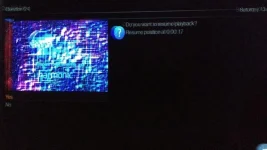
Managed to photograph screen when video starts, and when it has stopped (before it goes black).


play video.webpafter stop.webp
 
GBQuad4K Vix 6.4.011

If you set-
Auto Resolution - Disabled
Mode - 2160p
Refresh Rate - Multi
The TV will display all video at 2160p with the correct fps

If you set Mode to 720p-
The TV will display all video at 720p with the correct refresh rate, etc for all modes that I tried.


If you then set-
Auto resolution - All resolutions
Nothing changes. It just keeps the same settings, and displays everything at the same resolution you last set with the Mode setting, even after restarting the gui.
It's as if that part of program has been bypassed or has gone altogether.
If that last setting was 720p it still shows everything at 720p. Not just the TV overlay saying that, you can clearly see 4K video is not 4K.

TV still showing "HDR" popup even though it is clearly not 4K. So presumably the GBQuad4K is telling the TV it is HDR.


Zgemma H7C Vix 6.4.011
Auto Resolution - Disabled
Mode - 2160p
Refresh Rate - Multi
It plays 24fps video at 50 fps
Only plays Sony-Swordsmith mp4 for a couple of seconds

If I set Auto resolution - All resolutions it plays 4k 60fps at 30fps
I gave up after this.


Tried loading Kodi rather than PiP Vix and it has played 60fps ok so far with the caveats above.
But it was on and off before so ...
 
GBQuad4K Vix 6.4.011

If you set-
Auto Resolution - Disabled
Mode - 2160p
Refresh Rate - Multi
The TV will display all video at 2160p with the correct fps

If you set Mode to 720p-
The TV will display all video at 720p with the correct refresh rate, etc for all modes that I tried.


If you then set-
Auto resolution - All resolutions
Nothing changes. It just keeps the same settings, and displays everything at the same resolution you last set with the Mode setting, even after restarting the gui.
It's as if that part of program has been bypassed or has gone altogether.
If that last setting was 720p it still shows everything at 720p. Not just the TV overlay saying that, you can clearly see 4K video is not 4K.

TV still showing "HDR" popup even though it is clearly not 4K. So presumably the GBQuad4K is telling the TV it is HDR.


Zgemma H7C Vix 6.4.011
Auto Resolution - Disabled
Mode - 2160p
Refresh Rate - Multi
It plays 24fps video at 50 fps
Only plays Sony-Swordsmith mp4 for a couple of seconds

If I set Auto resolution - All resolutions it plays 4k 60fps at 30fps
I gave up after this.


Tried loading Kodi rather than PiP Vix and it has played 60fps ok so far with the caveats above.
But it was on and off before so ...

Working an issue at the moment .. but try multi and setting delay time to 3500

why are you looking at 720?
 
It's always set to multi.
Tried 3500, and the Sony Swordsmith mp4 plays for 12 seconds then freezes.
If I stop and restart it (it's set to resume) it plays another 12 seconds then freezes.
So it is possible to watch the whole video in 12 second chunks.

I tried 720p so I could compare the TV picture, and that it wasn't just the TV overlay saying it was 720.
 

OpenViX Feeds Status

Back
Top