Superb quality and spec AB-Com PULSe 4K SE. Crazy offer! Only £129! FREE UK DELIVERY! 4K UHD, Enigma 2, Multiboot 4 images & more!...
Superb quality and spec AB-Com PULSe 4K Rev II Twin Satellite tuner only £179! FREE UK DELIVERY! 4K UHD, Enigma 2, SATA HDD facility, Multiboot 4 images & more!...

OpenViX 6.8 Release discussion thread

Status
Not open for further replies.
Thanks Hevoos when l reviewed the network settings l found the DNS setting to be incorect as a result l changed my method of upgrading to check the settting prior updating my previous settings. As a result both my Technomate and Octagon boxes are updated to 6.8.001 with my VPN
Many thanks
 
thanks for testing, but did you observe the first few seconds of the playback? did playback start without a jump back to start after 1-2 seconds. the second start then plays back fine.
So tried selection of videos from the 2 sources on both Vu+ Uno4KSE and Gigablue Pro - have seen no issues, plays smoothly
 
thanks. then it might be a timing issue because v+ zero is much slower...
 
i recorded a little video of what i'm seeing at start of the movie. sorry for the bad quality :-)
 

Attachments

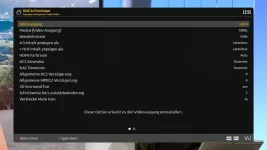
audio/video settings
 

Attachments

  • audiovideosettings.webp
    audiovideosettings.webp
    45.7 KB · Views: 25
yes, i did. it would have surprised me if it just worked with auto because it worked on openatv with 50 hz. i did a brief comparison between the movieselection/movielist/movieplayer code between vix and atv and found that they are quite different. so, i would suspect code bug... just appearing on slow boxes.
the jump back to 0 could be an erroneous resume jump... that is not visibile on fast boxes... just a rough guess.
 
Last edited:
yes, i did. it would have surprised me if it just worked with auto because it worked on openatv with 50 hz. i did a brief comparison between the movieselection/movielist/movieplayer code between vix and atv and found that they are quite different. so, i would suspect code bug... just appearing on slow boxes.
the jump back to 0 could be an erroneous resume jump... that is not visibile on fast boxes... just a rough guess.
so which Vu+ box do you have?
The reason for auto is to handle automatically changing fps in a video - many downloaded videos run at 24fps or even change fps between intro and the main movie so you see stuttering on the video replay.
So if you have a TV that can handle, then its better to set to auto.
 
i have a vu zero. even if it was 24fps which i doubt... setting frame rate to auto didn't help. and again, the problem doesnt show up with atv.
p.s. i checked the framerate with vlc: its 50 fps.
 
Last edited:
one more interesting observation: when i use the mediathekviewweb plugin to play back the movie the "restart" problem does not appear.
 
can i disable subtitles / subtitle resynchronization to check if that's the cause?
 
ok, maybe i'm going to check next what the difference is between how movieplayer starts playback vs. mediathekwebview.
 
well, the difference is relatively simple: mediatheviewweb passes a url to movieplayer and movieselection passes a filename.
 
Status
Not open for further replies.

OpenViX Feeds Status

Back
Top