Superb quality and spec AB-Com PULSe 4K SE. Crazy offer! Only £99! FREE UK DELIVERY! 4K UHD, Enigma 2, Multiboot 4 images & more!...
Superb quality and spec AB-Com PULSe 4K Rev II Twin Satellite tuner only £149! FREE UK DELIVERY! 4K UHD, Enigma 2, SATA HDD facility, Multiboot 4 images & more!...

[VU+ Duo] OpenWebif Recordings not displayed

sivhead

Member
Joined
Apr 6, 2010
Messages
269
Reaction score
1
Points
18
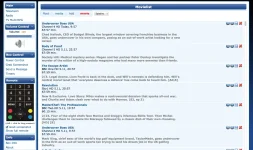
I have never used it before so have never noticed, but the recordings don't show from the openwebif when selecting movies from the left hand side. I just get the following attachment. OpenWebIfMovies.webp. Is there a limit to how many recordings you can have ? can someone else test please

I need this working for the latest update to the blackbox app for IOS which lets you download recordings to your device.

I'm using build 775 but don't ever recall it working in the past
 
Last edited:
Would it be possible for someone to test on the VIX image

1) Open the WebInterface
2) On the left Pane under Stream Click movies.

Q) Are any recordings displayed ? If so how many recordings do you have roughly ? and what box have you got.
Thanks Siv
 
Would it be possible for someone to test on the VIX image

1) Open the WebInterface
2) On the left Pane under Stream Click movies.

Q) Are any recordings displayed ? If so how many recordings do you have roughly ? and what box have you got.
Thanks Siv


yup all fine here. 160 recordings
 

Attachments

  • Screen Shot 2013-11-06 at 17.11.17.webp
    Screen Shot 2013-11-06 at 17.11.17.webp
    199.3 KB · Views: 19
I had an issue that no recordings showed at all. It turned out that the recording-path (menu --> recordings settings) was set wrong.
 
Yes I think after losing all my recordings converting to ext3 initialising my hard disk etc..., tried everything still cant get it to work. I can record and play but recordings are being recorded to /media/hdd not media/hdd/Movie/

I have even created a movie folder on /media/hdd but my recordings default to the folder above.

I I check the menu>Information>Devices the detected devices are
/media/hdd
/media/usb2

If I goto Setup>System>Recording Settings the default movie Location is set to
/media/hdd/movie/

wierd...
 
Its working now. not sure what got it working possibly could be a reboot. (I tried to reboot after every change i did so have not managed to pin it down). I think i needed to create the movie folder and press green to save in the recording settings and reboot.

Anyway thanks for everyone's efforts. my only test recording is showing in the Black Box App for IOS and offline downloads now work Fantastic all Hunky Dory again.
 
I had same problem (vu+ solo2 and vix image). Openwebif did not show movies. i had default recording location set to media/sda1/movie and when i changed it to media/hdd/movie (which points to same place) Open Webif now shows movies. Didnt need to reboot for me...
 

OpenViX Feeds Status

Back
Top