Superb quality and spec AB-Com PULSe 4K SE. Crazy offer! Only £99! FREE UK DELIVERY! 4K UHD, Enigma 2, Multiboot 4 images & more!...
Superb quality and spec AB-Com PULSe 4K Rev II Twin Satellite tuner only £149! FREE UK DELIVERY! 4K UHD, Enigma 2, SATA HDD facility, Multiboot 4 images & more!...

Recording to NAS

digitl

Forum Supporter
Donated Member
Joined
Sep 6, 2023
Messages
160
Reaction score
1
Points
18
I've set up a network mount on a Synology NAS previously and there are no issues with it.

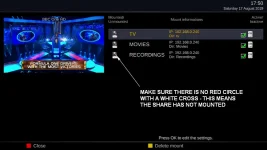
To keep Management's recordings separate from my own I have installed another network mount on a different Synology NAS but it's not completing on the Vu+. I can see /media/autofs/Mine/ (which the box reports as 'Directory does not exist' when I select it) but the final /movie/ is missing.

Anyone care to educate me on what I'm missing please?
 
Are you sure the credentials are right? Ip and nas shared folder are correct? It looks like it doesnt login or doesnt see the nas at all.
 
Yes, I've checked and double checked.

However, there's something odd going on.

I have a 4TB SSD installed as /media/hdd/movie/ but when I access /media/hdd/movie/ through the PVR button it goes to the existing network share and its recordings. To see the recordings on it I have to select Location, then Samsung SSD 870 (Partition 1)/media/hdd2/movie, then movie. This displays the list of recordings with Trash can above them and then Directory at the very top.

Another anomaly: Detected devices displays "(Samsung SSD 870) - ATA Bus (SSD) (3.94 TB) Free: 69 GB". I'm assuming the 69 GB is free on the NAS!

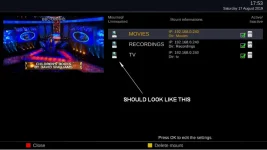
Network servers displays both the old and the new network shares (without the /movie/ extension) as "also enabled for autofs network mount".

Weirder and weirder. I wonder if something has been corrupted somewhere?
 
Looks like it... If it shows nas as movies location then you probably set it as a hdd replacement in mount setting?
 
Thanks for the suggestion but hdd replacement was set to No.

After too many hours trying to sort out what had happened I decided to reflash the box and set up a fresh installation.
 
I normally set to record to internal hdd and when full move recordings to NAS.

Both of them i need to recheck their ips as not found on network any more.
 
I think I've discovered what I was doing wrong. I wasn't mounting the network share from the browse network option before setting it up in the mounts editor. :confused:
 

OpenViX Feeds Status

Back
Top