

T
terryuk22
Guest
first of all i installed dreamset into a folder called D:\VU\dreamset then made a folder within that folder called chanlist in D:\VU\chanlist
also made a shorcut to the dreamset.exe file and dragged to the taskbar (makes it a lot easier)
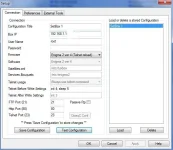 This is what worked with lastest firmware and vix 2.3 but you have to have the right IP addy get this by
using the vu remote menu setup system network device setup where current settings are look for the 192.168.1.130 etc
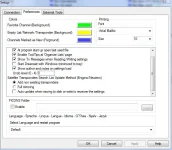 what you can do here is make a insert to put all your fav chans for easier access for each sat
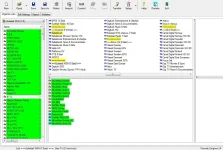 you need to download the list from your vu first or work with a ready made list so you can download lots of different lists and play with each list will need its own folder.
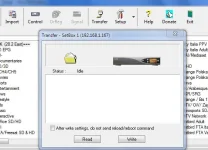 read sends the list to your computor so you can edit - write sends it back to your box
what i also did was to use winrar and compress the the channel list just in case something went wrong in D:\VU\chanlist\mychan.rar
copy and past a few chans move a few about and then Transfer write back to your VU uno box it will then reboot.
Hope this makes it easier to edit your own chan list to your liking
http://www.dreamset-editor.com/index.php
also made a shorcut to the dreamset.exe file and dragged to the taskbar (makes it a lot easier)
This is what worked with lastest firmware and vix 2.3 but you have to have the right IP addy get this byusing the vu remote menu setup system network device setup where current settings are look for the 192.168.1.130 etc
what you can do here is make a insert to put all your fav chans for easier access for each sat you need to download the list from your vu first or work with a ready made list so you can download lots of different lists and play with each list will need its own folder. read sends the list to your computor so you can edit - write sends it back to your boxwhat i also did was to use winrar and compress the the channel list just in case something went wrong in D:\VU\chanlist\mychan.rar
copy and past a few chans move a few about and then Transfer write back to your VU uno box it will then reboot.
Hope this makes it easier to edit your own chan list to your liking
http://www.dreamset-editor.com/index.php

