Superb quality and spec AB-Com PULSe 4K SE. Crazy offer! Only £129! FREE UK DELIVERY! 4K UHD, Enigma 2, Multiboot 4 images & more!...
Superb quality and spec AB-Com PULSe 4K Rev II Twin Satellite tuner only £179! FREE UK DELIVERY! 4K UHD, Enigma 2, SATA HDD facility, Multiboot 4 images & more!...

Skinning concept

registering with:
Code:
        PluginDescriptor(
            name=_("TMDB Infos"),
            description=_("TMDB Infos"),
            where=[
                PluginDescriptor.WHERE_EVENTINFO,
            ],
            fnc=showEventInfos
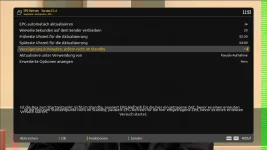
doesnt seem to be enough... when i press the red key i get the message that the plugin is not installed. :-(
 
is this a skin or plugin bug?
 

Attachments

  • epgrefreshskin.webp
    epgrefreshskin.webp
    51.8 KB · Views: 4
Most likely plugin fault since it have 2 description widgets with same text....
 
in DarkOS it have 2 widgets that are used for same thing in the plugin. I will remove one of them....
 
let's move on to lcd skins.
my problem is that on my dm900 all lcd skin screens are cut off at the right hand side and therefore missing a few pixels (5 or so).
as the screenshot shows the full screen, i suspect that a frame might cover the right hand side of the display a bit mechanically. a production problem so to speak.
have you guys seen something similar on your dm9xx boxes?
 

Attachments

  • 2026-01-15 19.09.19.webp
    2026-01-15 19.09.19.webp
    45.6 KB · Views: 2
DM900 have some pixels difference in lcd width than standard 400x240 so its actually 380x240. That makes standard lcd skins no fit...
 
so, your dm920 does not have that problem?
is there an lcd skin that fits or do i have to create one myself?
 
920 have same issue. I use my own lcd skin. So you probably have to made one yourself. All lcd skins from feed doesnt display well on dreambox due to that difference.
 
if i recall correctly, the dreamos lcd skin did not use the full 400x240 size for content... and i was wondering why... now i know :-)
 
Yeah..But there is only 400x240 lcd skins out there so they all not fit ;)
 
i checked a dreamos lcd skin which suggests that the display has a usable width of 395. also the origin of the skin elements is not 0,0 but 5,5 which could mean that the effective usable size is 390 by 230.
btw. doesnt gigablue quad 4k pro have the same display? maybe we could borrow from them... 😁
 
Last edited:
gigablue quad 4k pro have full featured 400x240 lcd. So not same as dreambox...
 
well, i read that somebody replaced a defective dreambox lcd with a gigablue one and it worked. not sure it was a gigablue pro or a non-pro one. but still could be different because you wouldnt see the difference on a dreambox .
 
looks like they used 395 for max width:
Code:
 <widget source="session.Event_Now" render="Label" 
position="300,145" size="95,30" valign="top" halign="right" font="LCD_display; 20" foregroundColor="#F78181" >
 
Last edited:
well, DimitarCC said that the standard lcd skin on his dm920 has the same bug as my dm900. so both don't work... and i would suspect that they dont work on gigablue either.
so, i would then create a 395 version... derived from the 400 version, where the x pos of widgets that end at 400 will be decremented by 5 pixels (which hopefully doesnt create conflicts with other widgets).
alternatively i could reduce the x size by 5.
i have a few script to modify skins... maybe i could change one to do this automagically.
 
well, DimitarCC said that the standard lcd skin on his dm920 has the same bug as my dm900. so both don't work... and i would suspect that they dont work on gigablue either.
so, i would then create a 395 version... derived from the 400 version, where the x pos of widgets that end at 400 will be decremented by 5 pixels (which hopefully doesnt create conflicts with other widgets).
alternatively i could reduce the x size by 5.
i have a few script to modify skins... maybe i could change one to do this automagically.
I would try it copy to /share and see how it looks
 

OpenViX Feeds Status

Back
Top