Superb quality and spec AB-Com PULSe 4K SE. Crazy offer! Only £99! FREE UK DELIVERY! 4K UHD, Enigma 2, Multiboot 4 images & more!...
Superb quality and spec AB-Com PULSe 4K Rev II Twin Satellite tuner only £149! FREE UK DELIVERY! 4K UHD, Enigma 2, SATA HDD facility, Multiboot 4 images & more!...

SKY.HD Skin +cool tv guide skin

Hi all, I have just ordered my VU+ SOLO2 box, but not sure if it will come with Blackhole or VIX,

Now i want to have this skin on my box when i receive it, now i know it only works on vix, so if it has blackhole installed i will need to flash it to vix first wont it.

My questions are: 1. will this skin work with the lastest version of vix, which i believe is vix apollo 0.26 if im correct

2. How do i install this skin on the box ( please can somebody give me step by step as i aint got a clue)

3. and also, is this skin the full Sky HD skin, i mean does it include all the screens i dont understand about the cooltv guide thing


thank you hope somebody can help me
 
I can answer 1 and 2 for you.

1. Yes

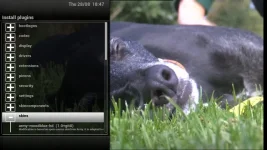
2. Go to the plugin menu, press green for download plugins. Find the blue HD skin, download it, then select the skin in the system skin settings menu. Reboot and Bobs your uncle.
 
ok thank you

But isnt this skin called the Sky HD+ skin, whats the difference between this and the Blue HD skin?
 
The Blue HD skin is specifically designed and continually updated for the ViX image, the sky hd skin has not been updated in a good while and as a result may not be as upto date with changes in the image.
 
ah i see no problem, so of course i need to install Blue HD skin when i recieve my box.

Is their a way i can directly download the Blue HD skin to the box form the box itself or would i need to download the file on my pc and transfer it over USB.

Iv heard of something called Feeds, where you can get files form on certain boxes is this what im thinking of?
 
when your on that plugin browser screen, what i nthe list do you click on to access the plugins for the skins?
 
when your on that plugin browser screen, what i nthe list do you click on to access the plugins for the skins?

Menu> plugins> green button.

I will get you some screen shots of the default ViX Image and some with the Blue HD skin in a few minutes for your other thread.
 
hi can anyone help me with a guide in terms of how to add this skin to my cloud ibox 2 plus box with vix
 
Sorry but as I said in your other thread we don't support illegal, counterfeit receivers such as the icloud like. Please contact your seller for support.

Sent from my SM-G900F using Tapatalk
 
Hi,
This is an awesome skin, however Im having trouble getting the epg to look like the version in your images.....anyone out their who can guide me on how to get the epg working and the boot logo.

thanks!
 
un-install this
and then install Blue-HD from the skins section in the feeds
 

OpenViX Feeds Status

Back
Top