Superb quality and spec AB-Com PULSe 4K SE. Crazy offer! Only £99! FREE UK DELIVERY! 4K UHD, Enigma 2, Multiboot 4 images & more!...
Superb quality and spec AB-Com PULSe 4K Rev II Twin Satellite tuner only £149! FREE UK DELIVERY! 4K UHD, Enigma 2, SATA HDD facility, Multiboot 4 images & more!...

[VU+ Solo2] Sundtek DVB-C USB getting 0 channels when searching

  • Thread starter Thread starter rubbabullets1
  • Start date Start date
Ive tried blackhole image to check and it doesnt work either. When it network scans it fails every time. Will message Maxwell the gear ive got and see if he can figure it out.
 
Will be home in an or so and will post the pics of settings and of the equipment
 
This is the splitter I have, then I have a cable going into my router then the other goes into an isolater then into 6db thingy then into sundtek
 

Attachments

  • splitter.webp
    splitter.webp
    27.5 KB · Views: 27
Last edited by a moderator:
:( Tried everything now..... Different splitters isolators... like everything I can possibly think of gutted wondering if it could be the tuner or do Virgin have a way to stop cable signal and just allow broadband frequencies
 
do Virgin have a way to stop cable signal and just allow broadband frequencies
No if you have a live signal for your broadband in your household this can also be used to split onto the tv side.

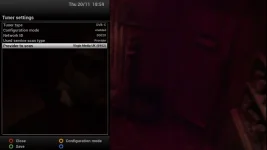
Set your tuner config as the below pic

3.webp

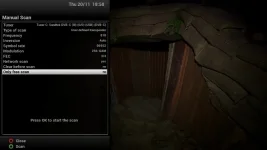
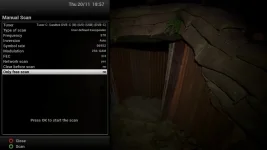
Then try the following two manual scans

2.webp 1.webp
 
Tired the first settings - Says 0 Channels Found will try second now
 
Again only took about 10 seconds then says _ Scan Completed 0 Channels found.... thanks though Khan will keep trying
 
Guys nothing has worked so shall i return to sundtek as possibly faulty??
 
Did you try this:
Set tuner setting to scan all frequencies (networkid= 00000).
make sure to add symbolrate 6887 and 6952 (second page of tuner config).
These are the symbol rates Virgin is using.
Try a automatic scan, or a manual scan (complete)
 
Im pretty sure i did but will give it a go now see what it says
 
Says "trying to find used transponders on network"

Then says "nothing to scan" " please set up your tuner settings before you start a service scan"
 
:( has anyone local to oxford got a sundtek i could try incase mine is faulty?
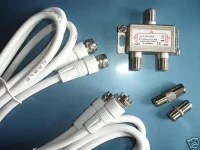
 
I've missed this thread for a while but going back over it it is my opinion you need the frequency isolator I mentioned before, some Virgin supplied splitters contain the frequency isolator, your Koenig splitter does not, I'm quite sure this is the reason you are not picking up channels, at my current address my signal is split into 3 in the outside box, then each input into the house has a frequency isolator, at my old address the isolator was in the outside box then it split into 3 inside the house, I won't be home for a few days but I am sure if you remove the isolator you won't get any channels. Here is a quote from cable forum:-

jaycee
Inactive

Join Date: May 2005
Posts: 304
jaycee will become famous soon enoughjaycee will become famous soon enoughjaycee will become famous soon enough
Re: Cables and Isolators
It's whats called a galvanic isolator. Basically there is no direct connection between the cable from outside, and your equipment. This acts as a safety feature - should equipment in the cabinet go faulty, it reduces the risk of damage/electrocution to your equipment and you, and vice versa. Also, it prevents something called a "ground loop" which causes interference.
 
Damacfunkin when you get a spare min can you check which you you have.

Thanks mate
 
Forget the splitter and connect the receiver directly to the incoming cable where the modem is located. Could be a cbling issue, you can live without broadband for a few minutes.

Can you please post screenshots of the settings you are using. People keep uploading the ones you should use, surely you should be uploading the ones you are using?
 
Yup done that i originally took the cable kut the back of the modem and used that. That didnt work so have been trying ever since :(
 
If you capnnect your modem where your receiver is does your internet work? If it does then we knwo that you have signal there, barring fluctuations.

Have you tried Skyping Sundteksupport? Alternatively, you can send to me and I can test it for you.

Hope you change your mind on uploading screenshots of your tuer config and setup of Sundtek Control Centre.
 
Don't use the cable which is normally connected to the modem.
When there is a signal splitter used to split the signal to the modem and to your 'normal' tv connection, it is possible the signal to the modem is filtered to the lower band frequencies.
Try using the cable before any splitter.
 
Sorry for late reply got called into work early. I can get screen shots no problem but i have used every single setting type on here. I have tried cable directly from the outside into the house with no splitters or anything and it doesnt work.

Thats koing splitter i got work fine with the broadband. I also took the box and sundtek to my mates today and plugged the cable going from his V box straight into mine. I repeated all settings in this tread and still nothing. I think this must be a faulty unit. Will see if i can get a new one shipped out.
 

OpenViX Feeds Status

Back
Top