invisiblelayer
Member
- Joined
- Aug 29, 2012
- Messages
- 98
- Reaction score
- 0
- Points
- 6
- Age
- 45
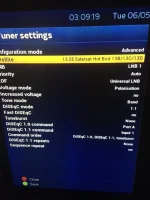
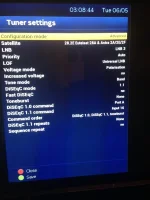
Trying to set up 28.2e, 13e and 19.2e (13e & 19.2e on a monoblock)
Finding it impossible to add settings that were on my old VU solo box with older an version of vix on, the options have changed on the latest firmware and finding it impossible to set up as old, I have 2 feeds going into a Spaun Sur 211F then into my box, Spaun is set to 1st uncommitted switch as before
It was tricky to set up before and took an installer hours to get it working correct so saved pictures what exactly worked but on Helios the tuner settings advanced configuration mode has changed so now my settings won't work. I need to know what gives the same results as these pictures show for 28.2e 19.2e and 13e. Any help would be appreciated as don't want to roll back to older firmware where I know it works well, just no clue what it needs to be set at
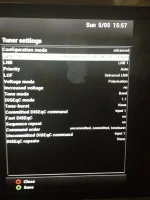
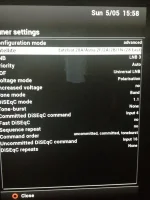
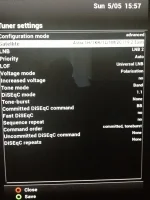
Finding it impossible to add settings that were on my old VU solo box with older an version of vix on, the options have changed on the latest firmware and finding it impossible to set up as old, I have 2 feeds going into a Spaun Sur 211F then into my box, Spaun is set to 1st uncommitted switch as before
It was tricky to set up before and took an installer hours to get it working correct so saved pictures what exactly worked but on Helios the tuner settings advanced configuration mode has changed so now my settings won't work. I need to know what gives the same results as these pictures show for 28.2e 19.2e and 13e. Any help would be appreciated as don't want to roll back to older firmware where I know it works well, just no clue what it needs to be set at