Superb quality and spec AB-Com PULSe 4K SE. Crazy offer! Only £99! FREE UK DELIVERY! 4K UHD, Enigma 2, Multiboot 4 images & more!...
Superb quality and spec AB-Com PULSe 4K Rev II Twin Satellite tuner only £149! FREE UK DELIVERY! 4K UHD, Enigma 2, SATA HDD facility, Multiboot 4 images & more!...

[VU+ Duo4K] VIX Image 5.3.001 not flashing from USB

allanapp

New member
Joined
Nov 16, 2013
Messages
58
Reaction score
0
Points
0
Location
Azores, Mid Atlantic
Just trying to update to image 5.3.001 on my VU+ Duo4K and have tried 3 different Kingston USB sticks in both front and rear USB ports.

Box panel shows reading and asks to press the Power button. This is followed by programming and then Flashing Image - and that's where it stays with no progress bar. I've left it each time for around 10 minutes and then switched off the power and removed the USB stick.

Turn the power back on and the box reboots back into former working condition image of 5.2.045 which is fine but it would have been nice to update to the latest image.

I just wanted to raise awareness of this issue with the Duo 4K and will try again on the next image release.
 
Select OpenVix, it works for me.
 
Image Manager just asks if I want to change download source

The latest ImageManager allows you to download images from OpenViX, OpenPli or OpenATV - as posted choose OpenViX
 
That worked a treat, thank you. Wonder why it wouldn't flash through the USB method though?

It alternatively may be a solution via pen drive like that;
You must first install original image and after that Install any image you want.
 
That worked a treat, thank you. Wonder why it wouldn't flash through the USB method though?

Some of these receivers are really finicky about USB sticks - often an old usb stick with minimal memory will work better - especially compared to usb 3.0 sticks.
 
Hi,
I flashed my Duo4K with my good, old, small 1GB flash drive without problems. Especially larger capacities often make problems.

Ralf
 
Hi,
+ remove all other USB devices from the ATB. On my VUs the rear ports seems to have higher priority.

Ralf
 
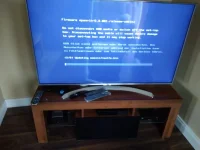
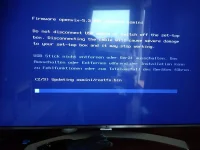
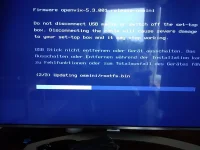
Flashed my osmini with the new image (5 3 001) this morning and it has bricked my box. Now I have nothing at all. IMG_20190830_112044.webpIMG_20190830_112051.webpIMG_20190830_112245.webp It goes slowly until the progress bar eventually reaches halfway. then blue screen and receiver stuck on boot. Any ideas.
IMG_20190830_112314.webp

If I reboot after this box is stuck on first openvix screen, Says boot on front display and just hangs..
 
… try another usb stick, as advised in posts #8, #9, #10 and #11.
 
Have you ever updated the bootloader?

Looks like an old bootloader screen that.

Try updating the bootloader:
Code:
[FONT=Verdana,Arial,Tahoma,Calibri,Geneva,sans-serif]http://www.sat-soft.net/?task=weblink.go&id=222[/FONT]
 
Have you ever updated the bootloader?

Looks like an old bootloader screen that.

Try updating the bootloader:
Code:
[FONT=Verdana,Arial,Tahoma,Calibri,Geneva,sans-serif]http://www.sat-soft.net/?task=weblink.go&id=222[/FONT]

I doff my cap to you sir. Thank you. Strangely i could flash an openpli image on the old bootloader.:confused:
 
My ultimo 4K wouldn't do flash from usb. i unplugged internal hard drive then it worked. I now use image manager
 

OpenViX Feeds Status

Back
Top