Superb quality and spec AB-Com PULSe 4K SE. Crazy offer! Only £99! FREE UK DELIVERY! 4K UHD, Enigma 2, Multiboot 4 images & more!...
Superb quality and spec AB-Com PULSe 4K Rev II Twin Satellite tuner only £149! FREE UK DELIVERY! 4K UHD, Enigma 2, SATA HDD facility, Multiboot 4 images & more!...

Wifi USB working?

Na, don't work :(
It says its connected when I do a network test (MENU/SETUP/SYSTEM/NETWORK/WLAN CONNECTION/NETWORK TEST) I get "unconfirmed" on the IP addy and nameserver.

When I do a cold boot it seems to work (most of the time but not always) but when it's working if I then do a GUI (enigma) reboot or normal reboot it stops working again.

Here's a picture of the results of the network test from a cold boot.

Code:
http://martysport.webege.com/wifiprob/1.JPG

And here's the results straight after a normal reboot.

Code:
http://martysport.webege.com/wifiprob/2.JPG


Rock solid with VIX 1.2 and 1.3 :)
 
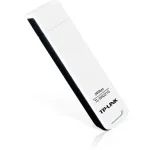
Marty is this the one, TP-Link TL-WN321G V2

Like this one in the piccy?

20071212194854472.jpg
 
not the same as mine, there seems to be lots of versions of this stick, I wonder if the chipsets are the same.
 
FWIW I had trouble some time back with the PLI image for DM800 with a TP Link stick. I can't remember the exact model, but it has since worked with every other image I have tried on the DM800 (and god knows I've tried a lot!). I posted on the PLI forum but got no reply or even interest in the problem.

It must be that there is something in the PLI environment which is causing problems with some wireless sticks...
 
not the same as mine, there seems to be lots of versions of this stick, I wonder if the chipsets are the same.

I'm pretty sure there is a white version of the V2 also.
I have the V1 and V2, both are great in VIX 1.2 and 1.3.
 
Yes, it's the white version I have, writing on back of stick says FCC ID TE7WN321GV2.
 

Attachments

  • TP-Link.webp
    TP-Link.webp
    3.3 KB · Views: 8
Read post #5 of this thread, thats 3 people with the same problem :(

Have tried all of the solutions posted on this thread including reflashing to no avail ...wlan usb not showing up in network settings at all .. going back to 1.3 for the time being as I need the wifi option and have two none working ones with 2.0 ...:confused:
 
I still have to repeat:

I have three Wlan sticks:
D-Link DWL-G122 P/N GWLG122EU...E1G H/W Ver E1 F/W Ver 5.00
TP-link TL-WN821NV1
Belkin F5D9050B Wireless G Plus MIMO USB Network Adapter #6 (complies with RSS-210)
They all work perfectly with PC but None of them works in Vu+Duo VIX 2.
D-Link works in VTI.
 
I have created my LAN-connection to Vu+Duo through the electric power network using A-Link PA200AV Powerline adapters.
It works but I would prefer Wlan.
 
Just to let you guys know we're expecting a sample of a Wifi 'N' adapter that should work fine with ViX images. Sample should arrive tomorrow / Friday, once fully tested we will post details.

oh i'll be interested in getting one if it ok can u pm me once in stock
 

OpenViX Feeds Status

Back
Top