dsayers
ViX Beta Tester
- Joined
- Mar 19, 2016
- Messages
- 1,871
- Reaction score
- 20
- Points
- 38
Hi hoping someone can help me out I had to reset windows 10 and now windows 10 wont load when I click it it just gives a spinning circle then closes.
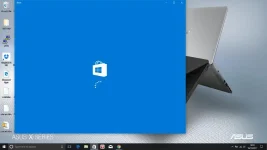
Plus Skype was giving an error unable to open
Search wasn't working.
So I did some research and found this https://support.microsoft.com/en-us/help/4027338/store-windows-store-does-not-launch
I realised that the regional setting was set to Afghanistan and every time I set to United Kingdom it would revert back to Afghanistan so I searched up on region settings not changing and found this https://answers.microsoft.com/en-us...win10-cu/dbb201ae-3be1-4577-9c27-91c1060561a0
I had to open
REGEDIT but was unable to find the GEO key under
Computer\HKEY_CURRENT_USER\Control Panel\International
So I thought I try and create one but was denied access - "no permissions".
So I right clicked on the key, selected "permissions" ADDED my user ID, "Checked Names", and set the permissions to FULL CONTROL. GEO key appeared and UK was set.
So now I was able to change settings to UK and restarted my laptop and the settings saved.
Search now works but still the same windows store wont open plus Skype preview says We cant sign in due to regional polices.
Other things I have tried is:
Reset the Store cache:
Press Windows + R keys to open the run command box.
Type WSReset, then try launching Store and sign in.
Still the same.
I have tried using windows power shell and using
powershell -ExecutionPolicy Unrestricted Add-AppxPackage -DisableDevelopmentMode -Register $Env:SystemRoot\WinStore\AppxManifest.xml
Result:
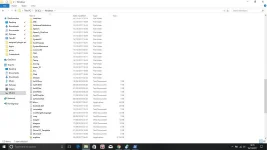
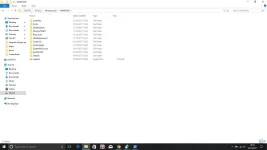
Add-AppxPackage : Cannot find path 'C:\WINDOWS\WinStore\AppxManifest.xml' because it does not exist.
At line:1 char:1
+ Add-AppxPackage -DisableDevelopmentMode -Register C:\WINDOWS\WinStore ...
+ ~~~~~~~~~~~~~~~~~~~~~~~~~~~~~~~~~~~~~~~~~~~~~~~~~~~~~~~~~~~~~~~~~~~~~
+ CategoryInfo : ObjectNotFound: (C:\WINDOWS\WinStore\AppxManifest.xml:String) [Add-AppxPackage], ItemNotFoundException
+ FullyQualifiedErrorId : PathNotFound,Microsoft.Windows.Appx.PackageManager.Commands.AddAppxPackageCommand
Hopefully someone can help me out before I need to do a complete reinstall thanks
Plus Skype was giving an error unable to open
Search wasn't working.
So I did some research and found this https://support.microsoft.com/en-us/help/4027338/store-windows-store-does-not-launch
I realised that the regional setting was set to Afghanistan and every time I set to United Kingdom it would revert back to Afghanistan so I searched up on region settings not changing and found this https://answers.microsoft.com/en-us...win10-cu/dbb201ae-3be1-4577-9c27-91c1060561a0
I had to open
REGEDIT but was unable to find the GEO key under
Computer\HKEY_CURRENT_USER\Control Panel\International
So I thought I try and create one but was denied access - "no permissions".
So I right clicked on the key, selected "permissions" ADDED my user ID, "Checked Names", and set the permissions to FULL CONTROL. GEO key appeared and UK was set.
So now I was able to change settings to UK and restarted my laptop and the settings saved.
Search now works but still the same windows store wont open plus Skype preview says We cant sign in due to regional polices.
Other things I have tried is:
Reset the Store cache:
Press Windows + R keys to open the run command box.
Type WSReset, then try launching Store and sign in.
Still the same.
I have tried using windows power shell and using
powershell -ExecutionPolicy Unrestricted Add-AppxPackage -DisableDevelopmentMode -Register $Env:SystemRoot\WinStore\AppxManifest.xml
Result:
Add-AppxPackage : Cannot find path 'C:\WINDOWS\WinStore\AppxManifest.xml' because it does not exist.
At line:1 char:1
+ Add-AppxPackage -DisableDevelopmentMode -Register C:\WINDOWS\WinStore ...
+ ~~~~~~~~~~~~~~~~~~~~~~~~~~~~~~~~~~~~~~~~~~~~~~~~~~~~~~~~~~~~~~~~~~~~~
+ CategoryInfo : ObjectNotFound: (C:\WINDOWS\WinStore\AppxManifest.xml:String) [Add-AppxPackage], ItemNotFoundException
+ FullyQualifiedErrorId : PathNotFound,Microsoft.Windows.Appx.PackageManager.Commands.AddAppxPackageCommand
Hopefully someone can help me out before I need to do a complete reinstall thanks