Superb quality and spec AB-Com PULSe 4K SE. Crazy offer! Only £129! FREE UK DELIVERY! 4K UHD, Enigma 2, Multiboot 4 images & more!...
Superb quality and spec AB-Com PULSe 4K Rev II Twin Satellite tuner only £179! FREE UK DELIVERY! 4K UHD, Enigma 2, SATA HDD facility, Multiboot 4 images & more!...

Webinterface 3.1.1 problem

Sorry to hijack your thread but i have a question related to the webinterface.

I downloaded the old webinterface via the feeds but in the 'webtv' i can't watch anything cause it says this 'No Plugin Available to View This Content' which plugin do i need to display content?


Download and install the latest version of VLC player. choose a custom or full install, if using custom ensure that the mozilla plugin is installed..
 
does DreamboxManagerSuite need a plugin to be installed in box?
 
Okay Guys,
I got access to the old WebIF but there is somting wrong with a XML is null issue?
Anybody a Idea how to fix this?
 

Attachments

  • xmlissue.webp
    xmlissue.webp
    14.1 KB · Views: 20
Okay Guys,
I got access to the old WebIF but there is somting wrong with a XML is null issue?
Anybody a Idea how to fix this?
I have the same problem, any ideas? Anyone?
 
Download and install the latest version of VLC player. choose a custom or full install, if using custom ensure that the mozilla plugin is installed..
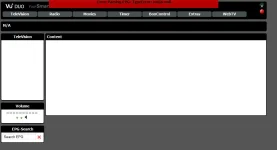
This didn't work for me, When i use the New Webinterface (Latest version) my browsers downloads a m3u file.. When i use the Old Webinterface the browsers also downloads a m3u file and the 'No Plugin Available to View This Content' is still there on the WebTV page.

EDIT:

I got the WebTV to work (Old Webinterface) with vlc player.

How come some channels stream and some don't on WebTV?
 
Last edited by a moderator:
EDIT:

I got the WebTV to work (Old Webinterface) with vlc player.

How come some channels stream and some don't on WebTV?
 
Last edited by a moderator:
This didn't work for me, When i use the New Webinterface (Latest version) my browsers downloads a m3u file.. When i use the Old Webinterface the browsers also downloads a m3u file and the 'No Plugin Available to View This Content' is still there on the WebTV page.

EDIT:

I got the WebTV to work (Old Webinterface) with vlc player.

How come some channels stream and some don't on WebTV?

Thats a browser issue mate, FF does it automatically but for example Chrome does not
 
In my case both web interfaces work, but streaming work only if i copy the m3u string to vlc. Media player do not play any stream, it's stuck on "opening media..."
I click on the little icon beside the channel, same in old-webinterface and new one. It worked before (i used vix 2.2.100 before)
I open them from Chrome, i tried even with IE and Firefox but no luck, wmp just get stuck on opening media...
any setting need to change somewhere ? (i have Win 7 and latest wmp)
Thanks for the good work and best wishes for 2012!
 
OpenWebIf - this now how has replaced the old WebIf, and as a result it uses the default port of 8088, if you want you can change it back to 80 in the plugin setup.
 
Has this update now gone out to VIX? (just read something that said dont install the new update on VIX yet). If so, how do I go about updating this interface? (newbie question)
 
Has this update now gone out to VIX? (just read something that said dont install the new update on VIX yet). If so, how do I go about updating this interface? (newbie question)
No reason to doubt: just update. What version are you running now? Depending on that you might need to flash.
And indeed: the Open WEB-IF has replaced the old one, as it has matured and works fine.
 
Has this update now gone out to VIX? (just read something that said dont install the new update on VIX yet). If so, how do I go about updating this interface? (newbie question)

Andy has just updated the image to build 161 - the new 'OpenWebif' now works, the latest drives are included 30.12.2011, I've just updated my image (10:54am Sat 31st Dec) online and the box appears to be fine... I was running vix 2.3 hernel 3.1.1 build 153.... if that helps... check your image build using menu/info/about... hope this helps

Regards
Peter
 
Im running the following (vix 2.3, k 3.1.1, build 153).

Now as this is my first time doing this, what do I need to do?

Should I backup all my files and settings first? Do I have to flash something with the USB or us an update option on the box? (sorry its my first time of doing any update on the box)
 
Making (regular) settings backups using the backupmanager is always a good idea. Just before doing an update would be wise.
But: this time you can just execute an online update (Menu --> Setup --> ViX --> Update)
 
To back up both the image and settings:-
Blue button>VIX> Backup manager make sure location is set to USB, to change press menu 0

Image manager as above but navigate to image manager.

Always best to backup your settings every time you do a change.

I rarely do a image back up as its relativity quick to flash and restore.
 
Wow that seemed fairly simple. I was very impressed with how simple that one was and remembered the channel settings as well. Thanks for the help to do that.
 
okay guys,

login to console via telnet
type ipkg update
and ipkg upgrade
then reboot


and voila the old webif is gone....
and the new openwegif is reachable under port 8088
streaming to pc is possible now.
 

OpenViX Feeds Status

Back
Top