Superb quality and spec AB-Com PULSe 4K SE. Crazy offer! Only £129! FREE UK DELIVERY! 4K UHD, Enigma 2, Multiboot 4 images & more!...
Superb quality and spec AB-Com PULSe 4K Rev II Twin Satellite tuner only £179! FREE UK DELIVERY! 4K UHD, Enigma 2, SATA HDD facility, Multiboot 4 images & more!...

[VU+ Duo] Initial Questions - Duo

  • Thread starter Thread starter wl1
  • Start date Start date
This is not the usual moving black/white signalling often seen at the top right prior to adverts. It was pretty static, getting wider as in came in from the side of the screen. Usually left/right and bottom.

I went back in and defaulted the User Interface Settings with the yellow button, and it has gone. I got similar issues with AutoResolution previously, and I think it is something to do with the scaler implementation.

I think the UserInterface overlay was causing a problem - I had adjusted these, with transparency too, and now default values do not give the issue. Strangely, I put similar values back in to duplicate the issue, and it didn't return.
 
I have not seen any feedback on EDID versus 709. Considering my observations above, I am looking for info on the setting :-
System>Video Enhancements>Colour Space
Which has these Parameters
  • EDID (Auto)
  • HDMI RGB
  • Itu R BT 709
  • Unknown
  • DVI Full Range RGB
  • FCC
  • ITUR BT470 2 BG
  • SMPTE170 M
  • SMPTE 240M
  • Best Fit
  • Letterbox
  • Panscan
  • Nonlinear


I know the technical definition of some of these, but find some of them within Colour Space really strange (last 4).
Anyone shed any light?

My goal would be for the Duo to output the natively transmitted resolution, and I will take care of upscaling out of this box. But when the Colour Space setting looks like it might have an affect too, then I need to know more to make the right decisions. Thanks,

Wayne.
 
I know the technical definition of some of these, but find some of them within Colour Space really strange (last 4).
Same here......
Anyway: I have used all options and none of them seemed to be making any difference. To me it looks like as if this feature is being advertised by the drivers but in fact not supported at all.
 
Thanks for your input - I am not sure how much influence the Vix software settings can have, but some of the scaling issues / white lines I am getting is very strange.

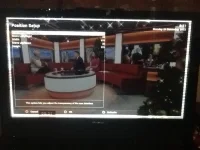
I restarted the box today with the largest white lines so far. When I brought up the overlay, it perfectly matched where the lines start from.

I have again reset to default, but I am missing the edge of the overlay then.

photo 1.webp

photo 2.webp
 
My Pioneer Kuro 8th Gen TV, which is 1024x768 resolution, is having difficulty with the Duo.

It does NOT have an overscan feature to turn off. It's internal scaler is designed to be used to matc/upscale the incoming signal to the panel - but something wierd is happening only with the Duo.

The Duo overlay is missing at the edges, and whenever I try using the User Interface to reduce the overlay, it seems to bring the white lines I have posted in a few images here already. I suspect the scaler in the Duo is wrong, in that it seems to affect the picture size, whenever the overlay is reduced.

Secondly, I also think the Duo image exhibits poor panning performance. The image tears, or drags and blurs the image during medium or higher speed camera panning. Sports is particularly poor, reducing a clear sharp image for static images, to blurred ones during typical footage.

I am considering my options for both of the above - any suggestions? I have read a few posts suggesting Blackhole has a better PQ - any truth in this?

I would appreciate info on understanding how the Duo processes the signal, which scaler it uses etc, and anybody with knowledge in this area on these forms who is responsible for software - which might be able to come up with a fix.

Please don't suggest a new TV, it is not a problem with other HD tuners (eg Samsung Sky HD). :)
 
My Pioneer Kuro 8th Gen TV, which is 1024x768 resolution, is having difficulty with the Duo.....
That's a weird resolution: isn't it an HD TV then?
Anyway: it's really worth trying to disable the overscan of any TV. If Google doesn't help here, your retailer or manufacturer might.
 
I am resigned to leaving the User Interface>Position Settings to default, else the white lines issue returns.

I am also seeing occassional juddery motion. Currently watch Tennis on BBC HD, and the players occasionally freeze/judder for 1/4 second or so. I can help think it is to do with the Duo processing somehow, scaling.

Does anybody else get this?
or can explain the video chain processing going on, and whether there is a way of bypassing it(even just as diagnosis). I realise it may be in the video chain, but I need to start somewhere.

I have tried AutoResolution, but it is OT clear to me. Any links for further reading? Thanks for any suggestions.
 

OpenViX Feeds Status

Back
Top