P
Peanut006
Guest
Saving of the timeshift fails. Am I doing somethig wrong?
1. Rec button
2. Select (5) Timeshift save recording (stop after current event)
3. >> Box inform about the saving
4. Change channel
5. Select (1) Save Timeshift as Movie and stop recording
6. >> Box inform: Timeshift saved to your harddisk
=> There are files in hdd/movies and the save is found from saved files list. But when I try to play it, it shows length as 0 and it doesn't play it.
I did update the VU+ Ultimo couple hours ago using openvix-3.0.554-vuultimo_usb.zip, so the version is latest.
1. Rec button
2. Select (5) Timeshift save recording (stop after current event)
3. >> Box inform about the saving
4. Change channel
5. Select (1) Save Timeshift as Movie and stop recording
6. >> Box inform: Timeshift saved to your harddisk
=> There are files in hdd/movies and the save is found from saved files list. But when I try to play it, it shows length as 0 and it doesn't play it.
Code:
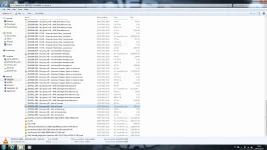
-rwxr-xr-x    1 root     root            36 Jan  9 20:02 20130109 2002 - MTV3 - Kymmenen Uutiset.eit
-rw-r--r--    2 root     root        513824 Jan  9 20:20 20130109 2002 - MTV3 - Kymmenen Uutiset.ts
-rw-r--r--    1 root     root             0 Jan  9 20:23 20130109 2002 - MTV3 - Kymmenen Uutiset.ts.ap
-rw-r--r--    1 root     root            78 Jan  9 20:26 20130109 2002 - MTV3 - Kymmenen Uutiset.ts.meta
-rw-r--r--    1 root     root           144 Jan  9 20:23 20130109 2002 - MTV3 - Kymmenen Uutiset.ts.sc
I did update the VU+ Ultimo couple hours ago using openvix-3.0.554-vuultimo_usb.zip, so the version is latest.