Superb quality and spec AB-Com PULSe 4K SE. Crazy offer! Only £99! FREE UK DELIVERY! 4K UHD, Enigma 2, Multiboot 4 images & more!...
Superb quality and spec AB-Com PULSe 4K Rev II Twin Satellite tuner only £149! FREE UK DELIVERY! 4K UHD, Enigma 2, SATA HDD facility, Multiboot 4 images & more!...

MetrixHD_MOD (Now includes a full 1080 HD version too)

that has got to be a gross understatement :D
but i reckon it's not your (nor ViX') fault.
even with VTi and the original version of the skin, enabling too many different skin parts will result in mayhem ...

on a sidenote : am i right in thinking that if i want to see changes you've done to the skin on the feed, i have to recreate the skin in the skin settings menu ?

Spot on, yes you do.
 
Hi F1mad, The vix epg works independently of the skin using it's own graphics. However you can make it the way you want:

View attachment 27939

Download this, unzip the folder and place it in usr/share/emigma2/metrixHD.

It is blue, not teal but is closer then green :) and you can always edit the files in a photoshop/paint etc to be any colour you wish. If you do make your own colour scheme please post it here for others. Unfortunately MatrixHD can't change this but relatively easy to do.[/QUOTE

thanks for that looks much better. which of these files to i edit to make teal green?

View attachment 28071

All the blue ones!! lol

selectedcurrentevent is the main one but you may also wish to change currentservice & currentevent as well
 
just checking if someone can confirm in the positioner menu if the coloured buttons with their labels show up for the various motor drive options at the bottom of the screen, i was showing a friend how to set up the motor and had to choose a different skin to be able to demonstrate (i have gone back cause this is my fav and i mentioned this prob when i first applied skin some time ago)
If there is an update i can apply or a setting i need to change please let me know, i have tried re saving the skin

thanks camshaft
 
just checking if someone can confirm in the positioner menu if the coloured buttons with their labels show up for the various motor drive options at the bottom of the screen, i was showing a friend how to set up the motor and had to choose a different skin to be able to demonstrate (i have gone back cause this is my fav and i mentioned this prob when i first applied skin some time ago)
If there is an update i can apply or a setting i need to change please let me know, i have tried re saving the skin

thanks camshaft


Sorry if this was flagged before - I must have missed it. The coloured buttons are now in the positioner menu - this will take effect after the next vix update and then please re-save skin.
 
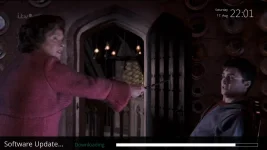
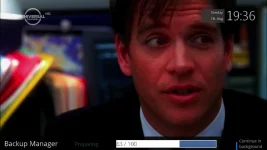
Starting to skin a few screens to match the updated plugin (coming soon). Software update screen in the feeds next update:

screenshot-9.webp
 
Last edited:
Updated to 2.0.14 - will be interesting to see if this breaks everything :)


MyMetrix 2.0.14 Changelog

- (NEW) [MetrixGSP] GreenScreenProtection (removes unsupported skin elements during MetrixHD generation, if renderer or converter is not available)
- (NEW) New Generation SkinParts can now include Converter, Renderer and images
- (NEW) Bundles: Now you can install a bundle of SkinParts from OpenStore
- (NEW) Developer can now view their own SkinParts in "My SkinParts" virtual suite in MyMetrix // OpenStore
- (NEW) In general settings you can select a different template file i.e. for image specific customizations
- (NEW) Backup of active and inactive SkinParts
- (NEW) Deactivate or activate SkinParts via Web
- (NEW) Intro page on first run with easy setup capability
- (NEW) The package includes now more predefined default SkinParts i.e. for offline installations
- (NEW) Automatic updater for SkinParts
- (UPDATE) Better and faster sync mechanism
- (UPDATE) [MetrixCloudSync] Send data in bundles instead of one info per connection
- (FIXED) Problems during enabling/disabling SkinParts
- (FIXED) MetrixHD/Default skin removed and replaced with easy setup
- (FIXED) EMC ProgressBar
- (FIXED) couple of bug fixes
 
Just updated to 721 and have to say well done in the auto update on screen setup. Should make the setup of this skin much easier for peeps now, thank you
 
Thanks Igleave, I hope it so - as long as they don't go straight to customise and add a lot of VTI parts!!! Also I can't really take any credit for the plugin as it iMaxxx who writes and improves it, I just adapt for Vix :)
 
:) attention: I noticed that some Skinparts/Bundles with running elements overwrite in ViX 'RunningText.pyo' and 'ServiceName.pyo' with they older versions.

After replacing them manually with ViX-ones, this Skinparts work (till now) ok.
 
Hi ubisIst, I have removed RunningText.pyo & ServiceName2.pyo from the build - ServiceName.pyo is not in there as far as I'm aware so am guessing you mean ServiceName2.pyo?
 
Hi ubisIst, I have removed RunningText.pyo & ServiceName2.pyo from the build - ServiceName.pyo is not in there as far as I'm aware so am guessing you mean ServiceName2.pyo?
I mean the new 'ServiceName.pyo' - without "2". Read this post of andyblac

He wrote: "ServiveName convertor will have 'NameAndEvent' support in next build..."
 
I think I understand - could you give me an example of a skinpart that does this so I can confirm. Many Thanks.
 
Ok, this skinparts overwrite 'RunningText' with they own (older) version:

0815 InfoBar Running (IB)
0815 2Layer Running Bundle
0815 Cool TV - RXD Edition Bundle
Kniftes SecondInfoBar running (SIB)
 
Thanks ubisIst, that's what I thought.

Unfortunately 08/15 and Knife have decided to include these renderers/converters in there skin parts for those running images other than vix. You could post on

Code:
http://www.vuplus-support.org/wbb2/thread.php?threadid=36718&threadview=0&hilight=&hilightuser=0&page=1

where they are and ask for skinparts without? Otherwise would changing the permissions on those files in your ftp program to read only stop them being overwritten?
 
you can use this link use the SHD file

_http://ocram.github.io/picons/downloads.html

regards
camshaft
 
How can I fix my picons some of them are small. I have downloaded the transparent picons but no change. I have also updated the image.
 
How can I fix my picons some of them are small. I have downloaded the transparent picons but no change. I have also updated the image.

Did you download the SHD - transparent-white-noborder ( 7z | ipk ) from the link above? Also where are they small?
 
...Unfortunately 08/15 and Knife have decided to include these renderers/converters in there skin parts for those running images other than vix. You could post on
Code:
http://www.vuplus-support.org/wbb2/thread.php?threadid=36718&threadview=0&hilight=&hilightuser=0&page=1
I obtained that all SkinParts will use the new version of RunningText.
iMaxxx promised that from ver. 2.0.15, existing converters will not be overwritten.
see here and here

-------
build 722
[metrix-hd] removed the install of RunningText.py
How do you technically achieved to stop metrix from installing RunningText.py ? :)
 

OpenViX Feeds Status

Back
Top