Superb quality and spec AB-Com PULSe 4K SE. Crazy offer! Only £99! FREE UK DELIVERY! 4K UHD, Enigma 2, Multiboot 4 images & more!...
Superb quality and spec AB-Com PULSe 4K Rev II Twin Satellite tuner only £149! FREE UK DELIVERY! 4K UHD, Enigma 2, SATA HDD facility, Multiboot 4 images & more!...

MetrixHD_MOD (Now includes a full 1080 HD version too)

Hi,
How can I check wich MyMetrix version i'm using right now ?
I'm having a solo 2.
BR
 
I obtained that all SkinParts will use the new version of RunningText.
iMaxxx promised that from ver. 2.0.15, existing converters will not be overwritten.
see here and here

-------

How do you technically achieved to stop metrix from installing RunningText.py ? :)

I haven't really - I had runningText.py included the skin install, so decided to remove it in case it was overwriting the newer one by vix.
 
Hi,
How can I check wich MyMetrix version i'm using right now ?
I'm having a solo 2.
BR

Not in front of my box but think you go into the MyMetrix plugin -> General Settings -> and it's in the bottom left corner
 
With thanks to IPMAN the font has now been improved with regards to small size number 2's.

Before:

screenshot.webp

After:

screenshot-1.webp
 
Skin has had some changes in recent updates.
Very noticable and very very pleased with them.
Best wishes and thank you for your time in correcting, modifiing the skin as it looks damn good :thumbsup:
 
Stupid question but i cant seem to see the install package in the thread?
 
go to downloads (pugins,green button) and you will see skins. Dl MyMetrix and once dl it will be shown in your plugins. Go to the MyMetrix plugin and choose save option. It will start to download, once finished go to menu,system, setup, skins and it will be there. Choose the skin, it will ask to reboot, choose yet and on restart you will have the most up to date version.
 
Thanks i have gone to the download and skins tree and dont have one named that i have

Matruxhd, mynovum-hd, neonvum-hd, pli-hd,vix-day-hd, vix-magic-hd,vix-magic-hd-light, vix-magic-night, vix-magic-noire, vix-magic-sd, vix-vixmbc-metropolis, vix-vixmbc-night-hd, vix-vixmbc-slim-hd
unless im wrong none of them seem to be it :( any link to the ipk so i can manually install

P.s i have a vu+ solo with vix 3.0
 
then you probably all ready have it installed on your receiver somewhere. Instead of using green button to dl try red to uninstall and see if it is in your list on skins and post back.

Also what version of vix are you using? if you havent updated recently try this first as the metrix was only added about 8 weeks ago.
 
I am using openvix-3.0.726, i have checked the uninstall panel and it does not seem there either. Will try an update
 
Thanks i have gone to the download and skins tree and dont have one named that i have

Matruxhd, mynovum-hd, neonvum-hd, pli-hd,vix-day-hd, vix-magic-hd,vix-magic-hd-light, vix-magic-night, vix-magic-noire, vix-magic-sd, vix-vixmbc-metropolis, vix-vixmbc-night-hd, vix-vixmbc-slim-hd
unless im wrong none of them seem to be it :( any link to the ipk so i can manually install

P.s i have a vu+ solo with vix 3.0

Hi Suley - There was a typo when it was added to feeds, it is matrixHD on there - I must see if Andy can change it :)
 
Hi Suley - There was a typo when it was added to feeds, it is matrixHD on there - I must see if Andy can change it :)

Thanks looked again before updating and it was there as matrixhd, installed and working. The only issue i have now is the picons I have installed on USB on EPG menu they show up but the active channel it shows a Metrix icon, any idea how i can make it also see the picons?
 
Hello
I did download the latest version of matrixHD from the image server
and I did Install it
my problem is that I can not enter the Weather code or the PIN code , those two are important
can any one help
 
Thanks looked again before updating and it was there as matrixhd, installed and working. The only issue i have now is the picons I have installed on USB on EPG menu they show up but the active channel it shows a Metrix icon, any idea how i can make it also see the picons?

I think it has something to do with how the USB is mounted - the answer is in this thread, I just can't recall where.
 
Hello
I did download the latest version of matrixHD from the image server
and I did Install it
my problem is that I can not enter the Weather code or the PIN code , those two are important
can any one help

While I can't help as works perfectly here on my duo, I suggest if you list box and image version somebody may be able to help.
 
MetrixHD_MOD

/media/hdd/XPicons/picon
/media/usb/XPicons/picon
/usr/share/enigma2/XPiconss/picon
/usr/share/enigma2/s/picon
/media/usb/picon

These are the paths that the skin looks for picons in

If they are on USB make sure the usb stick is mounted has usb and not hdd
 
Last edited by a moderator:
Hello

I do have a problem , when I install any thing from the open store , the widget doesn't work
like weather , health or ecm widgets , It appear but with no informations
can any one help please
 
Hello

I do have a problem , when I install any thing from the open store , the widget doesn't work
like weather , health or ecm widgets , It appear but with no informations
can any one help please

Ploutone, not every skinpart from openstore works with vix. This is particularly true of health & ecm widgets. The weather widgets should work though - please ensure that once you have installed the skinpart, it is correctly selected in Skinpart settings menu & the default weather skinpart disabled, and then you save your skin.

If this doesn't work please specify the exact widget and I will test it on my box.
 
Ploutone, not every skinpart from openstore works with vix. This is particularly true of health & ecm widgets. The weather widgets should work though - please ensure that once you have installed the skinpart, it is correctly selected in Skinpart settings menu & the default weather skinpart disabled, and then you save your skin.

If this doesn't work please specify the exact widget and I will test it on my box.
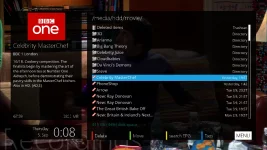
I will give it an other try , Thanks for replying
 

OpenViX Feeds Status

Back
Top