Superb quality and spec AB-Com PULSe 4K SE. Crazy offer! Only £99! FREE UK DELIVERY! 4K UHD, Enigma 2, Multiboot 4 images & more!...
Superb quality and spec AB-Com PULSe 4K Rev II Twin Satellite tuner only £149! FREE UK DELIVERY! 4K UHD, Enigma 2, SATA HDD facility, Multiboot 4 images & more!...

SKY.HD Skin +cool tv guide skin

i look forward to seeing the tv guide done for vix i have updated the bootlogo and installed the skin on my vu+ solo running vix and all working good including second info
 
Hi, my name is Hugh, I have a problem recording programs. When I press the red record button 9 out of 10 times a message comes up saying its switching tv channels to recording service but it does not record the program. can anyone help? Thanking you, HughHillen

And, what has this to do with this thread?
 
Hi guys, here is v0.3. Most time was spent with cool tv guide as I wanted it to be built into the skin for ease of use. Lot of things have been moved in position slightly to look better. Number in infobar still annoying me a bit. I will upload screenshots later probably


Changelog - V0.3

Cool TV skin now built in just change skin to skindesign in cool tv settings :)
Tidied things up
new movie playing bar similar to sky
record symbol shows on infobar

v0.3.1
More fluidity in from infobar to secondinfobar

Does anything else need to be added after installing ipk from first post?
 
Does anything else need to be added after installing ipk from first post?

Nope but if you want cool TV guide skin then in cool TV guide settings change the skin to 'skin design'

Sent from my CUBOT ONE using Tapatalk
 
Nope but if you want cool TV guide skin then in cool TV guide settings change the skin to 'skin design'

Sent from my CUBOT ONE using Tapatalk
Cool TV Guide isn't fully compatible with ViX, so most users here won't be using it.
 
Tv Ocram shd transparent black no padding look good with this skin
 

Attachments

  • 1384712263530.webp
    1384712263530.webp
    39.8 KB · Views: 115
  • 1384712324930.webp
    1384712324930.webp
    27.5 KB · Views: 155
Does this skin work for vix 3.0? tried installing ipk (installs fine), but wont show in skin menu(menu setup system display)??

tried full reboot

vu duo
 
Last edited by a moderator:
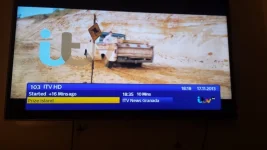
hi just a quick 1 i have noticed when i press ok i get the infor bar pop up at the bottom and for example it says at the top a programme started +50 mins ago when the programme has +50 mins remaining could this be rectified other than that this skin works perfect on my vu+ solo running vix 3.0
 
hi just a quick 1 i have noticed when i press ok i get the infor bar pop up at the bottom and for example it says at the top a programme started +50 mins ago when the programme has +50 mins remaining could this be rectified other than that this skin works perfect on my vu+ solo running vix 3.0


Haha never realised that! Although could be next week before next update as I am very busy at the moment

Sent from my CUBOT ONE using Tapatalk
 
This looks great!

Very good work!

I personally prefer the transparent skins but this would keep the wife happy!

I'll try it out but can't switch to it for daily use without Vix epg support, are you working on that?

A version of this with some transparency & the vox epg skinned would be my ideal!
 
hi there this is my first post.
I must say the guy who made the skin done a nice job..
one thing
I didn't like was the info bar saying started x mins ago
well I use the first 02 skin on my box and I have edited the skin xml file so it now says stared xxx mins left not ago.
if u want to use this xml just delete your old one and replace it with this.
but im not sure if this xml is ok for the 03 skin..any way give it a go.i have also done my own cool tv skin with sky logos and other stuff.
I am not a programmer so this is the best I can do for now.
also I have to say I am using the skin on a dreambox and works very well.however it only works on older dreambox images otherwise the skin makes the dreambox crash...
just extract the skin xml and swap with your old one..
sorry about spelling I have dyslexia

if u are using the later skin then send me your skin xml file and ill edit it for u and post it here..
 

Attachments

excellent work but i cant seem to get the cool tv guide to show anywhere? not sure what im doing wrong putting folders where u say cheers
 
what skin are u using and what box.
with my box I had to install cool epg before I put the skin on.
u may find cool epg is not installed.
go to menu then plugins u should see it there if its installed.
 
I don't think u can.
any way cool tv guide is far far better than standard...
 
I've used it when I was on a bh image & I liked the fact cool was customisable, but when I came to vix I discovered it was exactly as I'd set cool up to be only without any of the work setting it up!
 

OpenViX Feeds Status

Back
Top