Superb quality and spec AB-Com PULSe 4K SE. Crazy offer! Only £99! FREE UK DELIVERY! 4K UHD, Enigma 2, Multiboot 4 images & more!...
Superb quality and spec AB-Com PULSe 4K Rev II Twin Satellite tuner only £149! FREE UK DELIVERY! 4K UHD, Enigma 2, SATA HDD facility, Multiboot 4 images & more!...

[ViX_Misc] How do I add tags to timers?

Could you please provide the complete py's?

The sorting-icons are in "icons" and named az.png,icons/newtop.png,icons/shuffle.png,icons/za.png,icons/oldtop.png,icons/faz.png,icons/fza.png

The code you can find in the active skin in
screen name="MovieSelection"
widget name="movie_sort"
 
Last edited:
all skins from what ive seen use the default icons listed above.
some skins may not use those icons at all and can rely on the blue button changing to suit what youve ordered them in.
 
if you upload the complete py file with your adjustments, and after its tested it can be added no problem.
but plz make sure you are modifying the latest e2 on github.
 
The sorting-icons are in "icons" and named az.png,icons/newtop.png,icons/shuffle.png,icons/za.png,icons/oldtop.png,icons/faz.png,icons/fza.png

The code you can find in the active skin in
screen name="MovieSelection"
widget name="movie_sort"
Yes. But that doesn't give any indication as to how each icon gets "attached" to a particular sort method. For instance, nothing in the enigma2 code even contains the string "newtop".
 
if you upload the complete py file with your adjustments, and after its tested it can be added no problem.
but plz make sure you are modifying the latest e2 on github.
I did a git pull this morning (after I upgraded the box to 098).
git reckons I'm on branch master:

Code:
[parent]: git status -b
On branch master
Your branch is ahead of 'origin/master' by 41 commits.
 
Please have a look at line 1294 in movieselection.py.
And lines 1990 and 1996.
That's shows how to set the index value, but not how that index value relates to the actual image file to use. The list given in the skin configuration appears to be in a different order to the configuration options for the actual displayed menu, so some other code is doing a mapping somewhere. Hence trying to add a new icon (which is needed for "default" - nothing to do with my additions here) isn't just a matter of setting an index.
 
Correcting patch uploads!!!

Having trouble with my patch postings (and can't delete the wrong ones).

the last one contained the unedited MovieSelection.py.

Trying again....

View attachment SortingFull.zip

(I'll be adding some icon remappping code soon...)
 
Code with icon remapping added.

(I'll be adding some icon remappping code soon...)
And here's the code with the two new sort methods mapped to alphanumeric (and reverse) for setting icons, which is as close as I can get without creating new icons.

Note that the code has any original lines commented out and all changes are tagged with #GML. Feel free to remove any of that (and the sort descriptions - just that hey need to be short as they get put into menus) if you put it into git.

View attachment SortingFull+icon-remap.zip
 
This is indeed an improvement. And about keeping alive your enthusiasm: see
Code:
https://github.com/OpenViX/enigma2/commit/7709c7dafcde62c44787e3a9573d27d9d9c8c8e7
So this will be in Apollo 99.


If you're still enthusiastic: I do have another possible improvement in mind; you care to give it a try?
 
As long as it's nothing specific to cable or satellite, yes.
Good :)
The two projects I have in mind are:
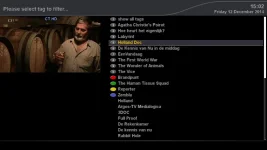
1- As it is now tags are not sorted at all. IMHO they should be alphabetical.
2- Sorting via a button (e.g. 'sorting' assigned to blue) is rather a pita, as you have to watch and read the small icons and/or the (very short showing) text in the button. What you really want is the sort-button to open a dropdown menu.

Interested?
 
Good :)
The two projects I have in mind are:
1- As it is now tags are not sorted at all. IMHO they should be alphabetical.
2- Sorting via a button (e.g. 'sorting' assigned to blue) is rather a pita, as you have to watch and read the small icons and/or the (very short showing) text in the button. What you really want is the sort-button to open a dropdown menu.

Interested?
OK.
Although 1. has issues, since an entry may have multiple tags, so which one should count; or should an entry be displayed multiple times??
2. may be simpler, as there already is a sorting pop-up menu (for setting your default sort method).

We'd also need to create and add some new icons... :)
 
2. may be simpler, as there already is a sorting pop-up menu (for setting your default sort method).
Not only is there already a pop-up sort menu, but you can already attach it to the blue button.
While in a Movie list use Menu->Settings..., scroll down to "blue button" and change the binding to be "Sort by", rather than "Sort".
So I'll assume that is now done...
 

OpenViX Feeds Status

Back
Top