Superb quality and spec AB-Com PULSe 4K SE. Crazy offer! Only £99! FREE UK DELIVERY! 4K UHD, Enigma 2, Multiboot 4 images & more!...
Superb quality and spec AB-Com PULSe 4K Rev II Twin Satellite tuner only £149! FREE UK DELIVERY! 4K UHD, Enigma 2, SATA HDD facility, Multiboot 4 images & more!...

MetrixHD_MOD (Now includes a full 1080 HD version too)

Cheers Scwheeler. There wasn't anything obvious in /usr/lib/enigma2/ so I selected both the 'plugins' and 'components' folders in my backup settings - will this screw up any future build updates?

Within /usr/share/enigma2/ I selected both the 'MetrixFHD' and 'MetrixHD' folders.

Here's hoping this covers all the bases for any MetrixHD skin settings restore.


Re MetrixFHD (1080), I get the same problem others have mentioned where type is too small to read in places (eg. Menu/Plugins/...all menus too small and sit top left of screen).
Surely this is not the experience that you're enjoying and we've all just installed it wrong somehow? Would be nice to see a default install option available so we could all experience both skins correctly, then users could customise this default if they wanted.

Note my old 40" Sony LCD TV (KDL-40W4000) does output 1080p but maybe MetrixFHD is mean't for 55" screens and larger??
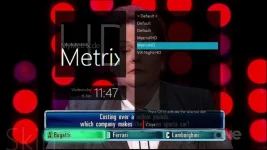
 
I don’t think I do. Here are my settings…

Home>Settings>Setup>Screen Settings>Wide Mode = Full (other options are Zoom and Wide Zoom)

Home>Settings>Setup>Screen Settings>Display Area = Full Pixel (other option is Normal which sets it in overscan I believe, the on-screen image becomes larger thereby losing the edges).

Resolution = 1080p
 
Just had a look at my old github and think I can further narrow down the folder to here: /usr/lib/enigma2/python/Plugins/Extensions/MyMetrix/ as can't think of anywhere else it would save the settings.

Without a screenshot it is difficult to know if there is a specific issue with your setup. Some of the type is smaller in the FHD version and this was due to the fact that the upgrade to FHD was achieved by using a script to resize the skin. Going through manually and changing every value on every screen would not have be possible at least for me and so the compromise was less control over some elements.
 
MetrixHD (720) vs MetrixFHD (1080)

Here's a selection of comparison screenshots I see, 720 on left and 1080 on right:

00.webp10.webp

04.webp14.webp

03.webp13.webp

07.webp17.webp

08.webp18.webp


Hope these help explain why some of us aren't quite onboard with the 1080 version. The skin still needs to be enjoyed as a "10-foot user interface" for tv - everything the default MetrixHD does superbly, and why I'll probably keep using it.
 
Thanks for the screenshots they are very useful.

The mymetrix plugin (bottom screenshot) can't be resized as it coded into the plugin rather than the skin, or at least I couldn't figure out how to when I last looked at it!

For the both the EPG (2) and Channel list (3) you can customise the font size by pressing in the menu key while in that screen. I've just quickly adjusted the number of rows down to 10 and increased all font sizes by 6 on the channel list in the example below:

1_0_19_52D0_814_2_11A0000_0_0_0.webp

I hope this goes someway to making it more usable on a daily basis.

As for the other areas I totally see what you mean and if I get the time I will have a look at, but no promises.
 
I don't have this plugin. I am trying to do it manually. Do you have the 1080p plugin to install?

regards
 
I don't have this plugin. I am trying to do it manually. Do you have the 1080p plugin to install?

regards

No, I installed from feed:
Menu>Plugins>Download (green button)>Skins>openvix-metrixhd or openvix-metrixfhd

Make sure to install these as well:
Skincomponents>metrix
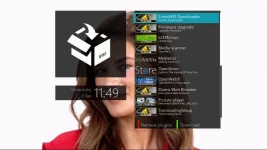
Extensions>mymetrix
 
Just a quick update to say that I no longer have a Enigma2 box. I will still pop my head in from time to time, and I'm sure at some point I may get another box, but for now there's probably little I can add that's not already somewhere in this thread.

Thanks to everyone for their help, support and suggestions.
 
hi guys,
just installed latest VIX image 3.2.037 on my Vu+ Duo2 and can't make MyMetrix skin working... all seem to be ok, skin has been generated but after restart box hangs up on VIX loading screen, tried both HD and FHD skins.
Any idea whats wrong? Any feedback highly appreciated as its my favourite skin since..can even remember when :)
Cheers,
Kris
 
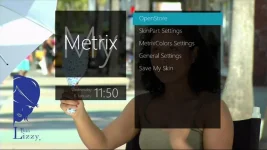
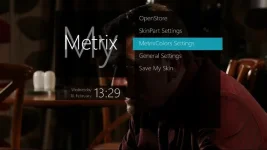
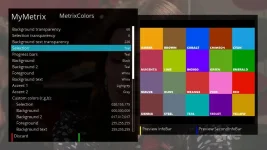
I installed skin from feeds + extension + plugin , but when I enter in MyMetrix plugin and make custom changes , and at the end I 've choose "save my skin" and noting happens ....
... showing "Parsing SkinParts Screen" and remains so nothing be done or saved , and then restart again default color is still blue but in plugin showed a new choosed .
Any ideas?
I make usbflash with swap file but the problem remains
 
Just a quick update to say that I no longer have a Enigma2 box. I will still pop my head in from time to time, and I'm sure at some point I may get another box, but for now there's probably little I can add that's not already somewhere in this thread.

Thanks to everyone for their help, support and suggestions.

Thank you for all the work you have put in on this.
 
Hi All,

I love this skin but..... is there anyway that, when my dish is moving from one satellite to another, I can get it to show the to and from degrees and the time it will take as per the default skin on VIX?
It would normally show in the top left corner, rather than the flashing sat dish on the Metrix skin.

Cheers

Kieron
 
I installed skin from feeds + extension + plugin , but when I enter in MyMetrix plugin and make custom changes , and at the end I 've choose "save my skin" and noting happens ....
... showing "Parsing SkinParts Screen" and remains so nothing be done or saved , and then restart again default color is still blue but in plugin showed a new choosed .
Any ideas?
I make usbflash with swap file but the problem remains

..same problem here, did you get it sorted by any chance? Cheers
 
hi can I down load this skin from the plugins /down load skins etc is it in the skin section I cant seem to find an ipk file in the skin down loads as well on the forum
 
Last edited:

OpenViX Feeds Status

Back
Top