
abu baniaz
Moderator
So Nekrub2 is lying then?


I did not, and would not, say that. There could be conditions unknown to me that could have caused the issue. All I can confirm is that the code with which I started did not support Swiss German.So Nekrub2 is lying then?
@Nekrub2, please explain yourself.4. For German there is only the choice of the Germany layout - the Swiss German layout, which was available before is gone.


INSert / OVeerwRite. Press the info key.As a matter of interest what is the floating "INS" text shown in the screen shot of the German keyboard and which is also present (in a slightly different place) on the English keyboard I have configured? Is it meant to be a toggling Insert/Replace and if so how is it selected?
You can also press the HELP button to get help with using the updated VirtualKeyBoard.INSert / OVerwRite. Press the INFO key.
@Nekrub2, please explain yourself.
Is this a bug report or a problem? If so, what skin are you using. If you have a screen capture of the problem I will try and sort it out ASAP.Anyway, the key for ok (green) has gone.
Thank you for your support. It is appreciated.Please don't hit on Ian who does an excellent job.

I've already started on Confluence and should be able to finish it this weekend. I could PM you what I've done once complete, to help with consistency (you might spot something I've missed)?By the way, Huevos has just asked me to convert a few more skins (Bello and Confluence).
I would be happy to help in any way I can.I've already started on Confluence and should be able to finish it this weekend. I could PM you what I've done once complete, to help with consistency (you might spot something I've missed)?
Do you mean the other ViXBMC ones?While you are adjusting Confluence do you want to make the matching changes in the rest of the related / shared code skins?
From what I noted there is commonality among the ViXBMC skins. The VirtualKeyBoard screen is in the file "skin_ViXBMC_1080_Common.xml" in "ViXBMC_1080_Common" and is shared by all the skins. Each skin that uses this common file will need to have the "VirtualKeyBoard" font alias and parameters added. If you want to remove legacy support you can follow the instructions in the documentation file.Do you mean the other ViXBMC ones?
I could have a look for commonality - or, given that the keyboard pops-up over everything else anyway, I could just put it all into ViXBMC_Common(?).
Some skins have the VirtualKeyBoard decorated with graphical backgrounds. This are often more difficult or tedious to update.PS: I finally got a correctly-sized background in the correct place this evening...
But the VirtualKeyBoard parameter setting (which defines the size of the keys) is defined per-skin. Mind you, this seems ot make no sense given that the position/sizes set in the Common code are dependent on its set value.From what I noted there is commonality among the ViXBMC skins. The VirtualKeyBoard screen is in the file "skin_ViXBMC_1080_Common.xml" in "ViXBMC_1080_Common" and is shared by all the skins.
I was going to leave it there to start with, but given that legacy support code doesn't exist it may as well go at the same time.Each skin that uses this common file will need to have the "VirtualKeyBoard" font alias and parameters added. If you want to remove legacy support you can follow the instructions in the documentation file.
This is one. It's basically almost-black (so that any undefined keys look the correct colour), but does have a transparent border, which is what was causing the issue - until I realized it was not symmetric...Some skins have the VirtualKeyBoard decorated with graphical backgrounds. This are often more difficult or tedious to update.
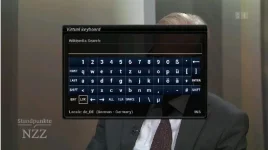
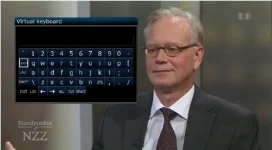
Remembered later that this is because the parameters are set in a block, and others are skin dependent. The code only seems to cater for one <parameters> block.But the VirtualKeyBoard parameter setting (which defines the size of the keys) is defined per-skin. Mind you, this seems to make no sense given that the position/sizes set in the Common code are dependent on its set value.

That could explain a lot.Army is not a vix skin. Must be coming fron ATV.

