Superb quality and spec AB-Com PULSe 4K SE. Crazy offer! Only £129! FREE UK DELIVERY! 4K UHD, Enigma 2, Multiboot 4 images & more!...
Superb quality and spec AB-Com PULSe 4K Rev II Twin Satellite tuner only £179! FREE UK DELIVERY! 4K UHD, Enigma 2, SATA HDD facility, Multiboot 4 images & more!...

[GiGaBlue UHD TRIO 4K] Network mounts not working ViX 5.4.001

In DSM Control panel, shared folder. Click on the folder to share and edit, then NFS permissions, where you can specify the IP addresses to use the shared folder.
 
In DSM Control panel, shared folder. Click on the folder to share and edit, then NFS permissions, where you can specify the IP addresses to use the shared folder.

Still can't get it working. I will experiment later on.
 
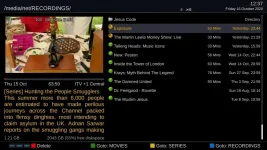
After enabling NFS and sorting out the permissions on my shared folders on my NAS, the network folders appear to mount correctly but only open an empty directory.
CIFS works but takes up to a minute to open a directory.

EDIT: CIFS works but takes up to a minute to open a directory.
This is probably me, tried it on another receiver and it works as expected. I'll reflash the main box and try again.
 
Last edited:
After enabling NFS and sorting out the permissions on my shared folders on my NAS, the network folders appear to mount correctly but only open an empty directory.
CIFS works but takes up to a minute to open a directory.

EDIT: CIFS works but takes up to a minute to open a directory.
This is probably me, tried it on another receiver and it works as expected. I'll reflash the main box and try again.

Remove CIFS mount and when making NFS mount in networkbrowser answer No when it is asking username and password.
 
EDIT: CIFS works but takes up to a minute to open a directory.
This is probably me, tried it on another receiver and it works as expected. I'll reflash the main box and try again.

Working fine after a reflash :thumbsup: I can't get network folders mounted with NFS for whatever reason.
I'm sticking with CIFS, it works as I want it to and allows me to change the buttons in movie browser to get to my shared drives quickly.

1_0_1_2841_7FE_2_11A0000_0_0_0_20201016123751.webp
 
This is for sure a bug. Let's hope they fix it again in the next version.
 
Unfortunately, I have not encountered such a situation. The program has always been functioning normally.
 

OpenViX Feeds Status

Back
Top