Superb quality and spec AB-Com PULSe 4K SE. Crazy offer! Only £99! FREE UK DELIVERY! 4K UHD, Enigma 2, Multiboot 4 images & more!...
Superb quality and spec AB-Com PULSe 4K Rev II Twin Satellite tuner only £149! FREE UK DELIVERY! 4K UHD, Enigma 2, SATA HDD facility, Multiboot 4 images & more!...

Channels problem

Downloading image is one process. Flashing image is another process. Image is now on box, so you do not need to download it. Are you able to select the image and then flash it?
 
Last edited:
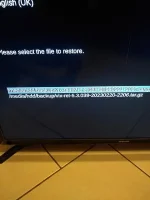
Yes, please flash/restore the image. This is why we are here.

(Restore is the old name which we changed to Flash.)
 
Yes, please flash/restore the image. This is why we are here.

(Restore is the old name which we changed to Flash.)

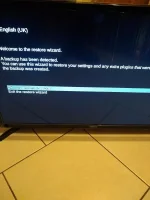
I pressed OK to restore and I am now faced with this choice IMG_20230221_204755251.webp

Have I gone wrong in some step?
 
You are in backup Manager. We need to be in Image Manager.

Exit out of all menus then
Blue > Vix > Image Manager
Highlight the image you had transferred, then press the Blue button (flash/restore)

I see you have moved the TV to the floor in your determination to get this done. You are doing well, one step at a time.
 
Last edited:
You are in backup Manager. We need to be in Image Manager.

Exit out of all menus then
Blue > Vix > Image Manager
Highlight the image you had transferred, then press the Blue button (flash/restore)

I see you have moved the TV to the floor in your determination to get this done. You are doing well, one step at a time.

The reason TV is on the ground is that I just about make everything connect up by undoing the satellite and aerial cables and moving them from one room to another. Still, it has to be done! I have flashed the image as per your instructions and it went through the process as before. Last night you suggested I make a backup which I did but I now need to make another choice (last time I clicked Ok, to perform a restore, so do I need to make another choice?) IMG_20230221_210820889.webp
 
Movement of TV : It was a compliment to your dedication.

After you flash the new image and you reboot into it, you are asked if you want to restore your settings and plugins. Say yes if you want to add the old stuff. Say no if you want to set everything up from scratch.
 
I have said no and now it is asking me to pick a video mode selection so what do I pick? It goes 720 p, 1080 p etc?
 
OK, we are starting from scratch. Let me know if you change your mind.

I normally select 1080p, 50Hz
 
Done. I am now on to the step asking me about disabling overscan. At this stage am I ok to disconnect the box from the router and attach it back to the main TV so that I can stop looking at the TV on the ground?
 
You might need to install some plugins, so leave the ethernet cable for now. Put a pillow on the floor and lie down. If the box needs wif-fi drivers to be installed do that and then move box back.

Go through the setup, say no to overscan, skip the tuner configuration, you don't want to scan for channels.
Set EPG location to /hdd
Set your tuners
Go into AutoBouquetsMaker, set providers and run ABM
 
Last edited:
You might need to install some plugins, so leave the ethernet cable for now. Put a pillow on the floor and lie down.

:):) Having been up late last night I need exta zzzs tonight so am wondering about my stamina! What do I do about the overscan option?
 
If you can't see all the corners of GUI, you are better off disabling overscan on your TV. For now, if you can't see all the edges, select that yocant see teh edges and want to adjust picture. Sorry, I cant remember the exact wording.
 
Ok, I am living in the Republic of Ireland and I am now at the set up tuner A page so what settings do I apply or is it a case of reading a manual? All I really want is to have a list of the free to air Irish channels, the main UK Channels and to have them numbered 1, 2,3,4,5, etc. I also want a working EPG (which I didn't have berfore) and that's about it.
 
ABM will create the channels correctly for you.

I don't know what dishes/aerial you have, so this could take long. Exit out of all menus, then
Blue > Vix im.... > Backup Manager > Select the most recent settings backup, restore it. Box will reboot.

Then go into ABM, update the provider files, then run ABM. Install wi-fi drivers and put TV back. We can tidy the rest up when you have more time.
 
ABM will create the channels correctly for you.

I don't know what dishes/aerial you have, so this could take long. Exit out of all menus, then
Blue > Vix im.... > Backup Manager > Select the most recent settings backup, restore it. Box will reboot.

Then go into ABM, update the provider files, then run ABM. Install wi-fi drivers and put TV back. We can tidy the rest up when you have more time.

I have one dish and one aerial (for the Irish channels which are free to air). When I go to update provider files in ABM it tells me 'no providers configured'
 
Ok, I am living in the Republic of Ireland and I am now at the set up tuner A page so what settings do I apply or is it a case of reading a manual? All I really want is to have a list of the free to air Irish channels, the main UK Channels and to have them numbered 1, 2,3,4,5, etc. I also want a working EPG (which I didn't have berfore) and that's about it.

What area (nearest town)? I created the Saorview ABM lists, so I can help identify what transmitter you are using.
 
I live in Carrigtwohill Co Cork! I think it used to be Spur Hill?
 
I have one dish and one aerial (for the Irish channels which are free to air). When I go to update provider files in ABM it tells me 'no providers configured'

Did you restore the backup or do you want to continue from where you are now?
 
I live in Carrigtwohill Co Cork! I think it used to be Spur Hill?

In the ABM menu, click on Providers, then select Saorview, then region. The Saorview transmitters will come up in alphabetical sequence - choose Cork/Spur Hill. Don't forget to save (green button). You can also select Freesat and pick a region for your sat connection.


EDIT - I don't want to step on Abu's toes! He's doing the hard works here. I'm just adding local Saorview knowledge!
 

OpenViX Feeds Status

Back
Top