Superb quality and spec AB-Com PULSe 4K SE. Crazy offer! Only £99! FREE UK DELIVERY! 4K UHD, Enigma 2, Multiboot 4 images & more!...
Superb quality and spec AB-Com PULSe 4K Rev II Twin Satellite tuner only £149! FREE UK DELIVERY! 4K UHD, Enigma 2, SATA HDD facility, Multiboot 4 images & more!...

[SX88v2] How to move file from USB to remote PC?

Hpavil

New member
Joined
Aug 26, 2023
Messages
29
Reaction score
0
Points
0
I have a number of recordings on the USB attached to my Octagon SX88 V2. I'd like to transfer some of them to my remotely connected PC.

With the help of some of you, I have successfully mounted one of my PC's hard drives. I can explore the folders and files on this drive from my SX88.

But, if I attempt to move a file from the USB attached to the rx, and then select the mounted hard drive as the destination, I get a message "failed to move to same directory".

I'd be grateful for advice on how to send the file on the USB to my PC.
 
I'm not sure I understand the question. The SX88 and the PC are connected by wi-fi.
 
use webif or DCC to transfer.Works fine over fixed line or wifi.
 
Sorry for my ignorance but how do I use Openwebif to transfer a file from the receiver to my PC? I don't think I have a DCC.
 
webif : recordings and arrow down.
DCC 2.4 is a program for transfering files from box to PC

Maybe learn a bit about these essential things
 
Thank you for your help. I have now attempted to use Openwebif to move the file. I get the same message as I do on the recever i.e. couldn't move "name of file" .... "failed to move to the same directory"

The SX88 V2 does not come with a handbook and the OpenVix handbook is dated and does not cover these issues. That is why I am asking these basic questions here. I am not sure where else to turn.
 
when you use webif and down arrow normally a window should open with directory's.point that to a directory on youre Pc and should work fine.

Otherwise how is your usb formated and what is on your PC ? Put usb stick in PC and maybe copying so
 
I assume that first I have to select a file on the USB. I then select a location for the transfer. I select the mounted hard drive on my PC. I still cannot move the file. I get the message referred to in my previous post - "failed to move to the same directory".

The USB has been initialised by the SX88. It cannot be detected in my Windows 11 PC. I assume that the format required by the SX88 is not recognised by Windows.
 
install DCC 2.40 on PC. Configure it and then you can simply FTP to box.

In Webif arrow down an choose a directory ON THE PC . When choosing arrow down a screen should open and there you choose directory on PC drive. If not working probably a problem with the chitty WIN 11 rights maybe.

PS : win 11 will not read the usb stick because of EXT4 format.
 
when you use webif and down arrow normally a window should open with directory's.point that to a directory on youre Pc and should work fine.

Otherwise how is your usb formated and what is on your PC ? Put usb stick in PC and maybe copying so

With the new Webif (menu/plugins/ click of Openwebif then Use modern interface = yes)

In Webif on your PCs browser go to Images (or whatever you movie/recording location is called) , select a recording and there should be a download icon with a downward arrow. This should store your download in the folder that you have set up your BROWSER for downloads. From there you can move to from your PC.
 
I have the same in old interface
 
I have WinSCP on my PC for ftp. I assume it does the same job as DCC .40

I had thought that one of the purposes of mounting a drive was to enable easy transfer of files from the receiver to the PC (and visa versa). But it's not working in my case.

Thanks again for your help.
 
The USB has been initialised by the SX88. It cannot be detected in my Windows 11 PC. I assume that the format required by the SX88 is not recognised by Windows.

Yes the disk formatted on the box will be ext4 (a format ideal for large files such as a recording of a film etc.) Windows does not recognised this format.
 
Thanks @adm, that's fixed it. The new interface has a "movies" section and it works as you've said. On my PC the "old" interface does not allow me the ability to find or download the file.

I can now make the file transfers.

But a final question. All of this is being achieved without going through the mounting process. What then is the main purpose of mounting one of the PC's drives?
 
Thanks @adm, that's fixed it. The new interface has a "movies" section and it works as you've said. On my PC the "old" interface does not allow me the ability to find or download the file.

I can now make the file transfers.

But a final question. All of this is being achieved without going through the mounting process. What then is the main purpose of mounting one of the PC's drives?

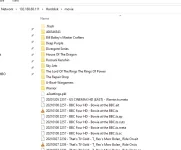
I just transfer files from PC and stb via windows file explorer just enter stb ip address into windows file explorer search bar on top first time it will ask you for username and password,
just as if you are using putty I do not even use filezilla now. But hopefully your windows hard drive is formatted to at least NTFS because of file size limitations.

Capture.webp
 
Thank you. I'm afraid I couldn't get that to work.

But I have worked out how to transfer the files using mount manager! I had previously mounted a hard drive on my PC and could not transfer into that. I then mounted a folder on my PC which I called SX88 and that didn't work either. I then renamed that folder "media" and that worked. So the answer for me has been to create a folder on the PC named "media". Any other name does not work.

Many thanks for your help.
 
Thank you. I'm afraid I couldn't get that to work.

But I have worked out how to transfer the files using mount manager! I had previously mounted a hard drive on my PC and could not transfer into that. I then mounted a folder on my PC which I called SX88 and that didn't work either. I then renamed that folder "media" and that worked. So the answer for me has been to create a folder on the PC named "media". Any other name does not work.

Many thanks for your help.

Is Samba on the box enabled and running? menu/setup/network/utilities/samba.

If so on your PC in the file explorer and in the Network section you should see your box listed.
Click on it and you may/should get a box/window requesting a user and password
user = root
pass = whatever you setup on your box menu/setup/network/password

Once connected you should be able to see the hard disk or USB disk with its contents on the PC.
On the PC you can then copy/paste or drag/drop between the storage on the box and the PC.
 
Samba now installed. It is very useful addition for file transfer. Much quicker than ftp. Many thanks for the suggestion.
 

OpenViX Feeds Status

Back
Top