Hi Peeps
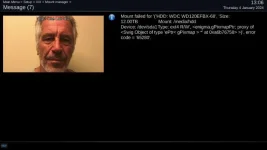
So i currrenty have my VU ultimo 4k working perfectly. Since last month i kept getting that error message shown in the first picture.
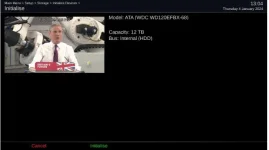
I currently have a 4tb HDD installed on my ultimo. I was running out of space so i purchased a new 12tb HDD.
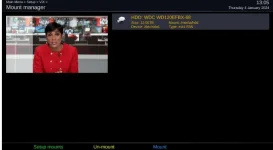
I thought once i put my new HDD then maybe this error will go away. I initialised my new HDD and recordings and files are stored perfectly on there but again the same thing keeps happening with the timeshift error. I dont understand why it keeps doing that
Any ideas why this is happening. I have uploaded all of the stuff which i think could be relevant.
Thanks
So i currrenty have my VU ultimo 4k working perfectly. Since last month i kept getting that error message shown in the first picture.
I currently have a 4tb HDD installed on my ultimo. I was running out of space so i purchased a new 12tb HDD.
I thought once i put my new HDD then maybe this error will go away. I initialised my new HDD and recordings and files are stored perfectly on there but again the same thing keeps happening with the timeshift error. I dont understand why it keeps doing that
Any ideas why this is happening. I have uploaded all of the stuff which i think could be relevant.
Thanks