Superb quality and spec AB-Com PULSe 4K SE. Crazy offer! Only £129! FREE UK DELIVERY! 4K UHD, Enigma 2, Multiboot 4 images & more!...
Superb quality and spec AB-Com PULSe 4K Rev II Twin Satellite tuner only £179! FREE UK DELIVERY! 4K UHD, Enigma 2, SATA HDD facility, Multiboot 4 images & more!...

New skin: Simple Ten Eighty

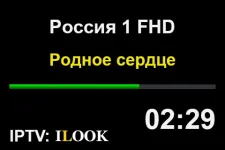
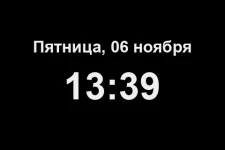
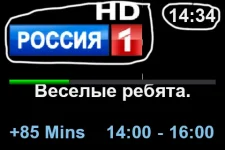
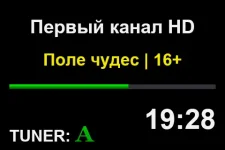
From what I can see on the LCD display the skin_display file seems to have turned out perfectly, but I just don't understand why it was necessary to link the skin_display file to the skin_display_picon file I'm sure there are users who want to customize the skin_display_picon file themselves, so why link it so that it would be impossible to edit one file without the other ? Now the second step of the job is waiting: how to redesign the skin_display_picon file, since the LCD display should be look like a real icon
 

Attachments

  • 0012.webp
    0012.webp
    9.2 KB · Views: 18
  • 0014.webp
    0014.webp
    9 KB · Views: 6
  • lcdshot_20261106133951.webp
    lcdshot_20261106133951.webp
    5.2 KB · Views: 6
There are just a handful of screens that show picon. The rest of the screens come from skin_display.xml. There is no point duplicating loads of stuff.
 
Please tell me, how can I prevent the .png icons from the skin_display.xml file (progressbar.png and sprogress.png) from being duplicated to the file skin_display_picon.xml file? Do I really need to first unlink the skin_display.xml file from the skin_display_picon.xml file? I would be very grateful for your reply!
 
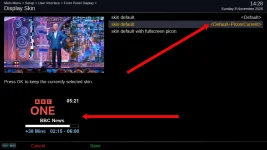
I want to completely change (make changes, make the icon smaller, change the icon's position, make the clock larger, and so on) the image in the default skin <Default+Picon/ Current> but I can’t make any changes because nothing changes—it’s as if it’s tied to the skin_display file; the icon size doesn’t change, the clock size doesn’t change either, and so on... Where did sprogress.png and progressbar.png come from in this image? I didn’t put them there, which is why I’m asking what I need to do so I can make some changes to the skin_display_picon file
 

Attachments

  • 3535.webp
    3535.webp
    69.2 KB · Views: 18
  • 3536.webp
    3536.webp
    12.6 KB · Views: 11
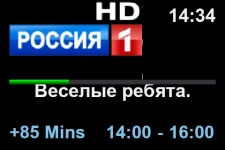
The first thing I wanted to do was change the size make the “Rossiya 1 HD” channel icon smaller and then change the size of the clock to make it bigger, but the size didn't change
 

Attachments

  • 3539.webp
    3539.webp
    15.2 KB · Views: 8
But I already wrote post #245, where I explained everything in detail and said that I didn't make any changes I just opened the skin_display_picon.xml file and tried to do that, but it didn't work for me...When I made changes to the skin_display file, everything went smoothly
 
Last edited:
in which dir? did you select the skin with picon in settings? did you restart e2 after the changes?
here it looks like this:
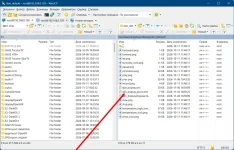
root@dm900:~/logs$ ls -la /usr/share/enigma2/display/Default_with_Picon_Fullscreen/
prev.png skin_display.xml
there is no skin_display_picon.xml
 
Last edited:
1. Yes with picon in settings
2. Yes I restarted the GUI and also rebooted the system
3. It's also unclear how sprogress.png and progressbar.png (You can see that in the screenshot) ended up in the skin_display_picon.xml file, since I didn't change anything in it
4. How to understand the skin_display_picon file is missing? and how will the image be displayed if that file isn't there?
 

Attachments

  • 2026-11-08.webp
    2026-11-08.webp
    145.5 KB · Views: 13
Last edited:
Yeah, display800 is different. skin_display and skin_display_picon both <incude> skin_display_templates, whereas with the display480 skin_display_picon <includes> skin_display, then overwrites a few screens.

display800.skin_display_picon.xml
Code:
<?xml version="1.0" encoding="UTF-8" standalone="no"?>
<!-- This skin is at github.com/OpenViX/enigma2/tree/master/data/display800 -->
<skin>
    <include filename="skin_display_templates.xml"/>

display480.skin_display_picon.xml
Code:
<?xml version="1.0" encoding="UTF-8" standalone="no"?>
<!-- This skin is at github.com/OpenViX/enigma2/tree/master/data/display480 -->
<skin>
    <include filename="skin_display.xml"/>
    <colors>
 
Last edited:
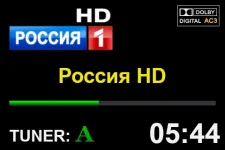
A huge, huge Thank you to both of you. I'll try to check it out tomorrow (y) :) I wanted to edit the skin_display_picon.xml file, but I couldn't get it to work, so I left it as it was originally @Huevos Sorry, I just realized why the files skin_display_picon.xml, sprogress.png, and progressbar.png appeared it's because I made some changes. There aren't any issues with that now, but I can't change the size of the icon where the channel icon and clock are displayed
 

Attachments

Last edited:
<include filename="skin_display.xml"/>
I think I just figured out what the problem was I just had to remove this part from the skin_display_picon.xml file, and the channel icon size started changing
 
I think I just figured out what the problem was I just had to remove this part from the skin_display_picon.xml file, and the channel icon size started changing
It turns out I can't delete this text... now I can resize picon and place the picon anywhere I want (It was my mistake I got the files mixed and didn't check them)... Everything's fine now I think I'll do it this way... @Huevos and @2stein Please don’t be offended by me and Thank you so much for your help I really appreciate it!
 

Attachments

  • 097.webp
    097.webp
    10.8 KB · Views: 7
Last edited:
It turns out I can't delete this text... now I can resize picon and place the picon anywhere I want (It was my mistake I got the files mixed and didn't check them)... Everything's fine now I think I'll do it this way... @Huevos and @2stein Please don’t be offended by me and Thank you so much for your help I really appreciate it!
no, i had the same problems when i started. includes replace everything in the file they are included. so, for beginneres it is best you remove the include and put everything from the include into the base file and then change the stuff you want. that way nothing gets overwritten. you are on the right path ;-)
 

OpenViX Feeds Status

Back
Top