

M
mby2j
Guest
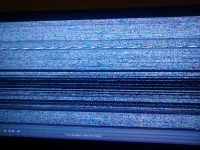
See picture attached. I have downloaded Apollo 142 and have tried to install via usb stick. The box has displayed the typical 'Erasing/Reading USB' messages and moved to 'Starting' and now I am stuck on this screen.
I have tried Apollo 137 and I get the same problem. What can I do to fix this?
I have tried Apollo 137 and I get the same problem. What can I do to fix this?


