Superb quality and spec AB-Com PULSe 4K SE. Crazy offer! Only £129! FREE UK DELIVERY! 4K UHD, Enigma 2, Multiboot 4 images & more!...
Superb quality and spec AB-Com PULSe 4K Rev II Twin Satellite tuner only £179! FREE UK DELIVERY! 4K UHD, Enigma 2, SATA HDD facility, Multiboot 4 images & more!...

[GiGaBlue HD800SE] front display setting is missing

  • Thread starter Thread starter Funkschlumf
  • Start date Start date
F

Funkschlumf

Guest
Thr front display setting is not available in the menu, so it is impossible to change the colour of the power-button led, or switching it off.
 
Hi, does the Se have a lcd screen at the front like the Ue model.If not that might be why.
 
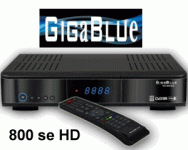
Its like this on the Se

800se.gif

The ability to change the display used to be in the older images, i lost the ability to switch off the display when i finally got off my backside and updated to the newest build. I think it used to be something like Giga_VFD in the menus to access the front display menu.

Its suprising how much the blue light emmited from the display lights up a dark room. I had to put my 800se in another room and move the less than perfect Alien 2 into my bedroom as the display isn't as obtrusive in the dark.

It will just be a case of wait and see, maybe it will be put back into future images as it was a useful little tool.
 
Last edited:
The latest OpenATV-Image for the Gigablue 800SE still has this feature to set the front display and the illumination of the power-button, but the OpenVIX-Image runs much better on my Gigablue.
 
Vix on my 800ue is menu-setup-system-front display panel-led.
Using vix build 150
 
I use the same vix build 150. But in the Image for the 800 SE, there is no such menuepoint.
 
Don't like Open ATV. i know its a similar iamge to VIX, i just don't like where everything is in the file structure.
 
Cover it with black insulating tape that has a small hole in it.
Same applies to power lights on various other items (extension leads, ....)
Can you stop providing shit advice please? If it's a genuine issue, it should be fixed.
 
I'm sure that now the team knows about the issue that a work around will be looked at, maybe a plugin download, until then it will just be a case of put up with it. Its just a case of wait and see what happens next.
 
Updated to apollo 163 and in extensions the vfd_control is included, but I can not find it in the menue for setting.
 
vfd-control plugin

Where can I find the vfd-control plugin in the image, it is shown as installed but I cannot find it.
 
One thread on your issue is ennough.

In Menu > Setup > System, is there an option for LED Setup? Or in Menu > Setup > System > Front dislay panel?
 
No such menu, I wanted to know if I can find this plugin in the image-structur.
 

OpenViX Feeds Status

Back
Top