Superb quality and spec AB-Com PULSe 4K SE. Crazy offer! Only £99! FREE UK DELIVERY! 4K UHD, Enigma 2, Multiboot 4 images & more!...
Superb quality and spec AB-Com PULSe 4K Rev II Twin Satellite tuner only £149! FREE UK DELIVERY! 4K UHD, Enigma 2, SATA HDD facility, Multiboot 4 images & more!...

[ViX_Misc] How do I add tags to timers?

birdman

Moderator
Joined
Sep 7, 2014
Messages
8,592
Reaction score
117
Points
63
Location
Hitchin, UK
I'm trying to add tags to timers (to see what I can do once they are there).

However, looking at any timer the tag list is "None", and I can't change it.

Looking at Auto-timer configuration I can set it to either add Autotimer or the timer name to tags (or both). This is under Option 6 of the Auto Timer pop-up settings menu.
I've done set it to add the timer name. Nothing happens.

There is also an Option 7, "Edit new timer defaults". That has an option for Tags - but it is just stuck on None, and unchangeable.

So, how do I get tags to be set?
 
1- Manually set timers always get the name of the show as tag. The 'tag'-option in timer edit is only available when you have installed the dedicated 'tageditor'-plugin (available on the feeds).
2- In AT the two functions you mention do work. But obviously only for timers that have been created by AT after the setting has been activated.
 
Thanks. I've installed the extension and tags now appear.

Now I need to figure out what I can do with them. A post a week or so ago mentioned using it in sorting movie listings. I can't see how, though.
What I really want there is an ascending alphabetic sort, but with ascending times when the names are the same. At the moment the episodes with a series are sorted "backwards" (the first one is at the bottom...)
 
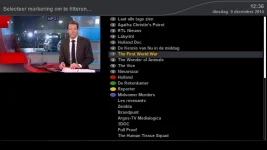
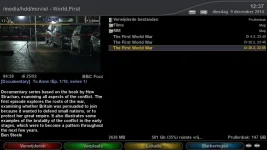
I always use tags (without the tageditor installed) in the movie list. I have the blue-button assigned to tags, and my normal sorting is chronological.
So on opening the list I see the youngest recordings on top; on using 'blue' I get virtual groups (of all recordings having the same name).
 
I have the blue-button assigned to tags, and my normal sorting is chronological.
Hmmm..I see what you mean.
But chronological still leaves things in the wrong order.
There seems to be a bug in the date sorting. It's sorting the newest first. That's reverse chronological order. The Enigma2 code does its dates backwards.
If it did them the right way round then the default alphabetic sort would make sense.
 
There seems to be a bug in the date sorting. It's sorting the newest first. That's reverse chronological order.
Well, just a matter of definition. For me sorting 'by date' = youngest first, as it does indeed. But if you want eldest first simply choose 'reverse by date'. Just pick your choice.
Anyway: whatever default sorting you want to use: does 'tags' now give you the desired functionality?

Be aware that there has been a bug in manual-timer tags for quite some time. This means that existing recordings won't always be properly tagged, unless created by AT. But recordings made by recent builds should be OK.
 
Well, just a matter of definition. For me sorting 'by date' = youngest first, as it does indeed. But if you want eldest first simply choose 'reverse by date'. Just pick your choice.
That won't work, as I want Alphabetic, then Oldest first. (Sorting by date with youngest first seems odd to me. A list of Monarchs of England by date starts with Egbert, not Elizabeth II.)
Just sorting by data leaves episodes of the same series dotted around, not grouped.
Anyway: whatever default sorting you want to use: does 'tags' now give you the desired functionality?
No. As I want to be able to see all entries in a folder at the same time with the "correct" sorting. (I put recordings into categories, so Films are separate from Dramas, Documentaries, etc.).
 
I'm lost now:
1- surely chronological sorting can't be an issue, as you can choose 'reversed chronological' as you prefer;
2- using a tag groups all recordings with the same name (in a virtual folder); so there's no issue left of alphabetical ordering. And (reversed) chronological ordering is available within a tag-group.

Tags1.webp Tags2.webp
 
1- surely chronological sorting can't be an issue, as you can choose 'reversed chronological' as you prefer;
But that just sorts everything by date, so programmes in the different series and up intermixed.
2- using a tag groups all recordings with the same name (in a virtual folder); so there's no issue left of alphabetical ordering. And (reversed) chronological ordering is available within a tag-group.
And that leaves me with having to select an individual tag to see one series. Once I do this I can no longer see the others.
What I want to see is:
  • Intruders (Ep1)
  • Intruders (Ep2)
  • ....
  • The Fall (Ep1)
  • The Fall (Ep2)
  • ...
as soon as I go to the Drama folder.
 
1- surely chronological sorting can't be an issue, as you can choose 'reversed chronological' as you prefer

But that just sorts everything by date, so programmes in the different series and up intermixed.
No: first tags--> select, then menu --> sort by date
As I showed in my screenie.
 
Sorry, you lost me.
But is adding tags via tageditor an option? Make a dedicated tag 'xxx' for 'series xxx' and use tags 'xxx' in movie list to show all xxx-tagged files?
 
Sorry, you lost me.
But is adding tags via tageditor an option? Make a dedicated tag 'xxx' for 'series xxx' and use tags 'xxx' in movie list to show all xxx-tagged files?
I already have multiple folders under /media/hdd/movie, since things like Films are one-offs, while Drama series are" connected". I also have folders for things like Radio, Quizes and Comedy. Once I go into one of these folders I'd like to see all episodes of a series next to each other (so I need an alphabetic sort), with the earliest (i.e. the one I would view next) at the top. But the strange (to me) chronological sorting of latest first within the alpha sort foils this.
Tags don't help, as that just leaves me looking at one series at a time.

One remaining possibility is for me to see whether I can set up recording names with the series name before then date/time tag and see whether a default or alphabetic search would work.

It's a pity that the alpha and date sorts aren't separate options with both being used.
 
No - the recording name options won't help either, as they all start with the date anyway...

...but since the calculation of the filename is in RecordTimer.py and I'm having to edit that anyway to get the FP icons to work properly, then I could change that to put the name before he date as a test and see what happens...
 
I think I understand the OP.

He wants the list double sorted: first by name, then where names are identical they should be then further sorted chronologically within each 'identical name' grouping. The name groupings could be restricted to match just the first 8 or so characters.

Have you tried making the default sort chronological (rather than 'newest first') and then re-sorting alphabetically. Otherwise double sorts (sorts within sorts) are not implemented and you'll have to edit the python to implement.

cheers
 
He wants the list double sorted: first by name, then where names are identical they should be then further sorted chronologically within each 'identical name' grouping. The name groupings could be restricted to match just the first 8 or so characters.
Correct.
Have you tried making the default sort chronological (rather than 'newest first') and then re-sorting alphabetically.
As far as I know. But a soon as you sort alphabetically you get the standard descending date sort.
Otherwise double sorts (sorts within sorts) are not implemented and you'll have to edit the python to implement.
Which is what I'll end up doing. I'd be more enthusiastic about that if there was some possibility of getting such code (once working) into the standard image, but there doesn't seem to be any mechanism for that..
 
When you get your python working, just provide it for comment and it may be taken up by the image developers. A post might be sufficient. Using the development system (github) might be a more sensible mechanism, but I'm not sure how this works and whether we would need some sort of authority to provide a 'merge request'.

Anyhow, I'll be interested to see how you get on with the python, even though I don't have the time to help you directly.

cheers
 
Exactly: posting and explaining code here in the forum and/or creating a pull request on the GiT can result in getting external code on board of the image.
 
I'd be more enthusiastic about that if there was some possibility of getting such code (once working) into the standard image, but there doesn't seem to be any mechanism for that..

Simply by posting on this forum is the starting point for getting your changes added to the base image, where we see code that we believe beneficial we will always try to include it (providing the author agrees) or you could create a free GIT hub account, make the nessecary changes then submit a pull request and we will pick it up from there.


Sent from my iPad Air using Tapatalk
 
OK. It's here: View attachment Sorting.zip

Given that the current code deliberately negates the time it wasn't too difficult.
Well, my original thought was to make the time ordering separately configurable, but that ran into all sorts of issues relating to the amount of code needing to be added to handle a new setting. In the end I decided that just adding two additional sort types (alpha + oldest first, and the complete reverse of that) would suffice.

Screens/MovieSelection.py:
  • Added two new options to the l_movielist array, so that they can be selected.
Components/MovieList.py:
  • Defined two new sort types.
  • Added selectors for those values
  • Added buildAlphaDateSortKey() to handle things (it's a copy of buildAlphaNumericSortKey, but with x[2] replacing -x[2]).

PS: One thing I haven't been able to do is add new pixmaps for the little icon next to the sort (blue) button. That's because I can't find them in the skin files, and can find no reference to them in the code either.
And they are currently broken for a "default" search as well (selecting that leaves the icon at its previous setting).
 
Last edited:

OpenViX Feeds Status

Back
Top