Superb quality and spec AB-Com PULSe 4K SE. Crazy offer! Only £129! FREE UK DELIVERY! 4K UHD, Enigma 2, Multiboot 4 images & more!...
Superb quality and spec AB-Com PULSe 4K Rev II Twin Satellite tuner only £179! FREE UK DELIVERY! 4K UHD, Enigma 2, SATA HDD facility, Multiboot 4 images & more!...

[VU+ Duo2] Just flashed 5.2.006

tomos

Member
Joined
Aug 16, 2013
Messages
167
Reaction score
0
Points
16
Hi All

I've just flashed image 5.2.006, my box is now having trouble reading the hard drive, I can't see any backups, I can't change the epg from internal memory, if I run Filesystem check I receive the error message in the attached image, I seem to able to connect to the hard drive via putty and filezilla but the folders seem to be empty, is there any steps I could take to save having to format the drive and start again
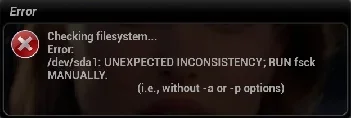
 

Attachments

  • Screenshot 2018-11-03 at 16.52.22.webp
    Screenshot 2018-11-03 at 16.52.22.webp
    5.6 KB · Views: 10
Have you tried rebooting your receiver n then setting a Mount up for the HDD?


Sent from my iPhone using Tapatalk
 
Hi Andy

Thanks for the quick reply, I've rebooted I now have a number of options "mount", "use as HDD", "setup mounts"
 
If I select mount I get "mount failed"

"use as HDD" appears to do nothing

"setup mounts" doesn't solve the problem
 
Last edited:
Do you have usb flash drives attached to your receiver as well?


Sent from my iPhone using Tapatalk
 
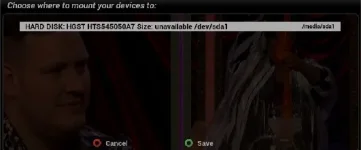
if select setup mounts I get this screen (see image attached)Screenshot 2018-11-03 at 17.46.23.webp
 
Hi,
use left/right to get /hdd or media/hdd then save.

ciao
 
Hi Andy

I think I've tried that but I'll give it another go
 
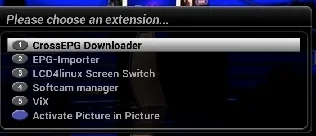
tried blue button - vix ? Is it visible there ? If not try to start box with HDD not connected.Let it start , shut down , reconnect HDD and reboot.
 
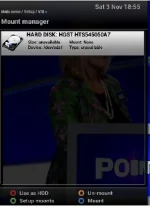
Screenshot 2018-11-03 at 18.55.53.webp

I think the can see the HDD (see Image)
If I press the blue button I see this
Screenshot 2018-11-03 at 18.57.42.webp
 
I'll disconnect the HDD and see what happens
 
your HDD is visible but not mounted. Use blue button in screen to mount it.
 
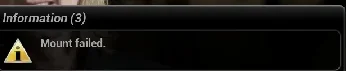
If I try an mount it fails, I'll capture a screen shot
 
Hi Bellejt, thanks for helping, if press the blue "mount" button I get a fail message see imageScreenshot 2018-11-03 at 19.18.57.webp
 
strange .I would reflash the box and see what happens then.
 
Shall I initalize the disk first and start afresh, it's been a while since I reflashed via usb, quick question do I copy the duo2 folder to the root of the usb or the contains of the folder?
 
if you initialize the disk all your recordings will be gone. Just unzip file directly to a USB stick.
 

OpenViX Feeds Status

Back
Top