Superb quality and spec AB-Com PULSe 4K SE. Crazy offer! Only £99! FREE UK DELIVERY! 4K UHD, Enigma 2, Multiboot 4 images & more!...
Superb quality and spec AB-Com PULSe 4K Rev II Twin Satellite tuner only £149! FREE UK DELIVERY! 4K UHD, Enigma 2, SATA HDD facility, Multiboot 4 images & more!...

[VU+ Uno4KSE] lcd4linux lcd display

launton

Forum Supporter
Donated Member
Joined
Nov 8, 2016
Messages
18
Reaction score
3
Points
3
Age
62
Location
Liverpool
Hi

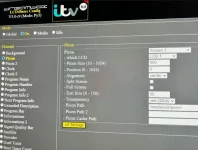
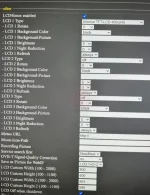
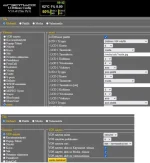
This is a new machine today, latest openvix 6.2 and first run. I previously owned a Duo2 so I'm fine with the setup. Logs into lcd4linux and I can't make the LCD screen match what's on the actual screen on the box. I only want the picon to show, no other info is needed at all. The picon loads on the box but it's smaller and seems fixed along with the other info. If someone would be kind enough to advise me I'd be very grateful. I used to play with the Duo2 one changing it a bit over the years I had it so I have no idea why this is different. See pics and thanks! I am clicking 'set settings' and saving it so I'm really stuck... :confused:

Screenshot (2).webpScreenshot (3).webpScreenshot (4).webp
 
you need to set ONLY picon .All the others need to be disabled.
 
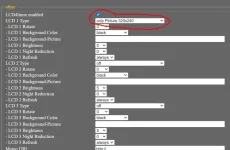
Thanks, every other option is off only picon and recording in global/on. media is off completely (screen disabled) and idle is clock only. I tried choosing as pic below (only picture) and it's still showing pic 1 above. I'm sorry for being thick. I think I'm losing the plot.

Screenshot (5).webp
 
in element you need to go to everything and disable all options.So choose picon 2 , clock etc and disable them all
 
Picon 2 is off/disabled as are all available element choices in every option apart from picon 1. Even if I disable lcd4linux the front screen stays as in pic one. It doesn't matter what I do it makes no additions or subtractions to the LCD. I'm wondering if I have a corrupt/missing xml file. Anyway thanks so much for your help, I'll flash the box again and format the HD externally forcing a fresh install, maybe it'll help. Or I'll look for a backup image somewhere or a custom install that I can dump on it and sit back.
 
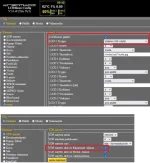
LCD 1 type must internal VFD display, now pic one is coming from LCD skin, not from LCD4linux.
 
Have you tried these settings exactly ?

LCD4linux_1.webpLCD4linux_1.webp
 

Attachments

  • LCD4linux_1.webp
    LCD4linux_1.webp
    32.2 KB · Views: 18
Last edited:
Thanks, it was a bad flash the information was not being written to the box but there was no error evident. I flashed the box again and it's working now. Thanks everyone!
 

OpenViX Feeds Status

Back
Top