Superb quality and spec AB-Com PULSe 4K SE. Crazy offer! Only £99! FREE UK DELIVERY! 4K UHD, Enigma 2, Multiboot 4 images & more!...
Superb quality and spec AB-Com PULSe 4K Rev II Twin Satellite tuner only £149! FREE UK DELIVERY! 4K UHD, Enigma 2, SATA HDD facility, Multiboot 4 images & more!...

MetrixHD_MOD (Now includes a full 1080 HD version too)

It's coming on very well but you spoiled the surprise Belierzz :D

Yes I have been working on MetrixHD v2. It is still a work in progress but I have uploaded for those that want to try - including the epg for f1mad.

You need to install latest beta from http://mymetrix.de (2.0.11b). If you've already downloaded previously please update as this latest version fixes some bugs. Follow the installation and signup instructions from the website.

Enter the My-Metrix plugin (not openstore plugin), and enter the OpenStore from within there. This should show my plugins for under OpenVix -their are currently 4 - GraphicalEPG, Quick EPG,NumberZap and a widget to add the coloured button to the infobar.

You then need to install install one more plugin for the EPG. This is also located in the OpenStore but in Skin Extensions and called "Images for Graphical EPG for VIX"

I will be working on more screens in future and tweaking some as not happy with picon in quickepg and timeline in graphicalepg.

Enjoy,

Steve
 
Thanks Steve! I'm still looking how to get infobar / second infobar working. No issue for you? Your a.m. plugins for EPG work flawless. Respect!
 
Thanks, no problem with infobar here - although in v2 the second infobar doesn't display the bar just the extended programme info.

I'm still deciding if I like it like this but will probably be skinning second infobar soon. Does the first infobar display?
 
No, the bar doesn't display neither for first nor second infobar. Icons / resolution etc. are there, at least most of them.
 
Last edited:
Hmmm - try installing the modern infobar plugin and see if that works??? Otherwise suggest installing the plugin, manually deleting the MatrixHD folder (in usr/share/enigma2/) , and reinstalling again from scratch.
 
I'll give that a try later when I'm back at home and let you know the outcome.

Edit: installing with -force-overwrite did the job. Now checking lots of new possibilities in the OpenShop
 
Last edited:
Is the plugin in the feeds guys? Been using this skin for about 6 weeks now and imo the best available. Can't be bothered addingthe extras so if there are recent updates i.e within the last week i would rather just install from fresh..
 
Set MyMetrix 2.0.11b
Do not display the 2nd infobar were only icons.
Set out to bring information to the ECM in SIB

slightly modified the skin.xml - at the end of the SIB screen add the following line:

Code:
    <!-- /* InfoWidget Cam and Transponder Infos(CENTER) by DarkStarXxX -->
    <widget source="session.CurrentService" render="Label" position="570,45" size="320,30" font="Regular; 16" valign="center" backgroundColor="metrixBackground" ransparent="1" halign="left" noWrap="1">
      <convert type="MetrixExtraInfo">TransponderInfo</convert>
    </widget>
    <widget backgroundColor="metrixBackground" font="Regular; 22" halign="right" position="391,45" render="Label" size="170,30" source="session.CurrentService" transparent="1"  align="center">
      <convert type="ServiceName">Provider</convert>
    </widget>
    <widget source="session.CurrentService" render="Label" font="Regular; 17" position="391,75" size="500,30" halign="center" zPosition="50" backgroundColor="metrixBackground" foregroundColor="metrixAccent1" transparent="1" noWrap="1" valign="center">
      <convert type="pliCaidDisplay">Default</convert>
    </widget>
    <!-- ViX buttons by scwheeler -->
    <eLabel name="new ePixmap" position="center,43" size="520,65" backgroundColor="metrixBackground2" transparent="0" zPosition="-99" />
    <eLabel name="new ePixMaph" position="center,526" size="820,35" foregroundColor="foreground" zPosition="-99" backgroundColor="metrixBackground2" />
    <ePixmap alphatest="blend" pixmap="MetrixHD/buttons/red.png" position="264,690" size="30,35" />
    <ePixmap alphatest="blend" pixmap="MetrixHD/buttons/green.png" position="446,690" size="30,35" />
    <ePixmap alphatest="blend" pixmap="MetrixHD/buttons/yellow.png" position="636,690" size="30,35" />
    <ePixmap alphatest="blend" pixmap="MetrixHD/buttons/blue.png" position="818,690" size="30,35" />
    <widget backgroundColor="metrixBackground" font="RegularLight; 20" name="key_red" position="301,692" size="150,25" transparent="1" valign="top" zPosition="1" />
    <widget backgroundColor="metrixBackground" font="RegularLight; 20" name="key_green" position="483,692" size="150,25" transparent="1" valign="top" zPosition="1" />
    <widget backgroundColor="metrixBackground" font="RegularLight; 20" name="key_yellow" position="673,692" size="150,25" transparent="1" valign="top" zPosition="1" />
    <widget backgroundColor="metrixBackground" font="RegularLight; 20" halign="left" name="key_blue" position="855,692" size="150,25" transparent="1" valign="top" zPosition="1" />

Changed HEALTH WIDGET
Code:
    <!-- /* HEALTH WIDGET -->
    <eLabel backgroundColor="metrixBackground" font="Regular; 20" foregroundColor="metrixAccent1" halign="right" position="240,528" size="53,33" text="SNR" transparent="1" valign="center" />
    <widget backgroundColor="metrixBackground2" font="Regular; 20" foregroundColor="metrixForeground" position="567,528" render="Label" size="70,33" source="session.FrontendStatus" transparent="1" valign="center">
      <convert type="FrontendInfo">SNR</convert>
    </widget>
    <widget pixmap="MetrixHD/colors/00ffffff.png" position="305,541" render="Progress" size="250,7" source="session.FrontendStatus" transparent="1" zPosition="100" backgroundColor="metrixAccent1">
      <convert type="FrontendInfo">SNR</convert>
    </widget>
    <eLabel backgroundColor="metrixBackground2" font="Regular; 20" foregroundColor="metrixAccent2" halign="right" position="648,528" size="53,33" text="AGC" transparent="1" valign="center" />
    <widget backgroundColor="metrixBackground2" font="Regular; 20" foregroundColor="metrixForeground" position="970,528" render="Label" size="70,33" source="session.FrontendStatus" transparent="1" valign="center">
      <convert type="FrontendInfo">AGC</convert>
    </widget>
    <widget pixmap="MetrixHD/colors/00ffffff.png" position="712,541" render="Progress" size="250,7" source="session.FrontendStatus" transparent="1" zPosition="1" backgroundColor="metrixAccent2">
      <convert type="FrontendInfo">AGC</convert>
    </widget>
    <eLabel backgroundColor="metrixForeground" position="305,543" size="250,3" />
    <eLabel backgroundColor="metrixForeground" position="712,543" size="250,3" />

    <widget font="SetrixHD; 140" foregroundColor="metrixPreTrans2" noWrap="1" position="35,405" render="Label" size="1252,306" source="session.CurrentService" transparent="1" valign="top" zPosition="-30">
      <convert type="ServiceName">Name</convert>
    </widget>

In order to successfully display the ECM-information needed converters: MetrixExtraInfo, pliCaidDisplay, pliCamd
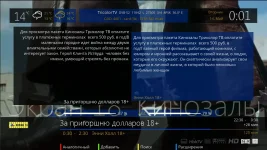
Here is the result
mx_IB.webpmx_SIB.webp
 
Last edited by a moderator:
@Igleave22 - not sure if we can host it in the feeds, however I strongly recommend installing this version as it can now automatically update itself and I can quickly and easily add VIX specific screens.

Sowa - good work, I will also publish a modern SIB later this week and the health widget is on my todo list :) Thanks.
 
Thanks for confirming my query scwheeler, are you able to add a zip of the upto date skin to this thread please mate
 
@Igleave22 - not sure if we can host it in the feeds, however I strongly recommend installing this version as it can now automatically update itself and I can quickly and easily add VIX specific screens.

Sowa - good work, I will also publish a modern SIB later this week and the health widget is on my todo list :) Thanks.

if you would like your work incorporated into the ViX feeds speak to andy, he will be able to help you set up a GIT for the skin etc.
 
Try this direct link -
Code:
http://live.mymetrix.de/index.php?mact=DownloadManager,m3469f,download,1&m3469falias=enigma2-plugin-extensions-mymetrix_2-0-9-1_all&m3469freturnid=72&page=72
 
Last edited by a moderator:
Try this direct link -
Code:
http://live.mymetrix.de/index.php?mact=DownloadManager,m3469f,download,1&m3469falias=enigma2-plugin-extensions-mymetrix_2-0-9-1_all&m3469freturnid=72&page=72

Hi have installed the IPK file from your link, however now that i have deleted older skin and put the ipk file into the tmp folder i get the following error

root@vuduo:/var/volatile/tmp opkg install Openstore-MyMetrix_2.0.ipk
collected errors:
*gz_open: fork: cannot allocate memory.
*pkg_init_from_file: Failed to extract control file from Openstore-MyMetrix_root@vuduo:/var/volatile/tmp

Please can you advise

Regards
 
Hi have installed the IPK file from your link, however now that i have deleted older skin and put the ipk file into the tmp folder i get the following error

root@vuduo:/var/volatile/tmp opkg install Openstore-MyMetrix_2.0.ipk
collected errors:
*gz_open: fork: cannot allocate memory.
*pkg_init_from_file: Failed to extract control file from Openstore-MyMetrix_root@vuduo:/var/volatile/tmp

Please can you advise

Regards

You do not have enough memory space to install the skin.
Need to make space - remove unnecessary skins, plug-ins.
You need about 10MB of free space or use FlashExpandr plugin.
 
im still using the original of this skin.. where abouts can i find the latest update? also how does it auto update?
 
i was given the link it post 113 mate but it isnt happening for me hence my communication above. Others have installed newer version and it works ok for them.. Pissed off now deleted older skin and now stuck with basic skin for time being, sure someone can help me out though. as for updating, i believe once the update is installed, everytime you do a software update from your reciever if there are any new updates for this skin they will be dl as well.
 
ahhh right.. well i may hold fire then until one of the developers comes on and posts a new file as i don't fancy messing this skin up as its by far my favorite!! :cool:
 

OpenViX Feeds Status

Back
Top