Superb quality and spec AB-Com PULSe 4K SE. Crazy offer! Only £99! FREE UK DELIVERY! 4K UHD, Enigma 2, Multiboot 4 images & more!...
Superb quality and spec AB-Com PULSe 4K Rev II Twin Satellite tuner only £149! FREE UK DELIVERY! 4K UHD, Enigma 2, SATA HDD facility, Multiboot 4 images & more!...

MetrixHD_MOD (Now includes a full 1080 HD version too)

How long should it take for the plugin to write the skin file. Ive been trying to install this for the plugin on a vu solo and it just locks up the box?

Thanks
 
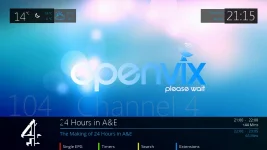
Hi. That screen works. I'm talking about when you change channels at the foot of the screen. Where a logo should be it just says by immax metrix


Hi Gary do you mean this screen?

View attachment 26392

If so you need Moviereference.py and Moviereference.pyo in both /usr/lib/enigma2/python/Components/Renderer and /usr/lib/enigma2/python/Components/Converters.

However these are included in the version in the feeds, so would be keen to know if this works for you.
 
Gav - 30 secs - 1 min normally so something doesn't sound right!
 
Gary,

Just want to be check before I start digging:

1. screenshot-9.webp

2. ATTACH=CONFIG]26401[/ATTACH]
 

Attachments

  • screenshot.webp
    screenshot.webp
    65.6 KB · Views: 36
I don't see logos on either of those screens
Thank you for looking into it.
G
 
If it will help, if you can post which skin elements are active in a setup that works?
Then I can make sure everything mirrors your setup?
G
 
Gav - 30 secs - 1 min normally so something doesn't sound right!

Cheers m8. Ive done a fresh flash with build 664, installed mymetrix from the feeds,selected the skin parts, tried to save the skin and everytime it locks the box? Is there something ive missed. I really would like this skin as it looks very good.
 
Gav - 30 secs - 1 min normally so something doesn't sound right!

Cheers m8. Ive done a fresh flash with build 664, installed mymetrix from the feeds,selected the skin parts, tried to save the skin and everytime it locks the box? Is there something ive missed. I really would like this skin as it looks very good.
 
First select a other skin and reboot system. Now configure and save MyMetrix.
 
Gary - the skin from the feeds mirrors my personal setup by default skinparts and colours. I wonder if the xpicon.py is incompatible with your box. Try this :

View attachment skin.xml.zip

Unzip and put in use/share/enigma2/metrixhd. Let me know.

Gav - can you try without selecting any skinparts- there are a lot which are not compatible with VIX. JMAy cause the problem??????
 
That's kind of worked :)
The icons are very pixelated tho. Is there a recommended picon set to use?
Also when I press the up button, the icons aren't there.
Thank you :)
 
Gary - the skin from the feeds mirrors my personal setup by default skinparts and colours. I wonder if the xpicon.py is incompatible with your box. Try this :

View attachment 26402

Unzip and put in use/share/enigma2/metrixhd. Let me know.

Gav - can you try without selecting any skinparts- there are a lot which are not compatible with VIX. JMAy cause the problem??????

Hi scwheeler, can you post a capture picture from your SkinPart Settings??
that way I can compare your skin with mine.
Thank you very much
 
Since this is in the feeds and I installed it from there, will the skin automatically update with each new build of vix? If not, what must I do to get the latest version installed correctly.
 
Since this is in the feeds and I installed it from there, will the skin automatically update with each new build of vix? If not, what must I do to get the latest version installed correctly.

if you install from the feeds it will update the skin program every time you do an online update of the image. when this has been done you will need to re-setup the skin to have it the way you like
 
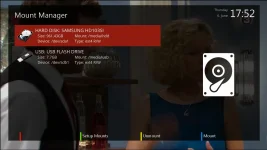
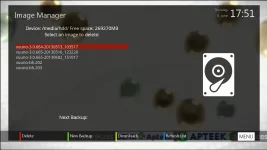
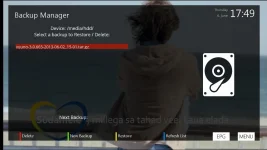
I created some screens for ViX. If you're interested, I can share them.
3.webp2.webp1.webp
 
I created some screens for ViX. If you're interested, I can share them.

I am preparing a full set (standard image) of screens for ViX together with scwheeler .
Soon will add them to the template.
Can you join in the work.

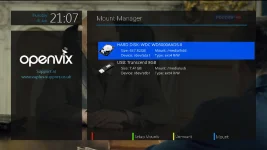
Will look something like this
vix-mm.webp
 
Last edited by a moderator:
Tried to install from feeds on Vu+ Duo but it fails. Says error 'cannot allocate memory'
 
:) I sorted it. Visited the originators website who confirm where the picons should be saved
/media/usb/XPicons/picon/ (recommended)
/media/hdd/XPicons/picon/
/usr/share/enigma2/XPicons/picon/
Copying them there and it's fixed :)
 

OpenViX Feeds Status

Back
Top