Superb quality and spec AB-Com PULSe 4K SE. Crazy offer! Only £99! FREE UK DELIVERY! 4K UHD, Enigma 2, Multiboot 4 images & more!...
Superb quality and spec AB-Com PULSe 4K Rev II Twin Satellite tuner only £149! FREE UK DELIVERY! 4K UHD, Enigma 2, SATA HDD facility, Multiboot 4 images & more!...

MetrixHD_MOD (Now includes a full 1080 HD version too)

Hi Gary, I've had a further look into this today, but can't find out where it is coming from?????

I tried loads of options in the setup menus to see if it's a setting somewhere but no joy:
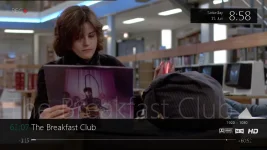
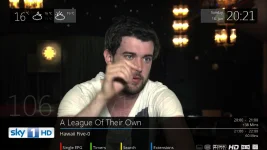
rec.webp

And I've also been through the skin files to see if there is anything in there:
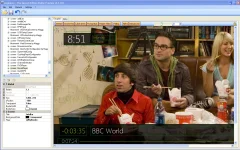
skinner.webp

I wonder if it is a feature of your box (mine's a duo)? Personally I quite like it, but would not have it in that format in the middle of the screen but think it would be quite nice perhaps below the flashing rec icon and without the channel number!
 
Thanks. Mines an Ultimo. I will keep digging. I even did a full factory reset and install from scratch and the little blighter still stays!
Thank you for your help.
PS Any news on the big pause/play icon functionality in the movie player? :)
G
 
Hello,

today i have update to openvix680. after that i would save MyMetrix. Now the Box reboot while write skinfile without crashlog. After reboot i have the default skin active. :confused:
 
Hello,

now i have deinstalled and installed per feed. Skin no more shown in Plugin menu. :confused:
After that i have install per telnet:

Code:
root@BM750:~# opkg install enigma2-plugin-skins-matrixhd - 2.0+git22+51a98bf-r13
Installing enigma2-plugin-skins-matrixhd (2.0+git22+51a98bf-r13) to root...
Downloading http://enigma2.world-of-satellite.com/feeds/3.0/vuduo/all/enigma2-plugin-skins-matrixhd_2.0+git22+51a98bf-r13_all.ipk.
Unknown package '-'.
Unknown package '2.0+git22+51a98bf-r13'.
Configuring enigma2-plugin-skins-matrixhd.
Collected errors:
 * opkg_install_cmd: Cannot install package -.
 * opkg_install_cmd: Cannot install package 2.0+git22+51a98bf-r13.

:confused:
 
Hi,
only
opkg install enigma2-plugin-skins-matrixhd
should be typed in not the rest.

After installation you must run the MetrixHD plugin which generates the real skin.

ciao
 
Dont help. i cant see the plugin to generate the skin anymore since Openvix Build 680.

installed per telnet:
Code:
BM750 login: root
root@BM750:~# [6nopkg install enigma2-plugin-skins-matrixhd
Installing enigma2-plugin-skins-matrixhd (2.0+git22+51a98bf-r13) to root...
Downloading http://enigma2.world-of-satellite.com/feeds/3.0/vuduo/all/enigma2-plugin-skins-matrixhd_2.0+git22+51a98bf-r13_all.ipk.
Configuring enigma2-plugin-skins-matrixhd.
root@BM750:~# [6n

after that the plugin is installed and shown under delete plugins:

installeddel.webp

but, in the plugin-menu not listed MyMetrix and OpenStore.

plginmenul.webp


The same probleme comes if i install Metrix on the Box from feed.
What I noticed. The installation is much faster than under Build679.

I wanted to reinstall, as it after updating to build 680 was no longer possible with MetrixHD plugin generate the real skin. Box reboot without crashlog while writing the Skinfiles.
 
Last edited:
Dont help. i cant see the plugin to generate the skin anymore since Openvix Build 680.

installed per telnet:
Code:
BM750 login: root
root@BM750:~# [6nopkg install enigma2-plugin-skins-matrixhd
Installing enigma2-plugin-skins-matrixhd (2.0+git22+51a98bf-r13) to root...
Downloading http://enigma2.world-of-satellite.com/feeds/3.0/vuduo/all/enigma2-plugin-skins-matrixhd_2.0+git22+51a98bf-r13_all.ipk.
Configuring enigma2-plugin-skins-matrixhd.
root@BM750:~# [6n

after that the plugin is installed and shown under delete plugins:

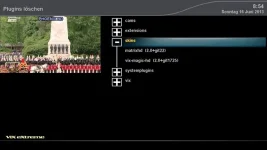
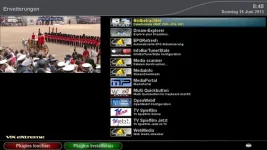
View attachment 26692

but, in the plugin-menu not listed MyMetrix and OpenStore.

View attachment 26693


The same probleme comes if i install Metrix on the Box from feed.
What I noticed. The installation is much faster than under Build679.

I wanted to reinstall, as it after updating to build 680 was no longer possible with MetrixHD plugin generate the real skin. Box reboot without crashlog while writing the Skinfiles.

I have the same problem mate tried everything but nothing works
 
a reboot with no craslog usually means an out of memory error.
what boxes are ye installing this on?
try enabling a swap file and see if it installs ok then.
 
Guys delete one or two skins that are showing (ones you already have not metrix) and go through the setup again, judge is correct t i believe its a low memory issue
 
I have just updated to 680 and no problem on my duo saving skin.

Lothar and Stav - I can only suggest (making sure you backup your settings) that you reflash you box, and then reinstall metrix from feeds. I also have a small swap file and no other skins installed which may or may not make a difference.
 
Small update which will be in Vix from build 682 onwards.

Software update notification included and redesigned:

screenshot-2.webp

The Iconbar is now installed by default and the currently non-working Hbbtv icon removed (thanks Sowa). Vix coloured buttons adjusted to fit:

screenshot-5.webp

Next is the movieplayer with icons to match the timeshift screen.
 
good morning,

my installproblem can`t be a out of memory. On my VuDuo i have 18,5MB free Ram and 25,8MB free Flash. :confused:
a few days ago i have new installed Build 679 without restore settings. i think i have no desire to do it again with every update. today i update to Build682 and hope after that i can install.
 
good morning,

my installproblem can`t be a out of memory. On my VuDuo i have 18,5MB free Ram and 25,8MB free Flash. :confused:
a few days ago i have new installed Build 679 without restore settings. i think i have no desire to do it again with every update. today i update to Build682 and hope after that i can install.
Please create your own thread if you encounter a problem; now you're hijacking an other thread.
And apparently you have no idea how the Linux memory manager works: 'free' doesn't give you any indication.
I'll await your thread in which you can explain in full what the problem is.
 
Small update which will be in Vix from build 682 onwards.

Software update notification included and redesigned:

View attachment 26720

The Iconbar is now installed by default and the currently non-working Hbbtv icon removed (thanks Sowa). Vix coloured buttons adjusted to fit:

View attachment 26721

Next is the movieplayer with icons to match the timeshift screen.

with the update icon is this a add on or will it be installed as a default?
 
Morning everyone,
I left this thread for few weeks as it were confusing constant reflashing and not working.
So today i have done fresh reflash with latest image.
The mymetrix, openstore, matrix is confusing me on which one i use and which is applied first.
Now i have a fresh start, do i install Matrixhd from plugins first or do do something before?
Sorry for the repeat question but i have read this thread numerous times and with updates to thread i do not want to start again and gain no new skin which i am gagging to install as i love it.
Best wishes
 
Morning everyone,
I left this thread for few weeks as it were confusing constant reflashing and not working.
So today i have done fresh reflash with latest image.
The mymetrix, openstore, matrix is confusing me on which one i use and which is applied first.
Now i have a fresh start, do i install Matrixhd from plugins first or do do something before?
Sorry for the repeat question but i have read this thread numerous times and with updates to thread i do not want to start again and gain no new skin which i am gagging to install as i love it.
Best wishes

install from the feeds, go into the plugin and build up your skin from there.

the open store has all the extra enhancements that you may want to install, there is a open vix specific category
 
Install MATRIXHD from feed, do you mean plugins?
This is where it slaps me i the face lol
Cheers
 
yerpp feeds means plugins! :thumbsup:

its the top one in the Skins section
 
Ok, it installed fine and now both openstore and mymetrix in plugins.
All i add was weather id and saving settigns and i assume skin is being applied.
Now hopefully it is working i will experiment and learn more about it.
Thank you for your time and best wishes :D:thumbsup:

UPDATE: applied and saving settigns for skin nearly ten minutes on, it says WRITING SKIN FILE, PLEASE WAIT....... in box on screen yet nothing seems to be happening, tv working in background.
Should it take this long?

ANOTHER UPDATE:- i pressed cancel / red button after waiting few more minutes.
Box was slow in navigating, so i shut down and restarted box and went throught the proceedure of applying MYMETRIX in plugins, then straight away selecting SAVE MY METRIXHD which is default skin settings which it installed fine, restarted gui and now skin is working and box fully functional.
Now need to see what i can add lol.
Thank you for your guidance in this.
Best wishes
 
Last edited:
Ok, it installed fine and now both openstore and mymetrix in plugins.
All i add was weather id and saving settigns and i assume skin is being applied.
Now hopefully it is working i will experiment and learn more about it.
Thank you for your time and best wishes :D:thumbsup:

UPDATE: applied and saving settigns for skin nearly ten minutes on, it says WRITING SKIN FILE, PLEASE WAIT....... in box on screen yet nothing seems to be happening, tv working in background.
Should it take this long?

ANOTHER UPDATE:- i pressed cancel / red button after waiting few more minutes.
Box was slow in navigating, so i shut down and restarted box and went throught the proceedure of applying MYMETRIX in plugins, then straight away selecting SAVE MY METRIXHD which is default skin settings which it installed fine, restarted gui and now skin is working and box fully functional.
Now need to see what i can add lol.
Thank you for your guidance in this.
Best wishes

Glad to hear you have it working :)
 

OpenViX Feeds Status

Back
Top