Hamram
Forum Supporter ,
- Joined
- Sep 3, 2010
- Messages
- 323
- Reaction score
- 0
- Points
- 0
Hi!
I finally found the time to upgrade to Zeus. As far as I can see, almost everything is working just fine. I only experience one problem. I have two Duos's, and I used to have them mounted/connected so I was able to watch recordings from both boxes on either one of them. I tried to mount them as I've done before, but it didn't work. Maybe I'm doing something wrong..?
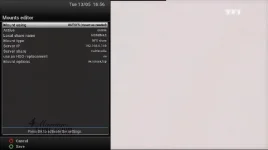
I enter the network settings, and choose Mounts setup. There I choose Network Browser, as I always done before. The search is successful, and the other box is found. However, if I click OK to expand the other box, nothing happens...
What am I doing wrong..?
I finally found the time to upgrade to Zeus. As far as I can see, almost everything is working just fine. I only experience one problem. I have two Duos's, and I used to have them mounted/connected so I was able to watch recordings from both boxes on either one of them. I tried to mount them as I've done before, but it didn't work. Maybe I'm doing something wrong..?
I enter the network settings, and choose Mounts setup. There I choose Network Browser, as I always done before. The search is successful, and the other box is found. However, if I click OK to expand the other box, nothing happens...
What am I doing wrong..?
 I never did before either. I can try... Which one do I need? Both?