Superb quality and spec AB-Com PULSe 4K SE. Crazy offer! Only £129! FREE UK DELIVERY! 4K UHD, Enigma 2, Multiboot 4 images & more!...
Superb quality and spec AB-Com PULSe 4K Rev II Twin Satellite tuner only £179! FREE UK DELIVERY! 4K UHD, Enigma 2, SATA HDD facility, Multiboot 4 images & more!...

[VU+ Duo] New VIX Image Vu+ Duo Version 2.4 15/05/2012 - DISCUSSION ONLY -

You need an editor like notepad++ or pspad to edit xml file.

There is an skin programm Eskinner, but you cannot use it cause in skin.xml templates are used and eskinner does not support this.
 
I am using notepad++. Will turn the updates off, so it doesn't affect the skin.

I think you better try to make your changes into skin_user.xml and place that in etc/enigma2.
Perhaps that will work better and also you can update

I think you need this code and fill in the screen you want to change

Code:
<?xml version="1.0" encoding="UTF-8"?>
<skin>
    <screen 
    </screen>	   
</skin>

Missing updates is not a really a good option.
 
Last edited:
Thats the file you need to edit, its in in etc/engima2 and you need to copy it to your desktop edit and put ba k in same locagion - at your own risk.
 
You only put in the change for a specific screen..

i am not sure if it will work with Vix night-hd but you have tor try it
 
Just added the new image..so thanks for the hard work guys!

Looks a treat and hopefully will be without issues.

Thanks as always
 
Brilliant! It works! I've attached my skin_user.xml if anyone wants to try it. Put in /etc/enigma2.

I have the Uno, not Duo, but I don't think that would make a difference.
 

Attachments

Damn it, flashed the new image, restored settings, and it hangs like a bitch. Spinning VIX in corner every minute or so. Worse even than the hanging I get with 204??

Have I got a duff box or something?

your not supposed to restore the settings with this new image

edogg
 
No you cannot restore settings from 204 you must clean flash and manually setup
Hm, I DID restore settings - and it looks ok, except the permanent timeshift bug is still there (I get empty recordings when I try to save timeshift). While with VTI (latest build) that I tried the last few days, the permanent timeshift worked OK.
You saying that better reflash from scratch? I'll do that and come back again to post results.
 
Apologies if already discussed but can I copy the XML files that have my timers in to a new flash so I don't have to re-create them or will I have to set them up again ?

Stu
 
Apologies if already discussed but can I copy the XML files that have my timers in to a new flash so I don't have to re-create them or will I have to set them up again ?

Stu

yes you can
 
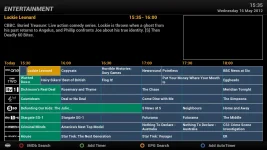
Loving it so far. Just been playing around with Sandman's VFD picons, resizing them to get them to display on the EPG menu, does anyone know how I can set the background colour to black? I'm sure I saw it last night, but maybe I was dreaming...

epgpicons.webp

Also any way to stop the 'blending' as such on the info bar?

infobar.webp

Thanks for all the effort, much appreciated.

Cheers
Silent
 
find it very sticky/slow any ideas?
where are your picons stored if they are stored on your hard disk your hard disk willl spin up everytime you use the EPG. ensure that the PICONS are stored on an external usb key
 
Loving it so far. Just been playing around with Sandman's VFD picons, resizing them to get them to display on the EPG menu, does anyone know how I can set the background colour to black? I'm sure I saw it last night, but maybe I was dreaming...

View attachment 16862

Also any way to stop the 'blending' as such on the info bar?

View attachment 16861

Thanks for all the effort, much appreciated.

Cheers
Silent


here are what colours you set set:

Code:
"ServiceForegroundColor"
"ServiceForegroundColorNow"
"ServiceBackgroundColor"
"ServiceBackgroundColorNow"


"EntryForegroundColor"
"EntryForegroundColorSelected"
"EntryBackgroundColor"
"EntryBackgroundColorSelected"
"EntryBackgroundColorNow"
"EntryBackgroundColorNowSelected"
"EntryForegroundColorNow"
"EntryForegroundColorNowSelected"


"ServiceBorderColor"
"ServiceBorderWidth"
"ServiceNamePadding"
"EntryBorderColor"
"EventBorderWidth"
"EventNamePadding"


"RecordForegroundColor"
"RecordForegroundColorSelected"
"RecordBackgroundColor"
"RecordBackgroundColorSelected"
"ZapForegroundColor"
"ZapBackgroundColor"
"ZapForegroundColorSelected"
"ZapBackgroundColorSelected"
 
Hi Andy

Thanks. Can I do this through a GUI somewhere which I can't find, or do I need to do it in an XML file?

Cheers
Silent
 
Hi Andy

Thanks. Can I do this through a GUI somewhere which I can't find, or do I need to do it in an XML file?

Cheers
Silent

Yes it's a .xml file just having a brain fart moment and can't remember the name of it LOL
 
Hi Andy

Thanks. Can I do this through a GUI somewhere which I can't find, or do I need to do it in an XML file?

Cheers
Silent

you can use in the user_skin.xml file. copy the GraphicalEPG screen in to it and edit to how you wish.
 

OpenViX Feeds Status

Back
Top