Superb quality and spec AB-Com PULSe 4K SE. Crazy offer! Only £99! FREE UK DELIVERY! 4K UHD, Enigma 2, Multiboot 4 images & more!...
Superb quality and spec AB-Com PULSe 4K Rev II Twin Satellite tuner only £149! FREE UK DELIVERY! 4K UHD, Enigma 2, SATA HDD facility, Multiboot 4 images & more!...

OpenVix Blue-HD

  • Thread starter Thread starter rossi2000
  • Start date Start date
Status
Not open for further replies.
I've just upgraded from the Zeus build to the latest Helios, the latest version of this skin looks great!

I just have a small issue when fast forward, rewind, pause etc. on a recording it shows the static blue round icon in the top left but doesn't show the forward or rewind speed (ie 2x 4x 8x etc.). Is there another configuration change I need to do to make this work? This is on a Vu+ Solo2.

Thanks.

Already been mentioned by another user, and will be corrected in next update!!
 
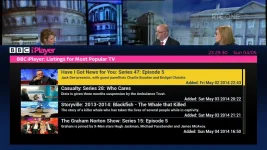
Rossi, great to see you experiment with OnDemand screens.
Can these new ones be full screen with PIG enabled, like EPG screens?


View attachment 34405


cheers.
that was my initial plan but i couldnt figure out what else to put in the left hand side then. be abit of empty space.

can you think of anything?

theres not much more info you can put on the screen with this plugin, its quite limited with the way its been coded.
alot of the info has been coded into the listbox like channel names and program info etc. i cant split it out to put the info above the logo, like the epg screen.
 
I've just upgraded from the Zeus build to the latest Helios, the latest version of this skin looks great!

I just have a small issue when fast forward, rewind, pause etc. on a recording it shows the static blue round icon in the top left but doesn't show the forward or rewind speed (ie 2x 4x 8x etc.). Is there another configuration change I need to do to make this work? This is on a Vu+ Solo2.

Thanks.


yep fixed already in the next image update.
 
Titles squashed to close together in recordings can't read have I missed something in setting I should change
 
Hi Rossi, any chance of uploading the latest build of your skin as a folder so I can transfer to my box? I've got a technomate box and so far Helios hasn't been released for Technomate boxes due to some ongoing issues. Really loving your skin and just want to keep updated with the builds. Many thanks in advance.
 
I've just noticed when adjusting the volume there is a white line that runs along the bottom and about a 1/4 of the way up each side of the volume bar. I've added a screenshot but you can't make it out.

I'm not complaining I'm just pointing it out.

vol.webp
 
hi rossi

i dont know if i have v2 or v3 but i downloaded blue hd skin last week.

using helios 012

so do i have v2 or v3?
 
check menu / information / about
it will say v2 or v3 at the bottom
 
The timer progress bar in the info bar can you make the yellow darker as difficult to see the contrast between time lapsed and left.

Sent from my SM-N9005 using Tapatalk
 
The shutdown screen where it shows the play and pause logo. i love that. What is the name of this file, I would love to use it as the startup background (as backdrop & bootlogo.mvi)

Is it in usr\share\enigma2\Blue-HD
what is it called?
 
The shutdown screen where it shows the play and pause logo. i love that. What is the name of this file, I would love to use it as the startup background (as backdrop & bootlogo.mvi)

Is it in usr\share\enigma2\Blue-HD
what is it called?
found it, it's Reboot in the infobar folder
 
The timer progress bar in the info bar can you make the yellow darker as difficult to see the contrast between time lapsed and left.

Sent from my SM-N9005 using Tapatalk


will have a look see what we can do.
 
cheers.
that was my initial plan but i couldnt figure out what else to put in the left hand side then. be abit of empty space.

can you think of anything?

theres not much more info you can put on the screen with this plugin, its quite limited with the way its been coded.
alot of the info has been coded into the listbox like channel names and program info etc. i cant split it out to put the info above the logo, like the epg screen.

Can the show description be split from the name & displayed in a different area?
That way if using PIG mode, description could be shown under PIG so it's a bit more consistant with other screens.

grab1.webp

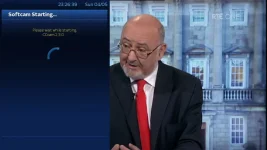
Also, noticed you moved the spinner for start/stop softcams, nice move. Looks much better there.
However, only top left 1/2 of spinner is shown.

grab.webp
 
Status
Not open for further replies.

OpenViX Feeds Status

Back
Top