Nothing to do with the skin, but press the TV button to see a list of bouquets or the < > buttons to move backward/forward a bouquet when in GEPG.Hi
Just playing around with this skin for the first time and am loving it!
How do I switch between Entertainment, Movies, Documentaries etc..??
The only way I can see to do it at the moment is to go to Favourites, select on of the categories and select one of the programs to watch it and then go into the EPG and it will show the guide for that category. Is there a quicker way from inside the EPG to change the favourites category?

Superb quality and spec AB-Com PULSe 4K SE. Crazy offer! Only £99! FREE UK DELIVERY! 4K UHD, Enigma 2, Multiboot 4 images & more!...
Superb quality and spec AB-Com PULSe 4K Rev II Twin Satellite tuner only £149! FREE UK DELIVERY! 4K UHD, Enigma 2, SATA HDD facility, Multiboot 4 images & more!...
You are using an out of date browser. It may not display this or other websites correctly.
You should upgrade or use an alternative browser.
You should upgrade or use an alternative browser.

- Status
- Not open for further replies.
B
bbr
Guest
Nothing to do with the skin, but press the TV button to see a list of bouquets or the < > buttons to move backward/forward a bouquet when in GEPG.
Sorry, didn't realise it wasn't the skin.
When I get the list of bouquets on the screen and select one (e.g. Documentaries), it shows the list of channels as now & next and not in the usual EPG. In order to see more than now & next I have to select one of the channels in that category to watch, go out of the EPG and then go back in by pressing the EPG button and the category is already set (e.g Documentaries) instead of All Channels.
Is this the only way to do it?
B
bbr
Guest
While in the graphical EPG screen try pressing the TV button on your remote, this should replace the program synopsis with a navigable bouquet list that you can scroll through.
That's it - sorry, misunderstood what you were saying judge!
Thanks so much!

Larry-G
V.I.P ,
- Joined
- May 19, 2010
- Messages
- 32,540
- Reaction score
- 405
- Points
- 0
- Age
- 48
That's it - sorry, misunderstood what you were saying judge!
Thanks so much!
No worries.
O
onthegalaxy
Guest
hi all i got Blue hd installed but when i go to my recordings there hard to read there kinda overlapping each other and scrunched together, i dont have this problem on different skins, does anyone have this issue ?
Cheers
Cheers

Andy_Hazza
Moderator
While in your recordings press menu, settings and change number of rows to suit. Try 13 or 14 and green button to save n see how that looks for ya.
Sent from my iPhone using Tapatalk
Sent from my iPhone using Tapatalk
O
onthegalaxy
Guest
Spot on mate cheers worked a treat not long had my box so still getting used to everything 
Andy_Hazza
Moderator
No worries buddy. [emoji106]
Sent from my iPhone using Tapatalk
Sent from my iPhone using Tapatalk
T
thejoker
Guest
does this work on the dm800hd, what image do i need?
Andy_Hazza
Moderator
Its optimised for receivers using the ViX image.
Sent from my iPhone using Tapatalk
Sent from my iPhone using Tapatalk

You would need to use openatv image then you could use this skin.does this work on the dm800hd, what image do i need?
R
RedDevil101
Guest
All,
When switching skins/ restarting GUI on my zero I get the Sly HD paused logo with the blue loading circle. Is there anyway I can replacethe hades image that appears when booting the box with this? Is the Hades image at the start a bootlogo? I have attached the image I mean below.
Any help would be greatly appreciated.
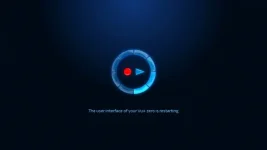
When switching skins/ restarting GUI on my zero I get the Sly HD paused logo with the blue loading circle. Is there anyway I can replacethe hades image that appears when booting the box with this? Is the Hades image at the start a bootlogo? I have attached the image I mean below.
Any help would be greatly appreciated.
Andy_Hazza
Moderator
Yes It is the bootlogo
Sent from my iPhone using Tapatalk
Sent from my iPhone using Tapatalk

wullboy
V.I.P ,
I have my own boot logo when starting up, but you will still get the sly hd logo for about 5 seconds, then my own one kicks in " well that what mines does " but maybe that could be removed ???
R
RedDevil101
Guest
I have my own boot logo when starting up, but you will still get the sly hd logo for about 5 seconds, then my own one kicks in " well that what mines does " but maybe that could be removed ???
I do not got the Sly HD one. I get the Haydes bit and then it hangs on that for a bit and then starts
K
kemik
Guest
Hi,
Is there any way I can change the wording 'autotimer' when setting up a recording from the EPG to the words 'Series Link' please?
Thanks
Is there any way I can change the wording 'autotimer' when setting up a recording from the EPG to the words 'Series Link' please?
Thanks
Larry-G
V.I.P ,
- Joined
- May 19, 2010
- Messages
- 32,540
- Reaction score
- 405
- Points
- 0
- Age
- 48
Hi,
Is there any way I can change the wording 'autotimer' when setting up a recording from the EPG to the words 'Series Link' please?
Thanks
No and even if you could it would be the wrong and completely incorrect description for that function, it is not and never has been a series link feature.
Andy_Hazza
Moderator
No, "Series Link" I would expect is copyrighted by Sky themselves.
K
kiwiz
Guest
rossi plans to make RED AND BLUE HD full hd 1080?
- Status
- Not open for further replies.
Similar threads
R
- Replies
- 302
- Views
- 182K
R
