R
rossi2000
Guest
nope sorry dudes.


All,
When switching skins/ restarting GUI on my zero I get the Sly HD paused logo with the blue loading circle. Is there anyway I can replacethe hades image that appears when booting the box with this? Is the Hades image at the start a bootlogo? I have attached the image I mean below.
Any help would be greatly appreciated.
View attachment 43031
Such a shame we wont be seeing 1080.
Would make my box complete
If not having a 1080 skin would make your box complete, you're not using your E2 box/functionality/network/connected devices and so on... properly.Such a shame we wont be seeing 1080.
Would make my box complete
Hi,
I'm running Blue HD Skin on VIX which I love. However one thing I would really like to change is that when I choose channel up/down it brings up mini epg and I have to then select the channel and zap to it.
Where can I change this only I'm used to using a BH image and channel up/down did exactly that change the channel up or down with one key press
Thanks
For this skin, the default is actually 20 (not sure if it's this default across all skins or just this one).there is, but people just change to what they want, so its useless.
and i think the default value should be 11 or 12.
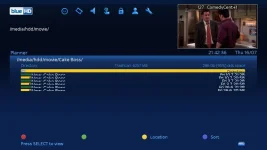
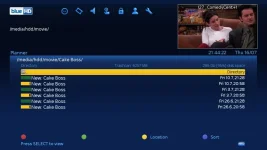
For this skin, the default is actually 20 (not sure if it's this default across all skins or just this one).
Whilst it's on 20, you can't really see anything in movies list (see pic):
View attachment 43778
But when it's on say 11 as you mentioned, everything is listed normally:
View attachment 43779
Could you possibly look at changing the default number of rows to 11 for this Skin when you manage to find time?
Thanks
I manually sorted them but you can group recordings into certain folders in a automated way. See this thread.Got to ask.....do you sort your movies into folders or is there some way of automating this?
I have also noticed this and is a right pain when you hit the remote key for channels it allways shows on the first satellite on your list...? hmmWhat box are you using? CH+/CH- should do just that, change channels by default.
You can use button setup to change if needs be.
Menu > Setup -> System -> User Interface -> Button setup


What is the best Picon pack to use with this skin?


