Superb quality and spec AB-Com PULSe 4K SE. Crazy offer! Only £129! FREE UK DELIVERY! 4K UHD, Enigma 2, Multiboot 4 images & more!...
Superb quality and spec AB-Com PULSe 4K Rev II Twin Satellite tuner only £179! FREE UK DELIVERY! 4K UHD, Enigma 2, SATA HDD facility, Multiboot 4 images & more!...

[VU+ Solo SE] Openvix. Hades

  • Thread starter Thread starter Si f
  • Start date Start date
S

Si f

Guest
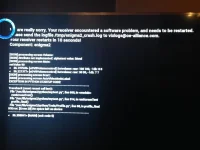
Hi I have a vu+ solo box running openvix hades but it crashes at the loading page says system error can any in help
 
You need to format usb to fat32 on a pc, extract image file using something like WinRAR, power off your receiver, insert usb and power the receiver back on. Will take around 2 mins to flash new image. You will need to setup the receiver from scratch and setup as new. No restores will be possible.


Sent from my iPhone using Tapatalk
 
You need to format usb to fat32 on a pc, extract image file using something like WinRAR, power off your receiver, insert usb and power the receiver back on. Will take around 2 mins to flash new image. You will need to setup the receiver from scratch and setup as new. No restores will be possible.


Sent from my iPhone using Tapatalk

Thank you for responding I've have tried flashing tht file on but still says the same thing is there anything else I can try
 
Thank you for responding I've have tried flashing tht file on but still says the same thing is there anything else I can try

When you fresh flash it wipes everything from the box, so at what point are you saying you get the system error?


Sent from my iPhone using Tapatalk
 
Sounds like its not reading the USB.
As Andy has said, make sure you have clean formatted the usb to Fat32.
Then load the unzipped folder containing the image files to the USB.
Also make sure it is the ONLY usb attached to the receiver.
You might have to try a few USB's ... sometimes receivers can be fussy about the USB :)
 
Sounds like its not reading the USB.
As Andy has said, make sure you have clean formatted the usb to Fat32.
Then load the unzipped folder containing the image files to the USB.
Also make sure it is the ONLY usb attached to the receiver.
You might have to try a few USB's ... sometimes receivers can be fussy about the USB :)

Cheers I'll have to get a new usb do u recommend any tht u know to work
 
make a small 256 Mb partition on your usb stick.That usely does the trick
 
or the chinese from 8 GB at 3.16 euro. :) .Works on al the differant boxes and PC's I have.
 
hi ive tried 3 different ones an still not working is there another way
 
did you try with small partition ? Otherwise try a working image and coach flash.Means downloading the image and installing from your HDD in the box.
 
did you try with small partition ? Otherwise try a working image and coach flash.Means downloading the image and installing from your HDD in the box.

yes on all 3 an downloaded files from the website suggested its the same screen every time
 
You are not flashing the box with the newer image.
Have you read the flashing guide for your box?
 
Go to the openvix website download the latest 036 I think it is. Wipe your mem stick place folder in root on the stick switch machine off at back. Put mem stick in front port turn machine back on press power button. Pull stick out once reboot in 3 seconds

Sent from my SM-G920F using Tapatalk
 
Depending on your box, you may have to use the rear usb port. I have the zgemma star s2 and it won't read the usb in the front port for flashing, it has to be in the back port.
 
Jus a quick thanks guys I still didn't get the flash drive to work even 5 of them but managed to sort it thru my laptop it connected to the boxes network and I jus deleted xbmc plugin to free the space an works fine now �� Thanks again
 

OpenViX Feeds Status

Back
Top