


nsw9154
V.I.P,
I started to watch a Recording on my New Duo2 and on the LCD Display the Time bar runs through the actual time display
so I went in to the settings and the set up window was showing the display as it on the receivers LCD Display
then it corrected it's self so I pressed the Green Button to save it, the screen was ok for about 5 seconds then reverted back to how it was
Their seems a lot of options to get to grips with what dose LCD 1-2-3 mean as their is only the 1 screen and to much confusion
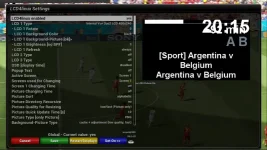
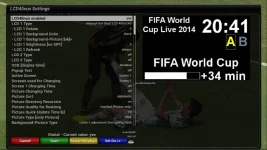
so I went in to the settings and the set up window was showing the display as it on the receivers LCD Display
then it corrected it's self so I pressed the Green Button to save it, the screen was ok for about 5 seconds then reverted back to how it was
Their seems a lot of options to get to grips with what dose LCD 1-2-3 mean as their is only the 1 screen and to much confusion


