
Superb quality and spec AB-Com PULSe 4K SE. Crazy offer! Only £129! FREE UK DELIVERY! 4K UHD, Enigma 2, Multiboot 4 images & more!...
Superb quality and spec AB-Com PULSe 4K Rev II Twin Satellite tuner only £179! FREE UK DELIVERY! 4K UHD, Enigma 2, SATA HDD facility, Multiboot 4 images & more!...
You are using an out of date browser. It may not display this or other websites correctly.
You should upgrade or use an alternative browser.
You should upgrade or use an alternative browser.
Technomate Twin 4K help Please
- Thread starter redman1
- Start date


abu baniaz
Moderator
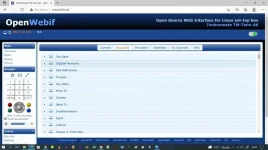
Put the IP address of the box in your web browser, you will see the remote on left hand side.
Then press
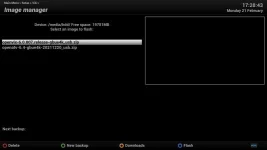
Blue > Vix > Image Manager >
Download an image, then flash it. Look at bottom of screen of TV or screenshot in Openwebif, it will tell you what the buttons do
Then press
Blue > Vix > Image Manager >
Download an image, then flash it. Look at bottom of screen of TV or screenshot in Openwebif, it will tell you what the buttons do

abu baniaz
Moderator
Have you seen post 22? we posted at same time
Blue > Vix > Image Manager
Download an image. Once you download it, flash it. If you get stuck, post a screenshot of where you are stuck.
Blue > Vix > Image Manager
Download an image. Once you download it, flash it. If you get stuck, post a screenshot of where you are stuck.
I must be old and lost now.
I cannot do anything on the box as its locked. Not sure I can press the blue button in OpenWebif. on my pc,
Now I hold down the control key on pc and blue button on Webif and I have this screen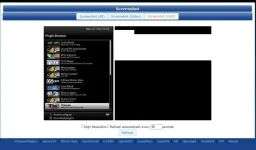
I cannot do anything on the box as its locked. Not sure I can press the blue button in OpenWebif. on my pc,
Now I hold down the control key on pc and blue button on Webif and I have this screen
abu baniaz
Moderator
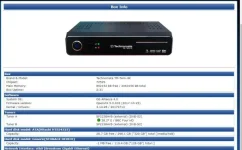
We are presuming you are running Vix (it should be based on the skin). Please get a screenshot of
Menu > Information > About
Menu > Information > About
abu baniaz
Moderator
You are taking pictures from OWIF, I was hoping to see the on on the TV. Not to bother, you are on Openvix 5.0 032.
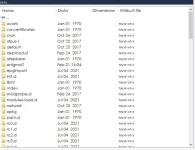
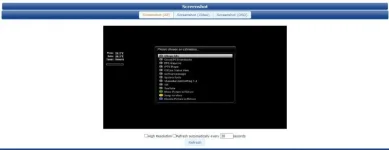
Press exit several times on remote. There should be no menus showing on TV. Press the blue button on remote (OWIF or physical) . Take a screenshot of what is shown and upload it please.
Press exit several times on remote. There should be no menus showing on TV. Press the blue button on remote (OWIF or physical) . Take a screenshot of what is shown and upload it please.
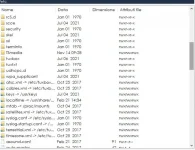
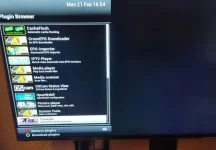
abu baniaz
Moderator
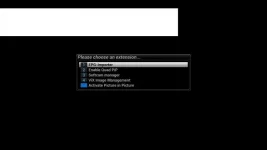
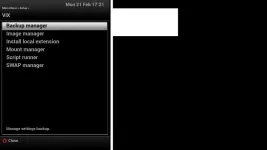
abu baniaz
Moderator
Select the Vix option, then Image Manager
abu baniaz
Moderator
abu baniaz
Moderator
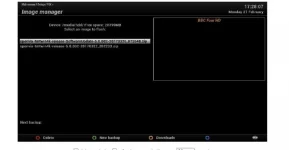
Press Yellow and download the latest Vix image. 6.0 007
Similar threads

- Replies
- 10
- Views
- 520
- Replies
- 1
- Views
- 2K

[Mut@nt HD2400]
feeds and status-message.php for self built 6.8.007 ?
- Replies
- 6
- Views
- 630