Superb quality and spec AB-Com PULSe 4K SE. Crazy offer! Only £129! FREE UK DELIVERY! 4K UHD, Enigma 2, Multiboot 4 images & more!...
Superb quality and spec AB-Com PULSe 4K Rev II Twin Satellite tuner only £179! FREE UK DELIVERY! 4K UHD, Enigma 2, SATA HDD facility, Multiboot 4 images & more!...

[ViX_Misc] Transmission Zeus

  • Thread starter Thread starter seame
  • Start date Start date
S

seame

Guest
When trying to install transmission from the feeds I'm getting this error message.
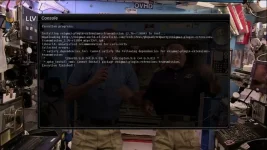
Zeus.webp
 
I've updated to build 003 and still getting the same error message.
 
U could try to connect via telnet and use the install command. This is only a suggestion from a mere mortal, more linux savy guys will no more. My guess is either, missing lib files or insufficient rights.
 
Hi,
I think Zeus uses version 1.x of these libs. You can try to make a symbolic link for libcrypto and libssl from 1.x to 0.98 and then install transmission by expanding with 7Zip and copying with FTP.

ciao
 
Hi,
I think Zeus uses version 1.x of these libs. You can try to make a symbolic link for libcrypto and libssl from 1.x to 0.98 and then install transmission by expanding with 7Zip and copying with FTP.

ciao

I'm struggling with this :confused: any chance you can point me in the right direction please.
 
U could try to connect via telnet and use the install command. This is only a suggestion from a mere mortal, more linux savy guys will no more. My guess is either, missing lib files or insufficient rights.

I've tried this and although I don't get an error message when installing, the plugin doesn't show on the box.
 
Hi,
I'm struggling with this :confused: any chance you can point me in the right direction please.
I am not at my box right now. You can take a look with telnet at /lib and then with ls -al libcryp* you should see an entry with 1.xxx and one with 0.97 or something like that. With the command ln -s you can create a so called symbolic link from 1.xxx to 0.98 and after that transmission should start. After that you must do the same fot libssl and I think this can be find in /usr/lib.

Sorry about this hard stuff but it is a more "dirty" trick. Normally transmission should be made with the correct dependencies.

ciao
 
I've had a go at this but tbh I wasn't expecting to crack it, its way over my head.

My first post was to alert the forum staff that the plugin in the feeds wasn't compatible so hopefully this will be seen and they can add the correct plugin or do whatever is needed to get transmission working with Zeus.

Edit. Just to add I've tried a newer version (2.82) and I got the same error message that is in the first post.
 
Last edited by a moderator:
Hi,
have you tried Zeus #5? I just tested and transmission installs fine on my VU+ Duo2.

ciao
 
Yes I updated to 005 this morning but it still wouldn't install. Did you download it from the feeds?
 
I've tried downloading from the feeds again and I'm still getting the same error message. I'll try a fresh flash if it doesn't work with the next image update in case my previous attempts to install it are in some way causing a conflict.

Has anyone else been able to install this plugin on Zeus?
 
I've tried downloading from the feeds again and I'm still getting the same error message. I'll try a fresh flash if it doesn't work with the next image update in case my previous attempts to install it are in some way causing a conflict.

Has anyone else been able to install this plugin on Zeus?

Nope - Same error for me
 
Hi,
Code:
root@TestSolo2:~# opkg install transmission
Installing transmission (2.73-r0) to root...
Downloading http://enigma2.world-of-satellite.com/feeds/Zeus/vusolo2/mips32el/transmission_2.73-r0_mips32el.ipk.
 Removing any system startup links for transmission ...
Configuring transmission.
 Adding system startup for /etc/init.d/transmission.
Starting transmission-daemon
no problem here Zeus #5 or #7 on Solo2.

ciao
 
I've tried to install again via telnet and getting this message now

"Package transmission (2.73-r0) installed in root is up to date"

Its not showing in the plugin list and when I try to open the webIF I get this message

"403: Forbidden

Unauthorized IP Address.

Either disable the IP address whitelist or add your address to it.

If you're editing settings.json, see the 'rpc-whitelist' and 'rpc-whitelist-enabled' entries.

If you're still using ACLs, use a whitelist instead. See the transmission-daemon manpage for details."

I'll try a clean flash later to see if that works.


Edit, I have used flashfxp to check the box for transmission files and can't find any.
 
Last edited by a moderator:
Also tried to install via telnet (on Zeus 007), which did complete as per trial's extract above. However, transmission does not appear in the plugins menu and when trying to connect via the browser, I get the same message as seame above. Tried changing the whitelist-enabled variable in settings.json to false but no luck
 
seame did you manage to get any further with this? i tried creating symbolic links, re-flash with & without settings restore and still no luck
 
It installed ok for me when I tried the
Code:
opkg install transmission
command, but had the same 403: Forbidden Unauthorized IP Address. After a bit of googling I found the same issue with a debian linux build. You need to update the transmission-daemon json.settings file:

Code:
--stop transmission before making changes
/etc/init.d/transmission stop

--edit the settings file (theres a few copies of this so make sure its the daemon file)
vi /var/lib/transmission-daemon/settings.json

check + change following parameters:

"rpc-enabled": true, 
"rpc-whitelist": "*.*.*.*",
"rpc-whitelist-enabled": false,

--start transmission to pickup new settings
/etc/init.d/transmission start
 

OpenViX Feeds Status

Back
Top