Superb quality and spec AB-Com PULSe 4K SE. Crazy offer! Only £99! FREE UK DELIVERY! 4K UHD, Enigma 2, Multiboot 4 images & more!...
Superb quality and spec AB-Com PULSe 4K Rev II Twin Satellite tuner only £149! FREE UK DELIVERY! 4K UHD, Enigma 2, SATA HDD facility, Multiboot 4 images & more!...

Two Duo2s Not Talking to Each Other

look #12 and if you setup the mount as asked it is not possible to have autofs.
 
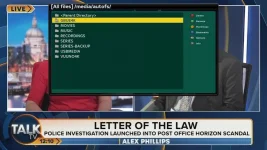
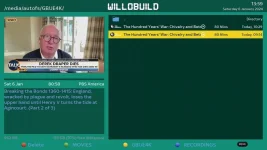
If I look at the autofs directory from my computer, it's empty, but all the shares are accessible from the e2 box.

Using DreamExplorer all mounts are present.

1_0_19_CD6E_844_2_11A0000_0_0_0_20240106121024.webp

I don't use an FTP client to access my files from windows, I just install samba on the box and use windows explorer.
 
I've revisited post #12 and tried the remounts as you suggested. However, the mount will not work unless I use Autofs. I've tried Mount using Enigma 2, And the old Enigma Linux mount.
 
Have you tried just allocating one of the coloured buttons in movie player to the share on the other box?
Mine works fine.

1_0_19_CD6E_844_2_11A0000_0_0_0_20240106135911.webp
 
Eventually found out the cause of the problem - me!

I had set up Mount Manager correctly on the Main Menu>Setup>Network>Mounts>Browse network neighbourhood>MOUNT MANAGER.

However, on the pre-screen, the Browse Network neighbourhood: "Main Menu>Setup>Network>Mounts>Browse network neighbourhood", I had left the screen blank rather than keying in the IP address etc., of the remote box using the Expert option (blue).
When I set this up, everything worked fine.

Thanks for your suggestions (and your patience!), guys.
David
 

OpenViX Feeds Status

Back
Top